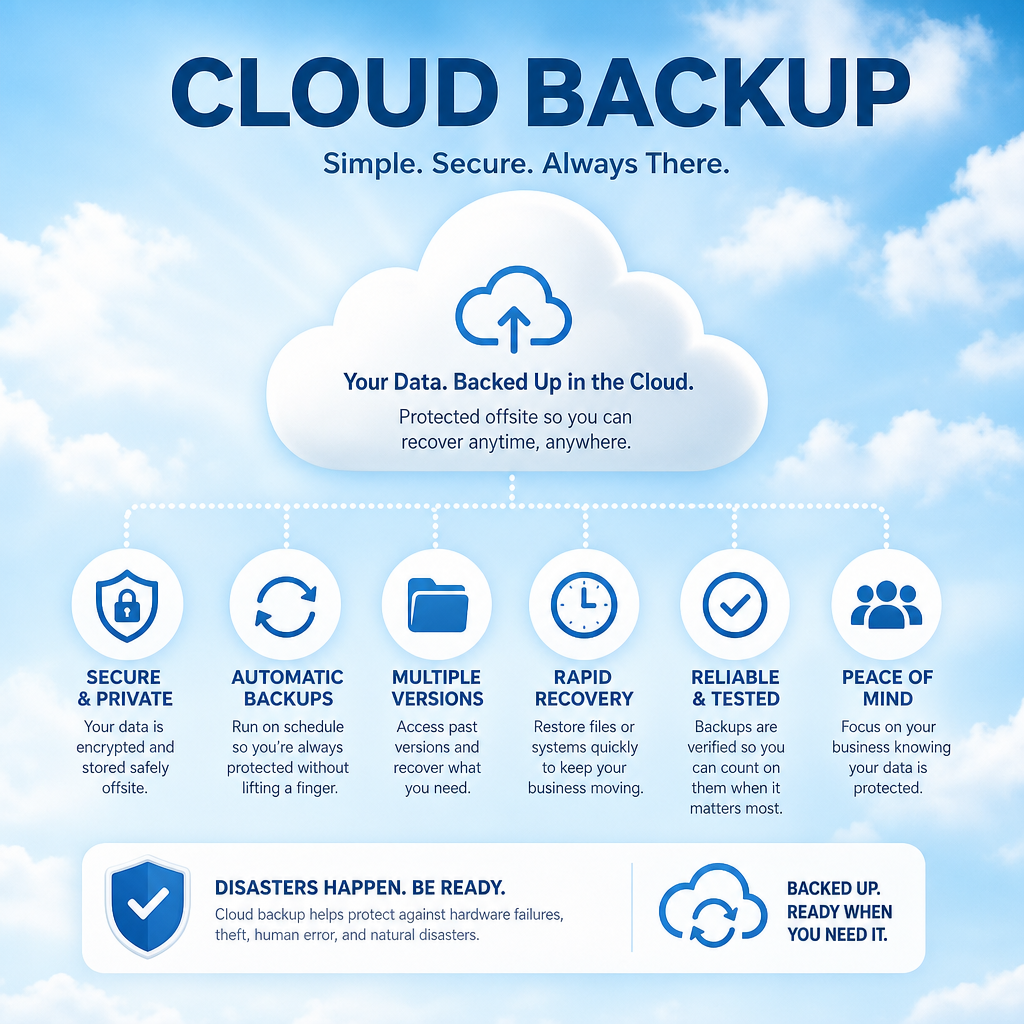
At 8:12 on a Monday morning, a failed server, stolen laptop, or ransomware message can turn a normal workday into a business interruption. Cloud backup for small business is what gives your team a way back: a protected copy of the information they need to serve clients, process orders, access records, and keep the doors open.
For many small organizations, data loss is not just an IT problem. It can delay payroll, interrupt patient or client service, create compliance concerns, and put years of work at risk. A backup plan should be easy to understand, dependable under pressure, and built around how your organization actually operates.
What cloud backup protects and why it matters
Cloud backup copies selected business data to secure offsite storage over an internet connection. Unlike keeping files only on a computer, office server, or local external drive, it creates a separate recovery option if the original equipment is damaged, inaccessible, or compromised.
That separation matters. A fire, flood, theft, electrical surge, or hardware failure can affect everything in one office. Ransomware can encrypt shared files and, in some cases, connected backup drives as well. A properly configured cloud backup keeps protected copies outside the affected environment and retains earlier versions of files so there is a recovery point to work from.
For a professional office, that may include client documents, accounting data, email, and line-of-business applications. For a healthcare provider or pharmacy, the priority may be patient-related systems, secure records, and essential operational files. A nonprofit may need donor records, grant documents, financial information, and years of program materials. The right backup plan starts with identifying what your team cannot afford to lose.
Cloud backup is different from file syncing. Services that synchronize files across devices are useful for collaboration, but they are not automatically a complete backup strategy. If someone deletes a folder, overwrites a file, or syncs an infected version, that change may spread quickly. Retention settings and recovery options vary, so it is worth confirming exactly what is protected, for how long, and how it can be restored.
A backup is only useful if recovery works
The word “backup” can create a false sense of security. Having a copy of data is not the same as being able to restore it quickly enough to meet your business needs.
Two questions shape every practical backup plan: How much recent work can you tolerate losing, and how long can you tolerate being without your systems? In IT terms, these are recovery point and recovery time objectives. You do not need to use the technical language internally, but you do need clear answers.
A busy office may decide that losing a full day of work is unacceptable, which calls for more frequent backups. Another organization may be able to function temporarily with access to basic documents but cannot operate without its accounting or scheduling system. That difference affects how backups are configured and what recovery process is needed.
Restoring a single deleted document is very different from rebuilding a server after a serious outage. File-level recovery can be quick. Restoring a large amount of data or a complete system may take longer, especially when internet speeds, data volume, and application dependencies are involved. A responsible provider explains these trade-offs before an emergency, not while your staff is waiting for access.
What a small business backup plan should include
Cloud backup for small business works best as part of a broader continuity plan. The goal is not to buy the most storage or add every available feature. The goal is to protect the right information, create reliable recovery options, and make sure someone is accountable for checking that the plan is working.
A well-designed plan usually includes the following elements:
- Clearly identified data and systems. This includes shared drives, servers, workstations where important files are stored, Microsoft 365 data, accounting programs, databases, and specialized applications. Many businesses discover too late that a critical file was saved locally on one employee’s computer.
- Offsite, protected copies. Backups should be stored separately from the production systems they protect. Encryption, access controls, and secure credentials help reduce the risk of unauthorized access.
- Version history and retention. Multiple versions make it possible to recover files from before accidental deletion, corruption, or ransomware activity. The retention period should match your operational and regulatory needs.
- Routine monitoring and testing. Backup jobs can fail because of expired credentials, low storage, software updates, network changes, or hardware issues. Monitoring catches failures early. Test restores prove that the data is usable.
- A documented recovery process. Your office should know who to call, what systems are restored first, and how staff will communicate if normal email or phone systems are affected.
Not every organization needs the same backup schedule or recovery setup. A small office with cloud-based applications may have different needs than a business running a local server and specialized industry software. The best approach is tailored, not oversized.
Common gaps that leave businesses exposed
The most common backup problem is assuming that someone else is handling it. A software vendor may protect its own platform, but that does not necessarily mean it keeps every version of your data for the period you need. A cloud service may have built-in retention tools, but they may not be configured for your organization.
Another gap is protecting the server but overlooking workstations, laptops, mobile devices, or Microsoft 365 data. This is especially relevant for hybrid teams. If an employee saves a critical proposal, client record, or spreadsheet locally and that device fails, the server backup will not help unless that device or folder was included.
Weak access controls can also undermine a good backup system. If a compromised administrator account can delete backup copies, recovery becomes much harder. Multi-factor authentication, limited administrative access, separate backup credentials, and alerts for unusual activity are sensible safeguards.
Finally, businesses sometimes avoid recovery testing because they are concerned about disruption. Testing does require planning, but it is far less disruptive than discovering during an outage that an application cannot be restored correctly. A scheduled test can be limited to selected files, a test environment, or a controlled restoration process.
How to choose the right cloud backup approach
Start with a simple conversation about your business operations. Which information would stop work immediately if it disappeared? Which systems contain confidential information? How long would a day, two days, or a week of downtime affect your customers, staff, and cash flow?
Then look at the practical details. Confirm where the data is stored, whether it is encrypted, who can access it, how long versions are retained, and whether the provider monitors backup success. Ask how long a full restore could take and whether there is a priority order for getting critical systems back online.
Cost matters, but the lowest monthly price is not always the lowest business risk. An inexpensive plan that backs up only a portion of your environment, provides limited retention, or leaves your team responsible for monitoring may create expensive surprises later. On the other hand, some organizations pay for complex capabilities they do not need. A good IT partner will explain the options in plain language and recommend a plan that fits your operations and budget.
For organizations across Chilliwack and the Fraser Valley, local support can be especially valuable when an issue involves both cloud recovery and onsite equipment. Myriad Technologies helps businesses review what they have, identify gaps, and put practical recovery plans in place without turning the conversation into a sales pitch.
Make backup part of business readiness
A backup plan should be reviewed when your business changes. New software, a move to Microsoft 365, additional staff, remote work, new office locations, or a server replacement can all change what needs protection. Include backup questions in technology projects rather than treating them as an afterthought.
It also helps to give staff a simple role in protecting data. Employees should know where approved business files belong, why saving critical work only to a desktop is risky, and whom to contact when something looks wrong. Cybersecurity awareness and dependable backup work together: one reduces the likelihood of an incident, while the other helps your organization recover when prevention is not enough.
The best time to ask whether your data can be restored is a quiet workday, when the answer can be checked carefully. A clear, tested cloud backup plan gives your team something more valuable than extra storage: confidence that one bad event does not have to become a long-term business crisis.