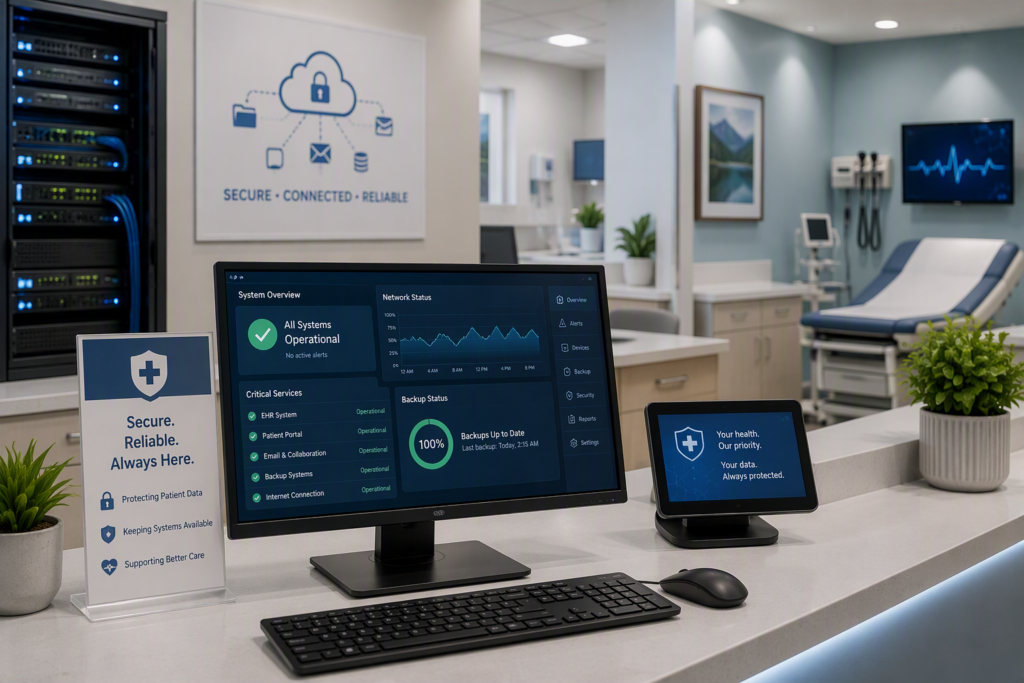
A stalled check-in screen can affect far more than the front desk. It can delay appointments, frustrate patients, interrupt communication between staff, and leave a busy clinic trying to work around systems it depends on all day. Healthcare IT support is not simply about fixing computers when they fail. It is about keeping the technology behind patient care dependable, secure, and understandable.
For a small or midsize practice, pharmacy, therapy office, or community health organization, technology needs to work quietly in the background. Staff should be able to access the right information, communicate safely, print forms, process payments, and move through their day without wondering whether the network will hold up. When something does go wrong, they need a knowledgeable person who responds promptly and explains the path forward in plain language.
Why Healthcare Technology Needs a Different Level of Care
Most healthcare organizations operate with little room for downtime. A law office may be able to postpone a document review for an afternoon. A clinic with appointments booked, prescriptions to process, and patient questions coming in cannot easily pause its operations. Even a short interruption can create a backlog that follows the team for the rest of the day.
The stakes also extend beyond productivity. Healthcare environments handle sensitive personal information, whether that information lives in an electronic health record system, email inbox, scanned document folder, billing platform, or cloud storage account. A misplaced device, compromised password, or poorly configured network can create serious privacy and compliance concerns.
That does not mean every provider needs an enterprise-sized IT department. It does mean the support plan should reflect how care is delivered. A one-provider practice, a multi-location clinic, and a nonprofit offering community services will have different priorities. The right approach considers the organization’s size, systems, budget, risk exposure, and plans for growth rather than selling technology that does not solve a real operational problem.
What Reliable Healthcare IT Support Looks Like
Dependable support begins before an emergency ticket is opened. Preventive maintenance, security updates, device monitoring, account reviews, and tested backups reduce the chance that a small issue becomes a major disruption. This proactive work is often less visible than an urgent repair, but it is what gives staff more confidence in the tools they use each day.
When an issue does occur, response matters. A support partner should understand which problems can wait and which ones are stopping care. A slow laptop used for occasional administrative work is different from a failed internet connection, inaccessible patient scheduling platform, or email outage affecting the entire office. Clear triage helps the most urgent issues receive attention first.
Good support also means communicating without jargon. Office managers and clinic directors should not have to translate technical language before making a decision. They need to know what happened, what is being done, how it affects their operations, and whether there is a practical choice to make. That kind of communication builds trust, especially during a stressful outage.
Security Is a Daily Practice, Not a One-Time Project
Cybersecurity deserves particular attention in healthcare because attackers often look for organizations that depend on fast access to information. Phishing messages, weak passwords, unpatched devices, and unauthorized access can all create an opening. Technology controls help, but people and processes matter just as much.
A practical security program usually includes protected user accounts, multi-factor authentication, managed updates, endpoint protection, secure backup practices, and staff guidance on recognizing suspicious messages. It should also define what happens if a device is lost, an employee receives a questionable email, or a system appears to be compromised. The goal is not to make every staff member a cybersecurity expert. It is to give them clear habits and a reliable place to turn when something does not look right.
Compliance requirements may apply depending on your location, services, and the information you handle. HIPAA obligations, contractual requirements, provincial or state privacy rules, and insurer expectations can vary. A capable IT partner can help identify technology gaps and support the safeguards your organization needs, while recognizing that legal and compliance advice should come from the appropriate qualified professional.
Backups Only Matter If Recovery Works
Many organizations believe their data is protected because a backup tool is installed. That is a helpful start, but it is not the full answer. A backup strategy should cover the systems that matter, keep copies protected from common threats such as ransomware, and be tested so the team knows files can actually be restored.
Recovery planning should also account for the real-world question: how long can the organization operate without a particular system? Some files can wait until tomorrow. Patient scheduling, communications, financial systems, or line-of-business software may need a faster recovery path. Understanding those differences helps set sensible priorities without overspending on every part of the environment.
The Systems Behind the Exam Room
Healthcare IT support covers much more than workstations. Networks, Wi-Fi, internet connections, printers, phones, Microsoft 365, cloud applications, user accounts, mobile devices, and vendor-managed clinical platforms all affect the daily patient experience. When these pieces are managed separately without clear ownership, staff can get caught between vendors while a problem remains unresolved.
A single accountable technology partner can coordinate troubleshooting across those systems and communicate with software, telecom, or internet providers when needed. That does not mean one company must replace every specialized healthcare software vendor. It means someone should be looking at the full picture and helping ensure the pieces work together.
For example, moving email or documents to the cloud may improve access for authorized staff working between locations. But it also requires careful setup of permissions, device security, sharing rules, and backup expectations. Likewise, expanding Wi-Fi can improve mobility, but patient access should be appropriately separated from internal business and clinical systems. The best technology decisions balance convenience, security, and cost.
When to Reassess Your IT Support
Some warning signs are easy to recognize: recurring outages, slow systems, constant printer or Wi-Fi problems, and calls to multiple vendors with no clear resolution. Others are quieter, such as former employees retaining access, backups that have not been tested, unsupported computers, or staff relying on personal workarounds to get their jobs done.
It is also worth reassessing support when the organization changes. Opening a second location, adding providers, adopting a new clinical application, moving files to the cloud, replacing phones, or preparing for an audit can all expose gaps in the existing setup. Addressing technology early is generally easier and less disruptive than trying to repair it after go-live.
A useful conversation with an IT provider should begin with your operations, not a generic list of products. How do patients move through the office? Which systems are essential? What information is most sensitive? Who needs access from outside the building? Where does downtime cause the greatest strain? The answers create a practical roadmap for support, security, and future improvements.
A Partner Who Understands the Pressure
Healthcare staff already carry meaningful responsibilities. They should not also have to chase updates, guess whether an email is legitimate, or spend hours trying to restore access to a critical application. The right support relationship gives them a responsive team that listens, resolves issues with care, and helps prevent avoidable problems.
For organizations across the Fraser Valley, Myriad Technologies provides that combination of ongoing maintenance, responsive assistance, cybersecurity guidance, and practical technology planning. The focus is not on adding complexity. It is on helping your people stay productive and your systems stay ready for the work that matters.
Start with the next point of friction your team experiences, whether it is unreliable Wi-Fi, confusing access controls, aging computers, or uncertainty around backups. A thoughtful review of that one issue can become the first step toward a more dependable environment for staff and patients alike.