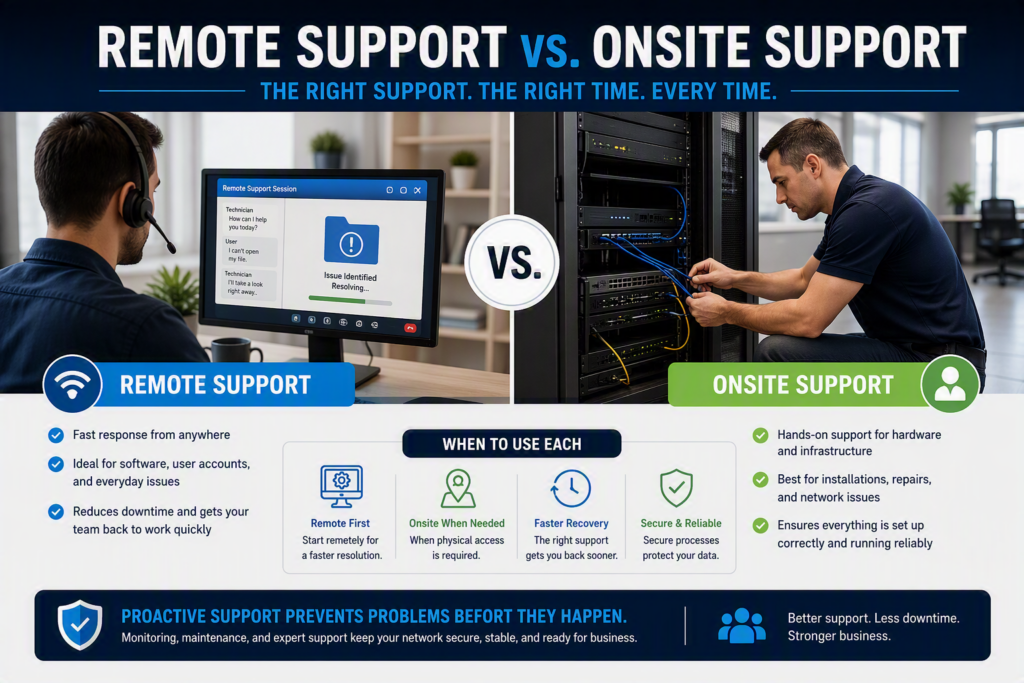
Technology issues can happen at any time. An employee may lose access to a critical file before an important meeting, a cloud application may stop responding, or a network problem could disrupt an entire office. When that happens, businesses often face an important question: should the issue be resolved remotely, or does it require onsite support?
The answer is rarely one or the other. Most organizations benefit from a combination of both. Understanding the strengths of remote and onsite IT support can help businesses minimize downtime, improve productivity, and ensure employees get the help they need when problems arise.
The Benefits of Remote IT Support
Remote support allows technicians to securely access authorized systems from another location and troubleshoot issues without visiting the office. For many common IT problems, this is the fastest and most efficient solution.
Remote support is particularly effective for:
- Password and account issues
- Microsoft 365 support
- Email configuration problems
- Software errors and updates
- Printer setup and connectivity issues
- Security alerts and account lockouts
Because technicians can begin troubleshooting immediately, businesses often experience shorter wait times and faster resolutions. Remote support is also ideal for hybrid and remote work environments where employees may not be physically located in the office.
Many organizations also use proactive monitoring to identify issues before employees notice them. A managed IT provider can often detect system warnings, failed updates, storage issues, or unusual activity and resolve them before they impact productivity.
In addition, remote support can help businesses make better use of their IT budget. Reduced travel time allows technicians to resolve routine issues more efficiently, helping organizations receive support when they need it most.
When Onsite IT Support Is the Better Choice
While remote support can solve many problems, some situations require a technician to be physically present.
Onsite support is often necessary for:
- Hardware failures
- Server issues
- Network outages
- Damaged cabling
- Wi-Fi coverage problems
- New equipment installations
- Office relocations and technology upgrades
Having a technician onsite allows for hands-on troubleshooting and direct access to the affected equipment. This can significantly reduce the time required to diagnose and resolve infrastructure-related problems.
Onsite support is also valuable during major technology projects. Whether deploying new workstations, upgrading network equipment, or implementing a new phone system, having a technician physically present helps ensure everything is installed and functioning correctly.
Remote Support vs. Onsite Support: Key Differences
The decision often comes down to the nature of the problem.
Remote support is typically the best option when:
- The device is online and accessible
- The issue is software-related
- Immediate assistance is required
- Employees are working remotely
Onsite support is usually the better choice when:
- Hardware needs repair or replacement
- Network infrastructure is affected
- Physical installation or configuration is required
- The issue cannot be diagnosed remotely
A reliable IT provider should be able to quickly determine which approach will deliver the fastest and most effective resolution.
Security Matters in Both Support Models
Whether support is provided remotely or onsite, security should always remain a priority.
Remote access should only occur through approved and secure tools with proper authorization procedures. Businesses need confidence that only authorized technicians can access sensitive systems and data.
This is especially important for organizations that handle confidential information, financial records, healthcare data, or customer information. Fast support is valuable, but security and accountability must never be compromised.
Employees should also know how to respond to suspicious activity. Rather than clicking unfamiliar links or unexpected security prompts, staff should report concerns immediately so they can be investigated safely.
Why a Blended Support Model Works Best
For most businesses, the ideal solution is a combination of remote and onsite support.
Remote assistance provides fast responses for everyday technical issues, while onsite support addresses hardware failures, infrastructure projects, and more complex troubleshooting needs. Together, they create a flexible support strategy that keeps technology running smoothly.
This approach becomes even more effective when combined with proactive IT management. Regular maintenance, system monitoring, security updates, and backup checks help prevent many common issues before they affect the business.
When an IT provider already understands your environment, systems, and business priorities, problems can often be resolved faster and with less disruption.
How to Decide During an IT Issue
When a technology problem occurs, start by assessing its impact:
- Is one user affected, or is the entire office impacted?
- Is the device still connected to the network?
- Is the issue hardware or software related?
- Is there an urgent business deadline involved?
Providing this information when contacting support can speed up diagnosis and ensure the right response is provided from the start.
Final Thoughts
The debate between remote support and onsite support is not about choosing one over the other. Both play an important role in maintaining a reliable and secure technology environment.
Remote support delivers quick resolutions for many day-to-day issues, while onsite support provides the hands-on expertise needed for infrastructure, hardware, and major technology projects. Together, they help businesses reduce downtime, improve productivity, and respond more effectively when problems occur.
The best IT partners offer both options, ensuring your organization always receives the right level of support for the situation at hand.