A phishing email doesn’t have to look suspicious to cause serious damage. It may appear to come from a trusted supplier, a colleague, or a familiar cloud service. Arriving during a busy workday, it only takes one click to expose sensitive business information.
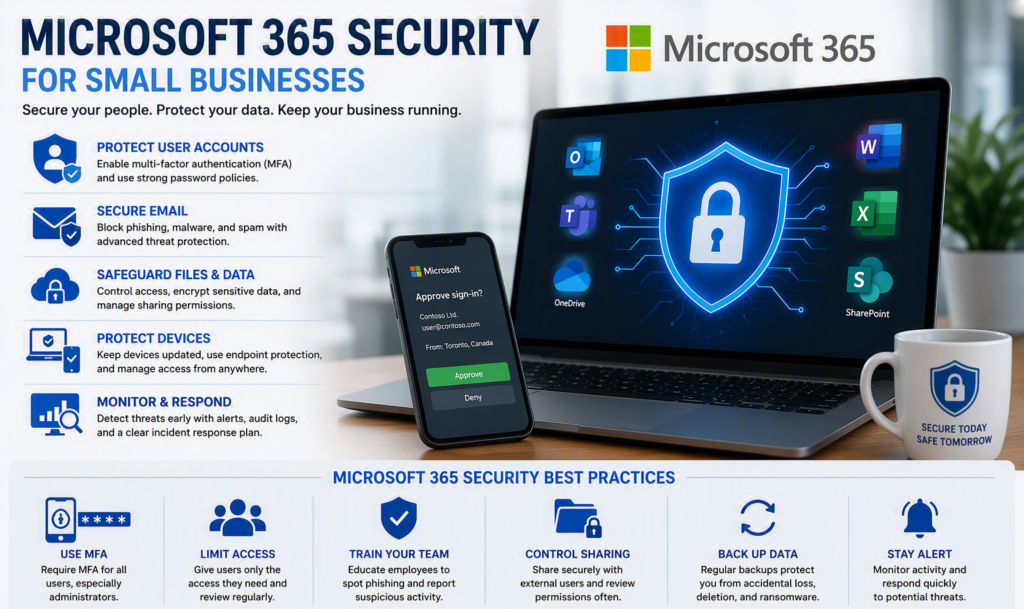
That’s why Microsoft 365 security is more than an IT concern. It’s a critical business protection strategy that helps secure your email, files, devices, user accounts, and company data.
For small and midsize businesses, the objective is not to turn every employee into a cybersecurity expert. Instead, it’s about implementing practical security measures that reduce risk, protect sensitive information, and help prevent costly disruptions before they occur.
What Is Microsoft 365 Security?
Many organizations think of Microsoft 365 as a collection of productivity tools such as Outlook, Word, Excel, Teams, OneDrive, and SharePoint. However, Microsoft 365 also includes powerful security and compliance capabilities designed to protect businesses from modern cyber threats.
Microsoft 365 security features may include:
- Multi-factor authentication (MFA)
- Identity and access management
- Email threat protection
- Device management
- Data loss prevention (DLP)
- Audit logs and security reporting
- Conditional access policies
- File protection and sharing controls
- Security monitoring and alerts
The specific features available depend on your Microsoft 365 licensing plan, making regular security reviews an important part of protecting your organization.
Why Identity Protection Is the Foundation of Microsoft 365 Security
The most important principle of Microsoft 365 security is simple:
Protect user accounts first.
If a cybercriminal gains access to a single employee account, they may be able to:
- Read confidential emails
- Access company files
- Send fraudulent messages
- Reset passwords
- Approve financial transactions
- Impersonate employees or executives
A strong password alone is no longer enough. Password theft, phishing attacks, reused credentials, and social engineering tactics continue to be some of the most common causes of data breaches.
The strongest Microsoft 365 security strategy combines technical controls with well-defined business procedures and employee awareness.
Enable Multi-Factor Authentication (MFA) for Every User
One of the most effective ways to strengthen Microsoft 365 security is requiring Multi-Factor Authentication (MFA).
MFA requires users to verify their identity using:
- Microsoft Authenticator
- Security keys
- Approval notifications
- Biometric authentication
- Other secondary verification methods
Even if attackers obtain a user’s password, MFA can prevent unauthorized access.
Every account should be protected, including:
- Business owners
- Executives
- Administrators
- Employees
- Contractors
- Temporary staff
Administrative accounts require additional protection because they can modify settings, create users, manage permissions, and access sensitive company information.
While SMS verification is better than password-only authentication, authenticator applications and phishing-resistant authentication methods generally provide stronger protection.
Separate Administrative Accounts from Daily Use
A common security mistake is using administrator accounts for everyday tasks such as email, web browsing, and document management.
Best practices include:
- Creating separate administrator accounts
- Limiting Global Administrator privileges
- Reviewing administrative access regularly
- Monitoring privileged account activity
If a daily-use account becomes compromised, having separate administrative credentials greatly reduces the potential impact.
Manage Former Employees and Shared Accounts
Account management is one of the most overlooked areas of Microsoft 365 security.
Whenever employees leave the organization:
- Disable accounts immediately
- Revoke active sessions
- Transfer mailbox ownership
- Reassign file ownership
- Remove unnecessary access rights
Shared user accounts create additional risks because it becomes difficult to determine who accessed information or performed specific actions.
Whenever possible, use individual user accounts combined with shared mailboxes and properly assigned permissions.
Protect Your Business Email from Cyber Threats
Email remains one of the most common attack vectors for:
- Ransomware
- Phishing attacks
- Credential theft
- Business email compromise (BEC)
- Invoice and payment fraud
A properly configured Microsoft 365 environment can help filter:
- Malicious attachments
- Phishing emails
- Impersonation attempts
- Unsafe links
- Spam messages
However, default settings may not provide adequate protection for every organization.
Businesses should regularly review email security policies and implement domain authentication controls that help verify legitimate messages while reducing the likelihood of criminals impersonating their company.
Establish Financial Verification Procedures
Technology is only part of the solution.
Employees should verify requests involving:
- Banking changes
- Wire transfers
- Gift card purchases
- Confidential records
- Sensitive client information
Verification should always occur through a trusted communication channel, such as a known phone number or approved contact method.
Replying directly to a suspicious email should never be considered verification.
Security Awareness Training That Works
Effective employee security training focuses on practical decision-making rather than fear.
Staff should understand how to recognize:
- Phishing emails
- Fake document-sharing notifications
- Executive impersonation scams
- Fraudulent invoices
- Credential harvesting attempts
Our guide on combating phishing and fraud provides additional insights into protecting employees from common cyber threats.
Training should be:
- Short
- Relevant
- Ongoing
- Easy to understand
Most importantly, employees should feel comfortable reporting suspicious activity without fear of criticism.
Secure File Sharing and Data Access
Microsoft 365 makes collaboration easier, but unrestricted sharing can create security risks.
Organizations should review permissions across:
- SharePoint
- OneDrive
- Microsoft Teams
- Shared libraries
- Departmental folders
Access controls should align with business needs rather than granting broad permissions for convenience.
Particular attention should be given to:
- Financial records
- Human resources files
- Client information
- Healthcare records
- Legal documents
- Confidential project data
Manage External Sharing Carefully
Sharing files with clients, vendors, and contractors is often necessary, but permissions should be controlled carefully.
Best practices include:
- Setting expiration dates
- Reviewing external users regularly
- Limiting anonymous access
- Restricting sensitive file sharing
Organizations should ensure external collaboration improves productivity without creating unnecessary data exposure.
Use Data Loss Prevention (DLP) for Sensitive Information
Data Loss Prevention (DLP) policies help prevent the accidental sharing of sensitive information.
These tools can identify:
- Financial information
- Health records
- Personal information
- Client data
- Internal business records
DLP policies can warn users, block activity, or require additional approval before sensitive information is shared externally.
The most effective policies balance security with usability. Overly restrictive controls often lead employees to seek workarounds.
Include Device Security in Your Microsoft 365 Strategy
Secure user accounts alone cannot fully protect your business.
An unmanaged laptop, personal computer, or lost smartphone can still expose company information.
At minimum, devices accessing Microsoft 365 should include:
- Current operating system updates
- Antivirus or endpoint protection
- Screen lock protection
- Drive encryption
- Mobile device security controls
Organizations with remote or hybrid employees should establish clear device security standards for both company-owned and personal devices.
Microsoft Intune and related management tools can help enforce policies consistently while protecting business data across multiple device types.
Monitor Microsoft 365 Security Continuously
Security is not a one-time project.
Businesses should monitor for:
- Suspicious sign-in attempts
- Impossible travel alerts
- New administrator assignments
- Mailbox forwarding rules
- Unusual file activity
- Account permission changes
Cybercriminals often create hidden mailbox rules to conceal evidence of compromise. Regular reviews can help identify these threats before significant damage occurs.
Develop an Incident Response Plan
Every organization should have a documented response plan that answers critical questions:
- Who should be contacted first?
- Who can disable accounts?
- How will employees be notified?
- How will evidence be preserved?
- What role does the IT provider play?
Waiting until a cybersecurity incident occurs can significantly increase recovery time and disruption.
Don’t Forget Backup Protection
Microsoft 365 provides outstanding service availability, but availability is not the same as backup.
Organizations should consider how they will recover from:
- Accidental deletions
- Malicious deletions
- Ransomware incidents
- Retention requirements
- User errors
The right backup strategy depends on business requirements, compliance obligations, and recovery objectives.
Microsoft 365 Security Is an Ongoing Business Process
There is no single setting that guarantees cybersecurity.
The most effective Microsoft 365 security strategy involves:
- Regular security reviews
- Strong identity protection
- Secure email configuration
- Device management
- Employee training
- Backup planning
- Ongoing monitoring
As organizations grow, security requirements evolve. User permissions, licensing, access policies, and security controls should be reviewed regularly to keep pace with changing business needs.
For organizations throughout the Fraser Valley, Myriad Technologies helps businesses implement practical Microsoft 365 security solutions that protect sensitive information without adding unnecessary complexity.
A simple question can reveal where your biggest security gaps exist:
If an employee entered their Microsoft 365 password into a convincing phishing website today, what safeguards would prevent that mistake from becoming a serious security incident?
The answer will help identify your next cybersecurity priorities.