A staff member calls on a busy Monday morning because they cannot access their email. Their password was changed after a suspicious sign-in alert, but no one knows whether the same password was used on other accounts or whether sensitive client information was exposed.
This is exactly the kind of preventable disruption that can happen when businesses do not have strong business password hygiene in place.
For small and midsize businesses, password security is not about forcing employees to memorize complicated strings of characters. It is about creating simple, practical systems that make secure password habits easy to follow.
Good password hygiene helps protect confidential information, reduce account takeovers and lockouts, and keep your business running when cybercriminals are looking for a way in.
Why Weak Business Passwords Create Serious Security Risks
A compromised password can give an attacker access to much more than a single email account.
Business email accounts often contain password reset links, invoices, employee information, contracts, customer communications, shared documents, and financial information. Once an attacker gains access, they may impersonate an employee, redirect payments, send phishing emails to customers, or search for sensitive business data.
The risk becomes even greater when employees reuse passwords across multiple accounts.
For example, a password stolen from an unrelated website could be automatically tested against Microsoft 365, banking platforms, cloud storage, accounting software, and other business applications. It does not matter where the original password was stolen. Password reuse can turn another company’s data breach into your cybersecurity problem.
Small businesses are not too small to be targeted. Automated cyberattacks can target organizations of any size, while local businesses may be attractive because they often have fewer internal IT and cybersecurity resources.
Professional offices, healthcare organizations, nonprofits, financial businesses, and community organizations can be especially valuable targets because they often manage sensitive customer, employee, and financial information.
Create a Simple Business Password Policy
A strong business password policy should be simple enough for employees to understand and specific enough for managers to enforce.
Avoid creating a long document filled with technical requirements that employees will never read. Instead, provide a short list of clear password security rules, explain why they matter, and give employees the tools they need to follow them.
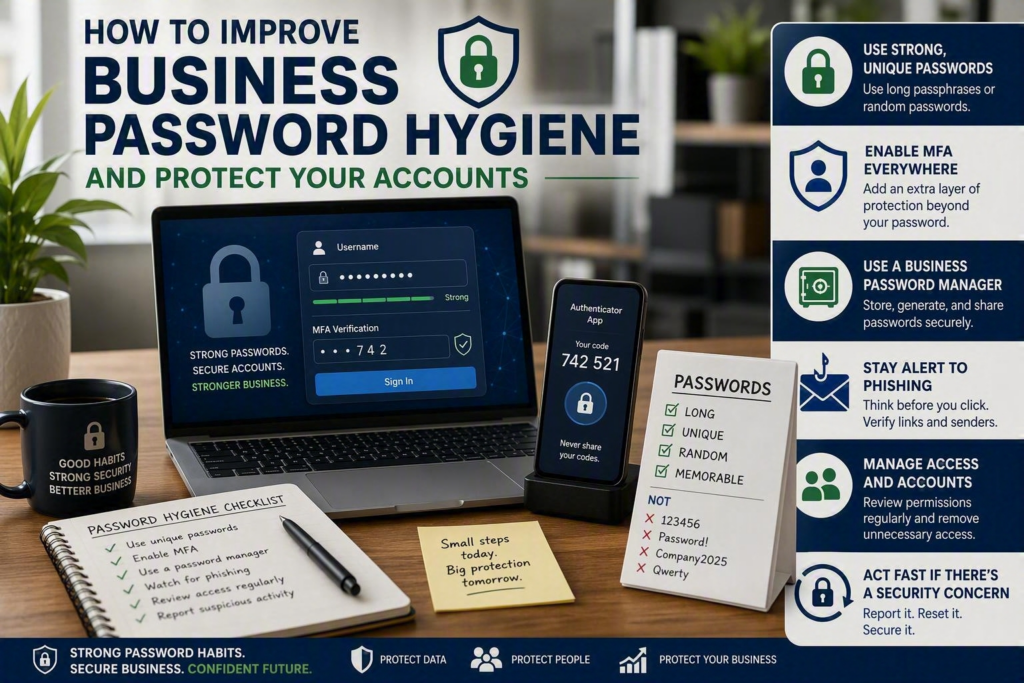
At a minimum, your password policy should require:
Unique passwords for every business account
No password reuse between work and personal accounts
Long passwords or passphrases
Multifactor authentication (MFA) wherever possible
A business-approved password manager
Individual user accounts instead of shared credentials
Regular access reviews
Immediate action when an account may be compromised
Business passwords should generally be at least 14 characters long and should not contain easily guessed information such as the company name, employee name, birthday, season, or common phrases.
Use Long Passphrases Instead of Predictable Passwords
Long passphrases can be easier to remember than short, complicated passwords.
For example, a predictable password such as CompanyName2026! may look complicated but can still be easy for attackers to guess.
A passphrase made from several unrelated words is generally easier to remember and harder to guess. Even better, a password manager can generate and securely store a unique random password for every account.
Your password policy should also clearly define account ownership.
Shared credentials make it difficult to determine who accessed a system and create problems when an employee changes roles or leaves the company. Whenever possible, give each employee their own account and only the permissions they need to do their job.
Use a Business Password Manager
Many password security problems are actually workflow problems.
When employees have dozens of different accounts to manage, they may naturally start reusing passwords or storing them in browsers, notebooks, spreadsheets, or unprotected documents.
These shortcuts may seem convenient, but they can make business accounts much easier to compromise.
A business password manager provides employees with a secure place to store their credentials. Depending on the solution, it can:
Generate strong, unique passwords
Store passwords securely
Automatically fill login information
Securely share approved credentials
Control access between employees and teams
Remove access when an employee leaves
Help administrators manage business accounts
The right password management setup depends on the size and needs of your organization.
A small two-person office may only need a simple shared vault with clear ownership. A larger organization may benefit from separate password groups for finance, leadership, administration, IT, and other departments.
The important thing is that shared access should be intentional, limited, and regularly reviewed.
A password manager does not replace employee cybersecurity training. Staff still need to recognize suspicious login pages, phishing emails, and unexpected access requests. However, a password manager removes much of the pressure that leads people to reuse weak passwords.
Make Multifactor Authentication Part of Your Security Strategy
Multifactor authentication, commonly called MFA, adds another layer of protection after a password.
Instead of relying only on a username and password, MFA requires an additional verification method. This could include:
An authenticator app
A physical security key
A verification code
A biometric authentication method
An approval notification on a trusted device
If a cybercriminal steals an employee’s password, MFA can prevent them from accessing the account.
Businesses should prioritize MFA for:
Microsoft 365 and business email
Online banking and financial accounts
Remote access systems
Cloud storage
Accounting platforms
Administrative accounts
Systems containing customer or employee information
Not All MFA Methods Offer the Same Protection
Different MFA methods provide different levels of security.
Authenticator apps and physical security keys generally provide stronger protection than text-message codes, which can be vulnerable to certain phone-number takeover attacks.
However, text-message MFA is still generally safer than using a password alone.
If your business has not implemented MFA yet, start with the practical option available to your team and improve your authentication security over time.
Employees should also understand that an unexpected MFA notification can be a warning sign.
If someone receives an MFA request they did not initiate, they should deny it and report it rather than repeatedly approving notifications. Cybercriminals sometimes use repeated MFA requests to take advantage of notification fatigue.
Know When to Reset a Business Password
For years, businesses commonly required employees to change their passwords every 30, 60, or 90 days.
However, frequent mandatory password changes can sometimes encourage employees to create predictable variations, such as changing only the final number.
A better approach is to use strong, unique passwords, MFA, password management, and timely password resets when there is a genuine security concern.
A password reset or account security review may be necessary after:
A suspected phishing attack
A lost or stolen company device
A data breach involving a service your business uses
Unusual account activity or suspicious sign-ins
An employee leaving the organization
A vendor account no longer being required
A password being accidentally shared
An employee entering credentials into a suspicious website
When an account may have been compromised, changing the password should not always be the only step.
Your IT team should also check for suspicious login activity, email forwarding rules, newly created accounts, access permissions, connected applications, and other unauthorized changes.
This is why having a documented business cybersecurity incident response process is so important.
Employees should know exactly who to contact if they receive a suspicious email, lose their phone, accidentally share a password, or cannot access their account.
Include Password Security in Employee Onboarding and Offboarding
Good password hygiene should be part of the entire employee lifecycle rather than something discussed only after a security incident.
During Employee Onboarding
New employees should receive:
An individual business account
MFA enrollment instructions
Access to the approved password manager
Only the permissions required for their position
Basic cybersecurity awareness training
Clear instructions for reporting suspicious activity
This helps establish good password habits from the beginning.
During Employee Offboarding
Employee offboarding is equally important.
When someone leaves the organization, promptly:
Disable their accounts
Remove access to business applications
Recover company devices
Transfer ownership of important files
Review shared credentials
Change passwords for accounts they had access to
Remove access to cloud services and administrative platforms
Do not overlook accounts such as social media, website administration, online banking contacts, software subscriptions, vendor portals, and other third-party services.
These accounts can remain active long after an employee has left if there is no formal offboarding process.
Managers should also periodically review access to sensitive folders, financial systems, administrative accounts, and other critical business resources.
Employees often accumulate access as their responsibilities change. Removing unnecessary permissions reduces security risk without making everyday work more difficult.
Teach Employees About Phishing and Credential Theft
Even the strongest password cannot protect an employee who enters it into a convincing fake login page.
Phishing remains one of the most effective ways for cybercriminals to steal business credentials. Attackers may create emails that appear to come from a manager, customer, vendor, bank, or familiar technology provider such as Microsoft.
Password security should therefore be combined with regular cybersecurity awareness training.
Short and regular security reminders are often more useful than a once-a-year training session. Show employees how to identify suspicious login requests, unexpected attachments, urgent payment requests, and unusual MFA notifications.
Most importantly, make reporting easy.
Employees should feel comfortable reporting a suspicious email or accidental mistake without worrying that they will immediately be blamed. Fast reporting gives your business a better chance of stopping an attack before it spreads.
Work With an IT Partner to Strengthen Business Password Security
For businesses without an in-house IT department, implementing strong password security can be difficult.
A managed IT provider can help your organization establish password policies, deploy password managers, enable MFA, review account permissions, monitor suspicious activity, and respond to potential security incidents.
Myriad Technologies helps Fraser Valley organizations turn cybersecurity requirements into practical, everyday processes their teams can actually follow.
Strong business password hygiene should protect your employees without creating unnecessary friction.
You do not need to change everything at once. Start with one meaningful improvement this week:
Enable MFA for business email
Introduce a business password manager
Review accounts belonging to former employees
Remove unnecessary account permissions
Train employees to recognize phishing
Review your current password policy
Small, well-supported improvements can significantly strengthen your business password security, protect sensitive information, and reduce the chances of a stolen password turning into a major business disruption.
The goal is simple: make secure password habits the easiest choice for your entire team.