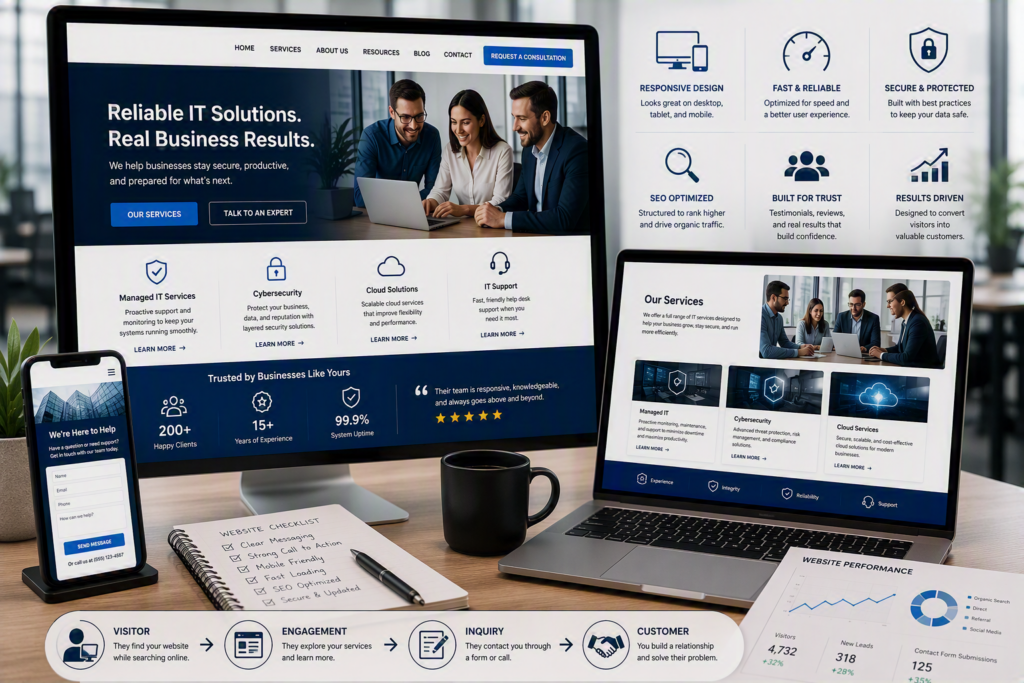
Website design can make the difference between a referral becoming a new customer and becoming a lost opportunity. A potential client hears your name, searches for your business on their phone, and lands on a slow, confusing, or outdated website. Within seconds, they may question whether your organization is the right one to contact.
That is why website design is about more than colors, images, and layouts. For a small or midsize organization, a website is an important business tool. It should explain what you do, build trust, answer common questions, and make it easy for visitors to take the next step.
A well-designed website should work for your organization 24 hours a day. It should help potential customers find information, contact your team, and understand why they should consider your services.
Start Website Design With a Clear Business Goal
Before choosing colors, layouts, photos, or website features, decide what you want visitors to do.
For a professional office, the goal may be to request a consultation. For a healthcare provider, the website may need to help patients find contact information, hours, services, and office procedures. For a nonprofit, the main goals may include donations, volunteer inquiries, or program registrations.
Your business goal should influence the entire website structure.
If phone calls are important, your phone number should be easy to find on every page, especially on mobile devices. If you depend on appointment requests, your contact or booking form should be short, simple, and connected to someone who can respond quickly.
Trying to make every page do everything can create a crowded and confusing website. A better website design approach is to give each important page a clear purpose.
Your homepage should introduce your organization and direct visitors to the information they need. Service pages should explain individual services. About pages should build credibility. Contact pages should make it easy to reach a real person.
Make the First Few Seconds Count
Visitors should not have to figure out what your organization does.
When someone lands on your homepage, they should quickly understand:
What do you do?
Who do you help?
What should I do next?
A clear headline is often more effective than a clever slogan.
For example, a law firm can clearly explain the areas of law it handles and the communities it serves. A managed IT provider can explain how it helps businesses keep technology secure, reliable, and supported.
The wording does not need to be complicated. It needs to be clear and accurate.
Use Clear Calls to Action
A strong website design also uses focused calls to action.
“Contact Us” is useful, but a more specific call to action may help visitors understand what happens next:
Request IT Support
Book a Consultation
Request a Quote
Ask About Our Services
Schedule a Call
The call to action should match the visitor’s level of interest.
Someone researching a large project may not be ready to buy. However, they may be ready to ask a question or request more information. Making that first step simple can help turn website visitors into real conversations.
Build Website Navigation Around Customer Questions
Your website navigation should be designed for visitors, not based on your internal organization chart.
Customers may not understand your department names, technical terms, or internal service categories. They arrive at your website with a question, problem, or need.
Good navigation makes it easy to find:
Services
About your organization
Helpful resources
Contact information
Locations or service areas
Important customer information
Keep your main navigation simple. Too many choices can make it harder for visitors to find the page they actually need.
For organizations with multiple services, group information in a way that makes sense to customers.
A healthcare clinic may organize information around patient needs. A technology provider may group services such as managed IT, cybersecurity, cloud services, communications, and projects.
The exact structure will depend on your business. The goal is simple: a first-time visitor should be able to find useful information quickly.
Use Service Pages to Answer Important Questions
A service page should do more than list everything your organization offers.
A strong service page explains:
What problem does the service solve?
Who is the service for?
What does the service include?
How does the process work?
What should the visitor do next?
This is especially important for services involving technology, cybersecurity, or compliance. These subjects can be difficult for people who are not technical.
For example, a managed IT services page can explain how proactive maintenance, monitoring, help desk support, and technology planning can reduce disruptions.
You do not need to overwhelm visitors with technical specifications. Good website design uses clear information to build confidence.
Trust Is an Important Part of Website Design
People want to feel confident before choosing a company to provide important services, handle sensitive information, or support their operations.
Your website should help answer one important question:
Why should I trust this organization?
Specific evidence is often more useful than broad claims.
Consider including:
Customer testimonials
Case studies
Project examples
Staff experience
Certifications
Clear service descriptions
Current contact information
Community involvement
Relevant awards or recognition
If you use testimonials, choose ones that explain a real customer experience. For example, a customer may describe how quickly your team responded to an outage or how your organization helped solve a difficult technology problem.
Use Real and Relevant Images
Images can also help build trust.
Photos of your actual team, office, projects, or community involvement can make a local organization feel more personal. Stock photography is not always a problem, but generic images can make a local business look less authentic.
Choose images that support the message on the page instead of using images simply to fill empty space.
Trust also depends on keeping information accurate.
Outdated employee information, broken contact forms, discontinued services, and old event information can quickly make a website look neglected.
A website is not something you build once and forget. Website maintenance should be part of your ongoing business plan.
Mobile-Friendly Website Design Matters
Many people will visit your website from a smartphone. They may be at work, traveling, between appointments, or dealing with an urgent problem.
If your website is difficult to read or navigate on a phone, visitors may leave before contacting you.
Mobile-friendly website design means more than shrinking a desktop website onto a smaller screen.
Your website should have:
Easy-to-read text
Buttons that are easy to tap
Simple mobile navigation
Visible contact information
Short and easy-to-complete forms
Important information near the top of the page
Images that display correctly on smaller screens
Visitors should not have to zoom in, scroll sideways, or search through several pages to find a phone number.
Website Speed Can Affect the Customer Experience
Website speed is another important part of website design.
Large images, unnecessary animations, excessive plugins, and poorly maintained website software can slow down a site.
Some visual effects may look impressive during a design review, but they can create a frustrating experience for someone using a slower internet connection or mobile device.
A simple website that loads quickly and clearly communicates its message can provide a better experience than a complicated website that makes visitors wait.
Website performance should therefore be considered alongside visual design.
Protect Your Website, Forms, and Accounts
Your website is part of your technology environment. It should not be treated as a completely separate marketing asset.
A business website may collect contact information, connect to email accounts, provide employee access, or integrate with appointment, payment, and communication systems.
That means website security and maintenance are important business responsibilities.
At a minimum, your organization should know who controls:
The domain name
Web hosting account
Administrator accounts
Website backups
Website management tools
These accounts should not depend on one former employee, former contractor, or a shared password that nobody can locate.
Use individual accounts where possible, strong passwords, and multifactor authentication for important accounts.
Keep Website Software Updated
Content management systems, themes, plugins, forms, and other website components need regular maintenance.
Outdated software can create security risks and may cause website features to stop working correctly.
However, updates should also be managed carefully. Installing changes without testing can sometimes affect the website’s layout or functionality.
Regular backups provide an important safety net if an update or configuration change causes an unexpected problem.
Website Design and IT Support Should Work Together
A business website can be connected to many other systems, including email, Microsoft 365, security tools, forms, cloud services, payment systems, and customer management platforms.
This is why website maintenance can sometimes fit naturally into a broader IT strategy.
Myriad Technologies often sees better results when a company’s website, email, cybersecurity, technology, and day-to-day support are treated as connected responsibilities instead of completely separate problems.
A secure and reliable website is not only a marketing asset. It can also be an important part of how your organization communicates with customers and operates every day.
Plan Your Website Content Before Starting a Redesign
Many website projects slow down because content is treated as an afterthought.
The design may be ready, but nobody has gathered the current service descriptions, staff biographies, photos, policies, testimonials, or answers to common customer questions.
Before starting a website redesign, review your existing website.
Keep pages that are accurate and useful. Update information that no longer reflects your organization. Remove outdated content that could confuse visitors.
Then identify what is missing.
Your website should make it easy for visitors to find basic information such as:
What you offer
Who you serve
Where you operate
Your hours
How your process works
How to contact you
How to request help
Assign one person to make final content decisions. They can collect information from different team members while keeping the project organized and moving forward.
Your website should reflect how your organization works today, not how it worked five years ago.
Measure Your Website After Launch
Launching a new website is not the end of the process.
After launch, review how visitors use the website. Look at whether people are reaching important service pages, submitting forms, calling from mobile devices, or leaving before completing an important action.
Your front-line employees can also provide valuable feedback.
If customers repeatedly call with a question that the website is supposed to answer, the information may be difficult to find or may not be clear enough.
Not every improvement requires a complete redesign.
Sometimes a better headline, clearer call to action, updated testimonial, improved contact information, or shorter form can make a meaningful difference.
Regular improvements are often easier to manage than waiting several years until the entire website becomes outdated.
Build a Website That Works for Your Business
Good website design is about more than making a website look professional.
Your website should help visitors understand your organization, find the information they need, trust your business, and take the next step.
It should also be mobile-friendly, secure, fast, easy to maintain, and connected to your broader technol