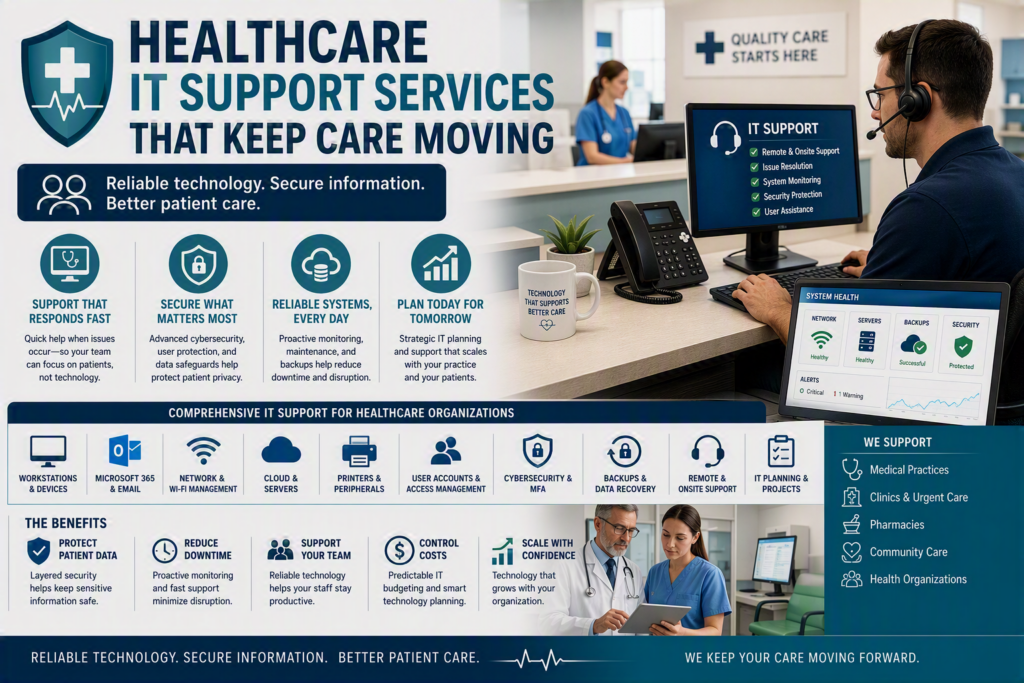
A front-desk computer that cannot access the scheduling system is more than an IT inconvenience. It can lead to delayed appointments, frustrated patients, handwritten notes, disrupted workflows, and a busy healthcare practice falling behind before the day has properly started.
Healthcare IT support services help prevent these disruptions and provide fast assistance when technology problems still occur.
For small and midsize medical practices, pharmacies, clinics, and community care organizations, technology is closely connected to patient service. Email, phones, Wi-Fi, workstations, cloud applications, imaging systems, electronic records, and backup systems all need to work together reliably.
The goal is not to add technology simply for the sake of having more technology. The goal is to keep the systems your healthcare team depends on secure, reliable, available, and easy to use.
What Are Healthcare IT Support Services?
Healthcare IT support services provide ongoing technical assistance, maintenance, cybersecurity, monitoring, and technology planning for healthcare organizations.
Unlike general business IT support, healthcare technology environments often involve systems and information that are particularly important to patient care and privacy.
Healthcare IT support may include:
Computer and workstation support
Microsoft 365 and email support
Network and Wi-Fi management
Server and cloud support
Printer and peripheral support
User account management
Cybersecurity
Multi-factor authentication
Backup monitoring
Data recovery planning
Remote and onsite technical support
Technology planning and upgrades
Vendor coordination
Office moves and technology projects
The exact services required depend on the size of the organization, the applications it uses, the number of employees, and its privacy and regulatory responsibilities.
Healthcare IT Support Should Protect the Care Day
Healthcare teams operate under constant time pressure.
A physician may need patient information before an appointment. A pharmacist may require immediate access to dispensing software. An administrator may need to send a referral or communicate with another provider without exposing confidential information.
When technology fails, employees cannot spend hours trying to interpret technical error messages or waiting several days for assistance.
That is why effective IT support for healthcare organizations starts by understanding how the practice actually operates.
A healthcare IT provider should understand:
Which systems are critical to patient care
Which employees need access to specific applications
What happens when a system goes offline
Which technology problems affect patient service
How staff work remotely
Which vendors support critical applications
What information requires additional protection
This allows IT support to be organized around the organization’s actual priorities rather than simply maintaining a list of computers and devices.
From Reactive IT Support to Operational Continuity
Fixing a broken laptop is helpful.
Making sure a broken laptop does not prevent a healthcare professional from doing their job is even more valuable.
That may require:
Maintained spare equipment
Secure cloud access
Documented procedures
Reliable backups
Proactive monitoring
Preventative maintenance
Fast remote support
Onsite assistance when required
The objective is to reduce the impact of technology problems on employees and patients.
Fast Healthcare IT Support Matters, but Prevention Matters More
Emergency IT support will always be important in healthcare.
Hardware can fail. Software updates can cause unexpected issues. Internet outages can affect an entire clinic. A cybersecurity incident can potentially disrupt multiple systems at once.
When something goes wrong, your IT provider should be able to quickly assess the problem, communicate clearly, and give staff a practical path forward.
However, a break-fix IT support model can become expensive and disruptive when it is the only approach.
If IT only becomes involved after something stops working, warning signs can easily be missed.
For example:
A backup may stop completing.
A firewall may approach the end of its supported life.
A computer may be running out of storage.
An employee may have unnecessary administrative access.
Network equipment may be approaching capacity.
An account belonging to a former employee may remain active.
Regular monitoring, maintenance, and security reviews help identify these issues before they turn into a stressful emergency.
What Should Healthcare IT Support Services Include?
The right level of managed IT support for healthcare depends on the organization’s size, applications, internal IT expertise, and operational requirements.
A small medical clinic and a multi-location healthcare organization will not necessarily require the same technology strategy.
However, most healthcare organizations can benefit from coordinated support across four key areas.
1. User and Device Support
Employees need reliable access to the technology they use every day.
Healthcare IT support can include assistance with:
Desktop computers
Laptops
Printers
Mobile devices
Email
Microsoft 365
User accounts
Password and access issues
Business applications
Remote access
Responsive support allows employees to spend less time troubleshooting technology and more time serving patients.
2. Network and IT Infrastructure Management
A reliable network is essential for modern healthcare organizations.
IT infrastructure management may include:
Wi-Fi
Internet connections
Firewalls
Network switches
Servers
Phone systems
Cloud connectivity
Network monitoring
Equipment maintenance
Your IT provider should understand how these systems interact and identify potential problems before they affect daily operations.
3. Healthcare Cybersecurity and Data Protection
Cybersecurity is a critical component of healthcare IT support.
Healthcare organizations can be targeted by phishing, ransomware, credential theft, and account takeover attempts. Strong security requires more than installing a single software product.
It involves multiple layers of protection, including:
Multi-factor authentication
Endpoint protection
Access controls
Secure configuration
Security awareness training
Backup monitoring
Data recovery planning
Regular security reviews
A coordinated approach helps protect both the organization and the sensitive information it manages.
4. IT Planning and Project Support
Healthcare organizations also need technology support when they are making changes.
An IT partner can help with:
Office relocations
New clinic locations
Hardware upgrades
Cloud migrations
Phone system upgrades
New software implementations
Network improvements
Employee onboarding
Employee offboarding
Connecting these projects to your overall IT strategy can reduce disruption and prevent technology decisions from being made in isolation.
Make Healthcare IT Spending More Predictable
Managed healthcare IT support can also make technology expenses easier to plan.
Instead of waiting for a major failure and then making an urgent purchase, organizations can plan equipment replacements based on:
Age
Warranty status
Performance
Security support
Business importance
Expected growth
Application requirements
This does not mean replacing equipment before it is necessary.
It means having a clear understanding of what needs attention now, what can wait, and what should be included in future IT budgets.
For a growing healthcare organization, that visibility can make technology planning much easier.
Healthcare Cybersecurity and Patient Data Protection
Patient information is valuable to cybercriminals, making healthcare organizations an important target for phishing and ransomware, as well as other forms of cybercrime.
Healthcare cybersecurity is not a single product that can be installed and forgotten.
It is a combination of technical controls, employee awareness, access management, monitoring, and recovery planning that should be reviewed regularly.
Protect User Accounts
Identity protection should be one of the starting points.
Multi-factor authentication adds another layer of protection if an employee’s password is stolen.
Individual user accounts also make it easier to manage access when employees change positions or leave the organization.
Access should be based on what each person actually needs to perform their role. Not every employee requires access to every system or every type of information.
Protect and Test Backups
Backups are another critical part of healthcare IT security.
A backup that exists but cannot be restored is not a dependable recovery strategy.
Your IT provider should monitor whether backups are completing successfully, ensure they are appropriately protected and retained, and periodically test whether important information can actually be restored.
The exact recovery requirements will depend on your systems and organization.
The business question, however, is simple:
If a critical system became unavailable today, how quickly could your team safely resume operations?
Healthcare IT Compliance and Privacy
Healthcare organizations may have specific privacy, security, contractual, professional, or regulatory responsibilities depending on their location, organization type, and the information they manage.
Requirements can vary significantly between jurisdictions and types of healthcare providers.
For example, some organizations may have obligations under HIPAA, while Canadian healthcare organizations may be subject to different provincial or federal privacy requirements.
An IT provider should avoid making broad promises that a technology package automatically makes an organization “compliant.”
Instead, they should help implement and document the technical safeguards, access controls, security processes, and recovery procedures that support the organization’s specific obligations.
Legal and regulatory interpretation should be handled with appropriately qualified privacy or legal professionals when necessary.
How to Choose Healthcare IT Support Services
The lowest monthly IT support price is not necessarily the lowest overall cost.
A provider that responds slowly, excludes common support requirements, or lacks experience with systems that are critical to patient care can leave healthcare staff carrying the burden.
At the same time, an expensive service package may not be appropriate if it includes tools or coverage your organization does not actually need.
When evaluating healthcare IT support companies, ask practical questions.
Ask About Emergency Support
Find out:
Who responds when a critical system fails?
How quickly can support begin?
Is after-hours support available?
Can the provider provide onsite assistance?
What happens if an issue affects multiple employees?
The answers should be clear rather than vague.
Ask About Monitoring and Maintenance
A good healthcare IT provider should be able to explain how they monitor:
Backups
Network infrastructure
Security alerts
Devices
Software updates
Critical systems
User access
The goal is to identify problems before employees discover them.
Ask How They Handle IT Recommendations
Technology recommendations should have a clear business reason.
For example, an upgrade might be recommended because it:
Reduces downtime
Improves cybersecurity
Supports remote work
Replaces unsupported equipment
Improves network performance
Supports business growth
Protects critical data
Healthcare leaders should be able to understand the options, costs, trade-offs, and consequences of delaying a recommendation.
Plain-language communication is particularly valuable for practice owners and office managers who have many responsibilities beyond IT.
Why Local Healthcare IT Support Can Matter
For healthcare organizations in Chilliwack and across the Fraser Valley, having access to local IT support can be valuable.
Many technology issues can be resolved remotely, but certain situations require someone onsite.
Examples include:
Network equipment failures
Hardware replacement
Office moves
Wi-Fi issues
New workstation installations
Infrastructure upgrades
Physical equipment troubleshooting
A strong IT relationship can combine local onsite availability with proactive remote monitoring and ongoing technology planning.
That combination gives healthcare organizations access to assistance when they need it while also helping prevent recurring problems.
Keep Healthcare Technology Reliable and Secure
A good healthcare IT provider does more than close support tickets.
They should identify recurring problems, maintain an accurate understanding of your technology environment, monitor important systems, and help your organization make technology decisions before an urgent situation forces the issue.
That relationship becomes especially valuable during:
Business growth
Staff changes
Office relocations
New technology implementations
Cybersecurity incidents
Major system upgrades
The best place to start is by identifying the systems your healthcare team cannot work without.
Ask what would happen if each system were unavailable for an hour, a full day, or an entire week.
That exercise can quickly reveal where your current IT support is strong, where vulnerabilities exist, and which improvements should receive attention first.
For healthcare organizations, technology should support patient care rather than get in its way.
Reliable healthcare IT support services help keep your systems secure, your staff productive, and your organization prepared when technology problems occur.