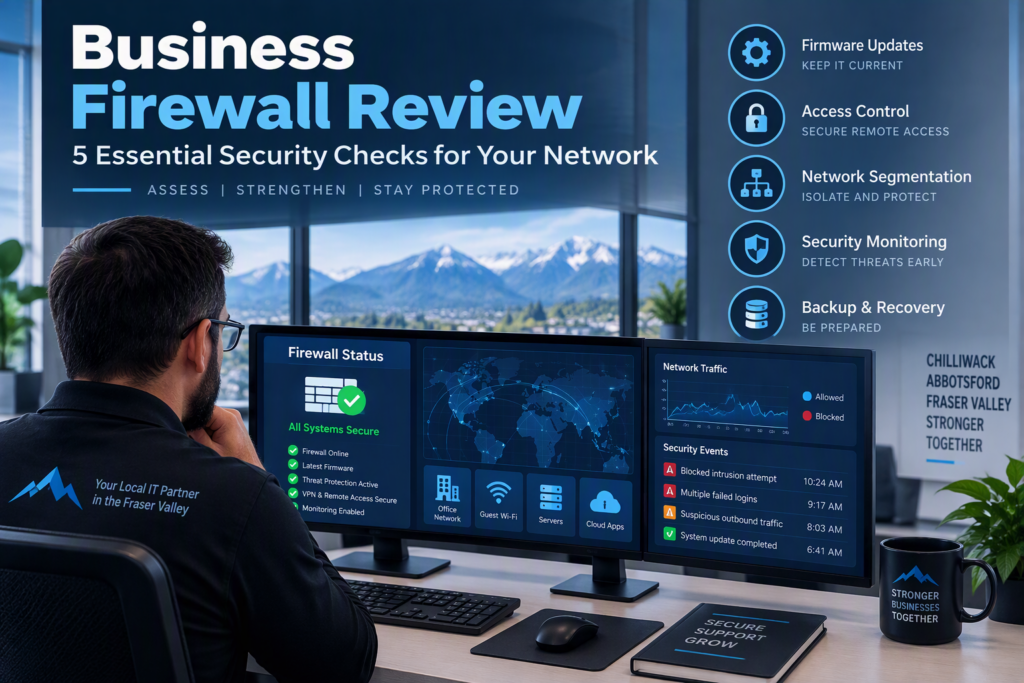
A slow network, a failed cloud application, or an unexpected security alert can disrupt an entire workday. In some cases, the problem starts with a firewall that has outdated settings, missing security updates, or access rules that no longer match the way a business operates. A business firewall review helps identify these weaknesses before they lead to costly downtime, unauthorized access, or data loss.
For small and midsize businesses, a firewall is an essential part of network security. It helps control traffic entering and leaving your network, blocks unauthorized connections, and supports your organization’s wider cybersecurity strategy. However, simply installing a firewall is not enough. Its configuration, software, access permissions, and monitoring processes must remain up to date.
Whether your team works from an office, home, or multiple locations, regular firewall security assessments help ensure your network remains reliable, secure, and ready to support your business.
What Is a Business Firewall Review and Why Does It Matter?
A firewall acts as a protective barrier between your internal business network and external networks, including the internet. It applies security rules to determine which connections are permitted and which should be blocked.
Over time, business operations change. Employees join or leave, new cloud applications are introduced, remote access requirements evolve, and additional devices connect to the network. Firewall settings that once worked well may eventually create security gaps or connectivity problems.
A professional firewall review examines whether your existing protection still meets your organization’s needs. It should answer several important questions:
Is your firewall still supported by its manufacturer?
Are firmware and security updates being applied?
Are unnecessary ports and outdated access rules still enabled?
Are remote connections and administrator accounts properly secured?
Is your business network separated into appropriate security zones?
Are firewall alerts monitored and investigated?
Can your organization recover quickly if the firewall fails?
Many network security issues develop gradually rather than through a single major failure. An unnecessary open port, a shared administrator password, poorly configured guest Wi-Fi, or outdated firewall firmware can create opportunities for attackers.
A firewall assessment also considers business continuity. If your firewall stops working, could employees still access cloud applications, business phones, payment terminals, and essential files? Understanding these dependencies helps businesses prepare for technical failures before they interrupt operations.
5 Essential Business Firewall Security Checks
A thorough firewall security review should cover more than the device itself. It should examine the rules, users, connected systems, and monitoring processes that determine how effectively your network is protected.
1. Check Firewall Firmware, Updates, and Manufacturer Support
Start by identifying your firewall’s make, model, firmware version, warranty status, and manufacturer support expiration date.
Older firewalls may continue functioning even after the manufacturer stops providing security patches. Without ongoing support, known vulnerabilities can remain unresolved, increasing the risk of unauthorized access and network compromise.
Your review should also confirm that your organization maintains control over firewall administration. Keep vendor account details, license information, configuration backups, and administrator access records current. If a former employee or previous IT provider is the only person with administrative access, resolving an emergency could become unnecessarily difficult.
Firewall updates should follow a documented maintenance process. Some updates can be applied automatically, while others may require testing or scheduled installation outside business hours to minimize disruption.
What to check first: Confirm that your firewall is supported, security updates are current, and authorized staff or your IT provider can access and manage the device.
2. Review Firewall Rules, Open Ports, and Network Traffic
Firewall rules determine which connections can enter or leave your business network. Over time, temporary exceptions can become permanent settings even after the original business requirement disappears.
For example, a software vendor may request an open port during installation, or an employee may need remote access to complete a project. If those permissions are never reviewed, they can leave unnecessary entry points into your network.
During a business firewall review, each important rule should have a clear purpose and an appropriate level of access. Rules that expose internal services directly to the internet deserve particular attention. Where practical, secure remote-access solutions or restrictions to trusted sources may provide better protection.
Outbound traffic also matters. If every device can communicate freely with any internet destination, a compromised computer may have an easier time connecting to malicious services.
The right firewall configuration depends on your applications, business requirements, and network complexity. A small office may need fewer rules than a business with several locations and internal servers, but both benefit from reviewing unnecessary permissions.
What to check first: Identify outdated rules, unnecessary open ports, overly broad permissions, and connections that no longer serve a legitimate business purpose.
3. Secure Remote Access and Firewall Administrator Accounts
Remote work, cloud management, outsourced accounting, and technical support often require access to business systems from outside the office. These connections must be protected against unauthorized access.
Start by reviewing virtual private network (VPN) accounts, remote desktop services, firewall administration portals, and third-party vendor connections.
Use multi-factor authentication wherever supported, particularly for administrator accounts and remote access. Multi-factor authentication adds another layer of protection beyond a password alone.
Shared administrator credentials are another common concern. When multiple people use the same login, it becomes difficult to determine who changed a setting or confirm whether access was removed after someone left the organization.
Your firewall should use individual accounts, appropriate permissions, and access logs wherever possible. Employees and contractors should receive only the permissions they need for their roles.
Reviewing business password security is also important because weak or reused passwords can expose administrative accounts to credential theft and unauthorized access.
What to check first: Remove inactive accounts, replace shared administrator logins with individual accounts, enable multi-factor authentication, and restrict remote access to authorized users.
4. Separate Staff Networks, Guest Wi-Fi, and Connected Devices
A secure business network should not allow every connected device to communicate freely with every other device.
Consider a visitor using your guest Wi-Fi. That person should not be able to access internal file servers or confidential business records. Similarly, internet-connected cameras, printers, smart TVs, and building management devices may not need the same access as employee workstations.
Network segmentation separates devices and systems into different network zones and applies rules that control communication between them.
Depending on your environment, separate zones may be appropriate for:
Employee computers and business devices
Guest Wi-Fi connections
Servers and shared business applications
Voice-over-IP phone systems
Printers, cameras, and other connected devices
Systems that handle sensitive or confidential information
Segmentation helps limit the potential impact of a compromised device and can make network troubleshooting more manageable.
However, changes must be planned carefully. Some applications and older devices depend on specific network connections, so restricting access without checking those dependencies can interrupt normal operations.
What to check first: Confirm that guest Wi-Fi is isolated from internal business systems and that connected devices have only the network access they require.
5. Verify Firewall Monitoring, Security Alerts, and Recovery Plans
A firewall can generate valuable information about network activity, but those logs are only useful when meaningful events are identified and investigated.
Firewall monitoring can help detect repeated failed login attempts, suspicious outbound connections, blocked attack attempts, and unexpected configuration changes. These alerts may provide early warning of a security issue that requires further investigation.
Businesses do not need an office manager manually reviewing hundreds of technical log entries every morning. Instead, they need a clear process for identifying important alerts, assigning responsibility, and escalating serious incidents.
A managed IT partner can help monitor network health, investigate priority alerts, maintain firewall configurations, and recommend improvements based on the organization’s risks.
Recovery planning is equally important. Ensure firewall configurations are backed up securely and can be restored when necessary. Current documentation can significantly reduce recovery time if hardware fails or settings need to be rebuilt.
Businesses that depend heavily on internet-based phone systems, cloud applications, or remote employees may also benefit from a backup internet connection or a documented firewall replacement plan.
What to check first: Confirm that important security alerts are reviewed, configuration backups are available, and your organization has a realistic plan for recovering from a firewall failure.
How Often Should Businesses Review Firewall Security?
Most businesses should review firewall configurations at least annually. Additional assessments are advisable after significant changes to your IT environment or business operations.
Consider scheduling a firewall review when your organization:
Moves to a new office or expands to another location
Introduces new cloud applications or business software
Adds remote employees or third-party service providers
Changes managed IT service providers
Upgrades firewall hardware or network infrastructure
Experiences a suspected cybersecurity incident
Notices recurring connectivity or network performance problems
Network performance issues do not always originate from the firewall. Slow internet speeds may be caused by your internet service provider, overloaded Wi-Fi, aging equipment, or application problems. Reviewing the wider IT environment helps identify the actual cause before investing in unnecessary replacements.
For businesses in Chilliwack, Abbotsford, and across the Fraser Valley, a professional firewall assessment can provide a clearer understanding of current risks and practical next steps. Local support can also be valuable when configuration changes require on-site troubleshooting or coordination with other network equipment.
What Should a Professional Firewall Assessment Include?
A useful firewall assessment should produce a clear, prioritized action plan rather than a long technical report that leaves business owners unsure what to do next.
Your assessment should document the existing firewall environment, identify meaningful security weaknesses, and explain which improvements require immediate attention.
A typical review may include:
An inventory of firewall hardware, firmware, licenses, and support status
An assessment of firewall rules, open ports, and exposed services
A review of remote access, administrator accounts, and authentication controls
An evaluation of network segmentation and guest Wi-Fi security
An assessment of monitoring, alert handling, and configuration backups
Recommendations for reducing security risks and improving reliability
Recommendations should reflect your organization’s budget, operational needs, and security requirements. Replacing a firewall may be necessary when equipment is unsupported, unreliable, or unable to meet current demands. However, some of the most valuable improvements may involve removing outdated permissions, strengthening authentication, improving network separation, or establishing regular monitoring.
A professional review should explain why each recommendation matters, what it will cost, and whether implementation could affect day-to-day operations.
No firewall can guarantee complete protection against every cyberattack. The goal is to reduce avoidable risk, improve visibility into potential threats, and ensure your business is prepared to respond when problems occur.
Protect Your Business with Proactive Firewall Management
A regular business firewall review helps identify outdated configurations, strengthen network security, and reduce the likelihood of preventable downtime. By checking firewall updates, access rules, remote connections, network segmentation, and monitoring processes, businesses can maintain stronger protection as their technology needs change.
Firewall security works best as part of a broader managed IT strategy that includes endpoint protection, multi-factor authentication, reliable backups, software updates, and responsive technical support.
Myriad Technologies supports businesses in Chilliwack and across the Fraser Valley with practical IT services focused on network reliability, cybersecurity, and proactive technology management.
If you are unsure whether your firewall is configured correctly or still meets your business requirements, reviewing your current IT environment is a sensible first step. A well-maintained firewall and a clear security plan can help your team work confidently while keeping essential business systems connected and protected.