A single compromised email account can put an entire business at risk. Cybercriminals can use stolen login credentials to access confidential files, financial records, customer information, cloud applications, and other connected business systems. Without proper protection, one security breach can quickly turn into costly downtime, data loss, and reputational damage.
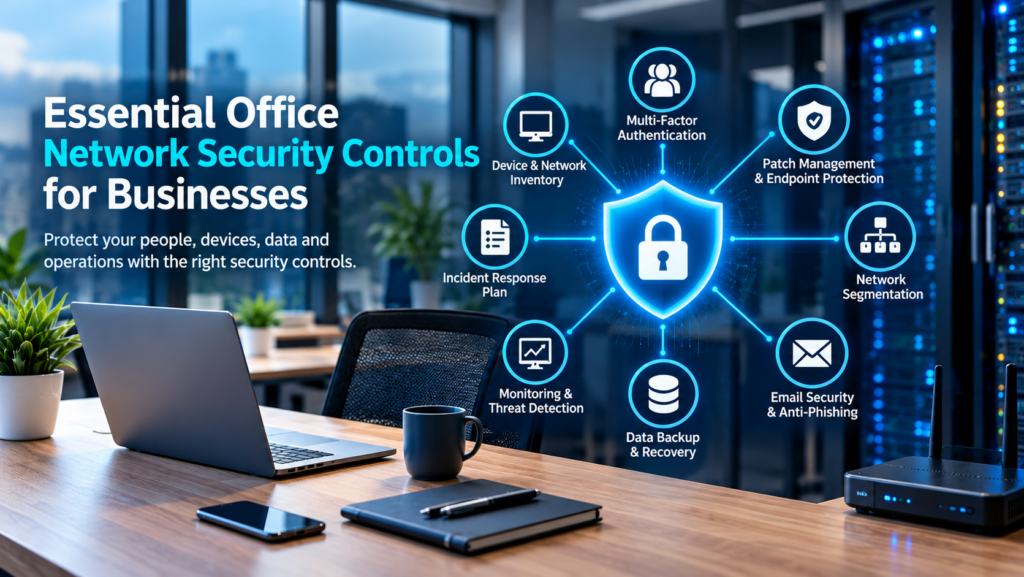
Implementing essential office network security controls is one of the most important steps a small or midsize business can take to protect its operations. From securing employee accounts to monitoring network activity, the right security measures help prevent cyberattacks and keep business information safe.
However, effective network security does not mean investing in every security product available. It means building multiple layers of protection, keeping systems updated, and ensuring someone is responsible for maintaining them.
For businesses in Chilliwack and across the Fraser Valley, here are eight essential office network security controls that can help strengthen cybersecurity and protect everyday business operations.
1. Maintain an Inventory of All Network Devices and Systems
You cannot properly secure your office network without knowing what is connected to it.
Start by creating an inventory of all business technology, including:
Desktop computers and laptops
Servers and network storage devices
Printers and wireless access points
Routers and business firewalls
Smartphones and company tablets
Cloud applications and software subscriptions
Employee and administrator accounts
Internet-connected cameras and other smart devices
An outdated computer, unsecured printer, or former employee’s active account can create an unexpected security vulnerability.
Your inventory should identify who is responsible for each device, what information it can access, and whether it is receiving regular security updates.
It is also important to identify critical business applications. For example, healthcare clinics, accounting firms, construction companies, and professional service providers may rely on different systems to manage sensitive information and daily operations.
Understanding these dependencies helps businesses prioritize their network security investments.
2. Implement Multi-Factor Authentication (MFA)
Passwords alone are no longer enough to protect business accounts.
Cybercriminals frequently use phishing emails, password reuse, and stolen login credentials to gain unauthorized access to company systems. Even a strong password can be compromised.
Multi-factor authentication (MFA) adds another layer of protection by requiring users to verify their identity through an additional method.
Businesses should enable MFA for:
Microsoft 365 and business email accounts
Cloud storage and file-sharing platforms
Financial and accounting applications
Remote desktop and VPN connections
Administrator accounts
Password management systems
Authentication apps and hardware security keys generally provide stronger protection than text-message verification.
For additional protection, businesses should also review account permissions regularly. Employees should only have access to the files, applications, and systems required for their roles.
Learn more about why MFA matters in our article: Another Good Reason to Enforce MFA.
Separate Administrator Accounts
Employees responsible for managing IT systems should use separate administrator accounts for tasks requiring elevated permissions.
For example, an employee should use their regular account for emails and documents, rather than using an administrator account throughout the day.
This reduces the potential damage if an everyday account becomes compromised.
3. Keep Business Devices Updated and Protected
Outdated software is one of the common weaknesses cybercriminals look for when targeting business networks.
Operating systems, browsers, applications, firewalls, and VPN software can contain security vulnerabilities. Software updates frequently include fixes that address these weaknesses.
Businesses should establish a consistent patch management process covering:
Windows and macOS operating systems
Business applications and browsers
Servers and network equipment
Firewall and router firmware
VPN software
Microsoft 365 applications
Whenever possible, enable automatic security updates. Critical business systems should also have scheduled maintenance windows to minimize interruptions.
In addition to software updates, every business device should have reliable endpoint protection.
Modern endpoint security solutions help identify suspicious behaviour, malicious software, ransomware activity, and other potential threats before they spread across the network.
Read our guide on 3 Essential Security Tools for Every Business to understand how different security solutions work together.
4. Use Network Segmentation to Limit Security Threats
Many office networks connect computers, printers, servers, guest Wi-Fi, and other devices to the same network.
Although this arrangement may be convenient, it can create additional security risks.
If one device becomes compromised, attackers may be able to move across the network and access other connected systems.
Network segmentation helps prevent this by dividing an office network into separate sections based on device type, function, or security requirements.
For example, businesses can create separate network segments for:
Employee computers and laptops
Business servers and confidential files
Guest Wi-Fi connections
Security cameras and smart devices
VoIP phones
Point-of-sale systems
This limits unnecessary communication between devices and helps contain potential security incidents.
Secure Your Office Wi-Fi Network
Wireless security is another important part of office network protection.
Businesses should:
Use WPA2 or WPA3 encryption where supported.
Set strong, unique Wi-Fi passwords.
Keep wireless access points updated.
Create a separate guest Wi-Fi network.
Restrict access to internal business resources.
Review connected devices regularly.
Guest Wi-Fi should never provide unrestricted access to company servers, employee computers, or confidential business information.
5. Strengthen Email Security and Prevent Phishing Attacks
Email continues to be one of the most common entry points for cyberattacks.
A convincing phishing email can trick an employee into opening a malicious attachment, sharing login credentials, or sending money to a fraudulent account.
Business email compromise (BEC) attacks are particularly concerning because criminals often impersonate executives, suppliers, or trusted business contacts.
To strengthen email security, businesses should implement:
Spam and phishing email filtering
Malicious attachment scanning
Suspicious link detection
Sender verification controls
Email authentication through SPF, DKIM, and DMARC
Alerts for unusual sign-in activity
Employee awareness is equally important.
Staff should understand how to identify suspicious emails, unexpected attachments, unusual payment requests, and messages that create unnecessary urgency.
One particularly important rule is to verify any request involving banking changes, financial transfers, gift cards, or confidential information through a separate, trusted communication channel.
For example, if an employee receives an email requesting a supplier’s banking details be changed, they should call a previously verified contact number before making the change.
For more email security advice, read our article: A Guide to E-Mail Security.
6. Implement Reliable Business Data Backup and Recovery
A cybersecurity strategy is incomplete without a dependable backup and recovery plan.
Ransomware attacks, hardware failures, accidental deletions, and software problems can all result in lost business information.
Regular backups help businesses recover important data and reduce operational downtime.
A reliable backup strategy should include:
Regular automated backups of critical business data
Multiple copies of important information
At least one backup isolated from routine network access
Secure backup storage
Backup encryption and access restrictions
Regular recovery and restoration testing
Businesses should also determine how much data they can afford to lose and how quickly their systems need to be restored following an incident.
Two important recovery considerations are:
Recovery Point Objective (RPO): How much data can your business afford to lose?
Recovery Time Objective (RTO): How quickly does your business need its systems restored?
For example, an organization processing financial transactions throughout the day may require more frequent backups than a business storing primarily archived documents.
Remember, having backups is not enough. You must regularly test them to confirm that your business can actually recover when something goes wrong.
7. Monitor Network Activity and Security Alerts
Installing security software does not automatically mean your business is protected.
Firewalls, endpoint protection platforms, cloud applications, and backup systems generate alerts that require regular attention.
Without proper monitoring, suspicious login attempts, disabled security tools, failed backups, and unusual network activity can go unnoticed.
Businesses should implement continuous or appropriately scheduled monitoring to identify potential problems before they become serious incidents.
Important areas to monitor include:
Unusual login attempts and account activity
Unauthorized access to business systems
Firewall and network traffic
Endpoint security alerts
Failed software updates
Backup failures
Unusual data transfers
Changes to administrator permissions
Proactive network monitoring helps identify weaknesses, improve system reliability, and reduce the risk of unexpected downtime.
For small and midsize businesses without an internal IT department, managed IT services can provide ongoing monitoring, maintenance, and technical support.
8. Create an IT Security and Incident Response Plan
Even businesses with strong security controls can experience cybersecurity incidents.
What matters is how quickly and effectively they respond.
An incident response plan gives employees clear instructions on what to do when they identify suspicious activity or a potential security breach.
Your plan should explain:
Who employees should contact when they notice a security issue
How to disconnect or isolate a compromised device
Who is responsible for investigating the incident
How to restore affected systems and data
How employees and customers will be informed
Who is authorized to make important decisions
How to document the incident and prevent it from happening again
Keep an accessible copy of your emergency response plan outside your main office network. This ensures important instructions remain available even if business systems become inaccessible.
Regularly review and test the plan so employees understand their responsibilities before an incident occurs.
Protect Your Business with Proactive Office Network Security
Strong office network security is not a one-time investment. It requires consistent monitoring, regular maintenance, employee awareness, and a clear understanding of your organization’s technology.
For small and midsize businesses, the essential controls include:
Maintaining an accurate inventory of network devices
Enforcing multi-factor authentication
Keeping software and devices updated
Implementing endpoint protection
Separating network devices and guest access
Strengthening email security
Maintaining tested data backups
Monitoring network activity
Preparing an incident response plan
The right approach depends on your business size, industry, technology, and security requirements.
At Myriad Technologies, we help businesses in Chilliwack and across the Fraser Valley maintain secure, reliable IT environments. Our managed IT services include proactive monitoring, cybersecurity protection, system maintenance, Microsoft 365 support, and ongoing technical assistance.
Rather than waiting for a security incident or unexpected outage, take a proactive approach to protecting your business.
Contact Myriad Technologies to discuss your office network security requirements and find out how we can help protect your business, employees, and valuable data.