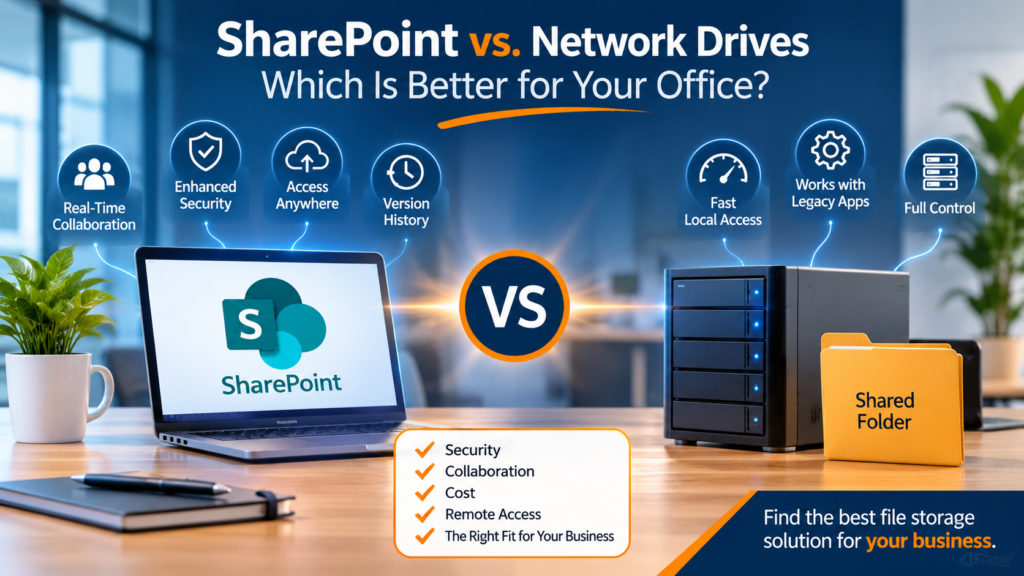
Choosing between SharePoint vs. network drives is an important decision for businesses looking to improve file storage, collaboration, and data security. While traditional network drives have been a reliable way to store and share company documents, today’s workplaces often need more flexibility, especially when employees work remotely or collaborate across multiple locations.
For small and medium-sized businesses, the right file storage solution should make it easy to access documents, manage permissions, protect sensitive information, and keep daily operations running smoothly.
So, should your office switch to SharePoint, continue using a traditional network drive, or consider a combination of both?
Let’s compare the two options and explore which solution makes the most sense for your business.
SharePoint vs. Network Drives: Understanding the Difference
Before deciding which platform is right for your organization, it’s important to understand how each solution works.
Network Drives
A network drive is a centralized storage location hosted on a physical server or network-attached storage (NAS) device. Employees access shared folders through File Explorer, usually using a mapped drive letter.
Businesses commonly organize network drives into folders such as:
Finance and Accounting
Human Resources
Administration
Client Documents
Operations and Projects
Network drives are familiar, straightforward, and particularly useful for businesses where most employees work from the same office.
SharePoint
Microsoft SharePoint is a cloud-based document management and collaboration platform included with many Microsoft 365 business subscriptions.
Instead of relying on a traditional office server, employees can access documents through a web browser, Microsoft Teams, or synchronized folders in File Explorer using OneDrive.
SharePoint offers features such as:
Real-time document collaboration
Automatic file version history
Centralized document management
Customizable access permissions
Secure external file sharing
Remote access from different devices
Both solutions allow employees to store and access business documents. However, they differ significantly in flexibility, collaboration, accessibility, and ongoing management.
Benefits of Using a Traditional Network Drive
Although cloud storage continues to grow in popularity, network drives still have an important role in many business environments.
1. Familiar File Management
Employees can access shared folders directly through File Explorer. There is no need to learn an entirely new document management system, making network drives relatively easy to use.
2. Fast Local Network Performance
For businesses handling large design files, technical documents, databases, or video files, local server storage can provide excellent performance without relying on internet upload and download speeds.
3. Compatibility With Legacy Applications
Some business applications require files to be stored on traditional server-based file shares. Moving these files to SharePoint may create compatibility or performance issues.
4. Greater Control Over Local Infrastructure
Businesses can manage their own server hardware, storage capacity, network access, and backup configurations.
However, network drives also come with responsibilities. Businesses must maintain server hardware, install security updates, monitor backups, manage permissions, and plan for hardware failures.
Remote employees may also experience slower access when connecting through a Virtual Private Network (VPN).
Without proper maintenance, a network drive can become a security and operational risk.
Why Businesses Are Moving to SharePoint
SharePoint is designed to support modern workplaces where employees need secure access to documents from different locations.
Here are some of its biggest advantages.
1. Access Files From Anywhere
Employees can access approved documents from their office, home, or while travelling. This makes SharePoint particularly useful for businesses with remote employees, mobile teams, or multiple office locations.
2. Real-Time Document Collaboration
One of SharePoint’s biggest advantages is its integration with Microsoft Word, Excel, and PowerPoint.
Multiple employees can work on the same document simultaneously without creating multiple versions or emailing attachments back and forth.
3. Automatic Version History
Accidentally deleting information or overwriting a document can create unnecessary problems.
SharePoint maintains version history, allowing users with the appropriate permissions to review previous versions and restore earlier copies.
4. Improved File Sharing
Employees can share documents internally or externally without sending large email attachments.
For example, businesses can provide clients with controlled access to documents using sharing links and appropriate expiration or access restrictions.
Learn more about sharing large files securely without email attachment limitations.
5. Integration With Microsoft 365
SharePoint works alongside Microsoft Teams, OneDrive, Outlook, and other Microsoft 365 applications.
This creates a more connected working environment where employees can collaborate, communicate, and manage documents without constantly switching platforms.
SharePoint vs. Network Drives: Security Comparison
Security should be one of the biggest considerations when choosing a business file storage solution.
SharePoint provides centralized access management through Microsoft 365 accounts, permissions, authentication policies, and administrative security controls.
Businesses can also implement multifactor authentication (MFA) to add another layer of protection against unauthorized account access.
Network drives can also be secure when properly configured. However, they require ongoing server maintenance, firewall protection, access controls, security updates, and reliable backup systems.
Neither solution is automatically secure simply because it is installed or configured.
Businesses should regularly review user permissions, remove access for former employees, monitor suspicious activity, and ensure sensitive information is only available to authorized individuals.
Employee awareness is equally important. A single phishing email can expose business accounts and confidential information.
Does SharePoint Replace Network Drives Completely?
Not necessarily.
One common misconception is that businesses must move every file from their existing network drive into SharePoint.
In reality, the best solution depends on the type of information your organization manages.
For example:
| Business Requirement | Recommended Solution |
|---|---|
| Everyday office documents | SharePoint |
| Policies and procedures | SharePoint |
| Team collaboration | SharePoint |
| Remote document access | SharePoint |
| Large technical files | Network Drive |
| Legacy business applications | Network Drive |
| Files requiring high local performance | Network Drive |
| Hybrid office environments | Both |
Many businesses benefit from a hybrid approach that combines cloud-based collaboration with traditional server storage.
SharePoint can manage everyday business documents, project files, company policies, and shared resources, while network drives continue supporting specialized applications and large files that perform better locally.
SharePoint vs. Network Drives: Understanding the Costs
Cost is another important factor when comparing SharePoint and network drives.
SharePoint is included with many Microsoft 365 business plans, which may make it an attractive option for organizations already using Microsoft 365.
However, businesses should consider the costs of:
Microsoft 365 subscriptions
Initial migration and configuration
Employee training
Ongoing administration
Additional storage requirements
Data protection and backup solutions
Traditional network drives also have ongoing expenses, including:
Physical server hardware
Server maintenance and repairs
Backup storage
Electricity and cooling
Hardware replacement
IT support and monitoring
Remote access infrastructure
The most cost-effective solution is not necessarily the one with the lowest initial price. Businesses should evaluate the total cost of keeping their files accessible, secure, backed up, and easy to manage.
Important Considerations Before Migrating to SharePoint
Moving from a network drive to SharePoint requires more than copying folders into the cloud.
Without proper planning, businesses can end up with disorganized document libraries, unnecessary duplicate files, and confusing permission structures.
Before starting a migration, consider the following:
1. Review Existing Files
Identify outdated documents, duplicate files, unused folders, and information that no longer needs to be stored.
2. Organize Your Document Libraries
Create a logical structure based on departments, projects, or business functions. Avoid unnecessarily complicated folder structures.
3. Review Access Permissions
Determine who needs access to confidential financial, employee, client, and operational information.
4. Plan OneDrive Synchronization
Not every SharePoint library needs to be synchronized to every employee’s computer. Large libraries can affect device performance and create unnecessary synchronization issues.
5. Train Your Employees
Employees should understand where to save documents, how to share files securely, and how to restore previous versions.
6. Test the Migration
Start with a small department or project before moving the entire organization’s file system. This helps identify potential issues before they affect everyone.
So, Which Is Better for Your Office?
When comparing SharePoint vs. network drives, there is no single solution that works for every business.
A traditional network drive may be the better option for organizations that rely on specialized applications, large local files, or established server-based workflows.
SharePoint is often the better choice for businesses that need remote access, real-time collaboration, centralized document management, and integration with Microsoft 365.
For many small and medium-sized businesses, a hybrid approach provides the best balance.
The important thing is to choose a file storage strategy that supports how your employees actually work while protecting the information your organization depends on.
Need Help Choosing Between SharePoint and Network Drives?
Managing business files should not be complicated. Your employees should be able to find documents, collaborate with colleagues, and access important information securely without unnecessary delays.
Myriad Technologies helps businesses in Chilliwack and across the Fraser Valley assess their existing IT infrastructure, improve Microsoft 365 environments, plan SharePoint migrations, and implement practical cybersecurity solutions.
Whether you are considering moving from a traditional network drive to SharePoint or improving your existing file management system, our team can help you identify the right approach.
Contact Myriad Technologies to discuss a file storage and collaboration solution that works for your business.
Visit Myriad Technologies to learn more about our managed IT services and business technology solutions.