A server failure at 8:15 a.m. is not just an IT problem. For a law office, it can mean missed deadlines and inaccessible case files. For a clinic, it can disrupt scheduling and patient communication. For a nonprofit, it can stop staff from reaching the people who rely on them.
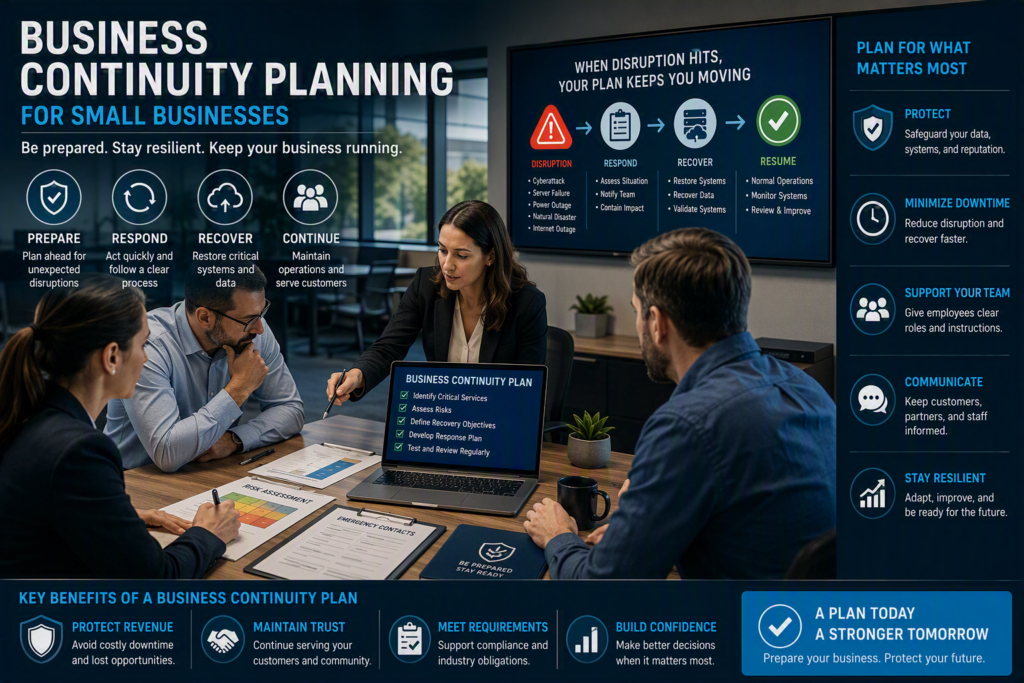
Business continuity planning gives your organization a practical answer to an important question: How will we keep operating when a critical system, building, vendor, or internet connection suddenly becomes unavailable?
The goal is not to predict every possible emergency. It is to make important decisions before an emergency puts your team under pressure. A strong business continuity plan identifies what matters most, sets realistic recovery expectations, and gives employees clear instructions they can follow.
Why Business Continuity Planning Matters
Many organizations think business continuity is mainly about backups. Backups are essential, but they are only one part of a complete business continuity and disaster recovery plan.
You also need to know:
Who can access your backups
How quickly systems can be restored
Whether restored data is usable
Which systems need to be recovered first
How employees will continue working
Who is responsible for each recovery task
How customers and vendors will be contacted
Business continuity planning looks at the full operational impact of a disruption. This can include cyberattacks, hardware failures, power outages, internet interruptions, severe weather, accidental data deletion, and the loss of an important service provider.
For businesses in the Fraser Valley, planning may also need to account for localized flooding, road closures, and building access problems that can prevent employees from reaching the office even when technology systems are still working.
The best business continuity plan is not necessarily the longest document. It is the plan your team can actually use during a stressful situation. It should reflect how your organization operates, including the people, applications, records, phones, internet connections, and vendors required to serve customers.
Identify the Business Services You Cannot Afford to Lose
A practical business continuity plan starts with a business impact assessment.
The basic questions are simple:
If this system went down, what would stop first, who would be affected, and how long could we reasonably operate without it?
For a professional office, email, document storage, phones, and remote access may be the highest priorities.
A healthcare organization may prioritize patient records, secure communications, scheduling, and compliance requirements.
An organization with a public-facing website may need a way to publish updates if normal phone and email services become unavailable.
Separate Critical Systems From Inconvenient Systems
Almost every application can feel urgent during an outage. However, recovery works best when your team agrees on priorities before an emergency occurs.
For each critical business function, define:
Recovery Time Objective (RTO): The maximum acceptable time before a service needs to be available again.
Recovery Point Objective (RPO): The maximum amount of data your organization can afford to lose, measured in time.
Fallback process: The temporary way employees will work if the normal system is unavailable.
System owner: The person responsible for confirming that the service has been restored and is working correctly.
These decisions involve tradeoffs.
A system that needs to be restored within an hour with almost no data loss will generally require more technology and investment than a system that can be restored the next business day using the previous evening’s backup.
Neither option is automatically right. The appropriate recovery strategy depends on the cost of downtime, customer expectations, regulatory obligations, operational requirements, and available budget.
Build Your Business Continuity Plan Around Real Scenarios
A business continuity plan can fail when it contains vague instructions such as “restore systems as soon as possible.”
Your team needs practical scenarios that match the disruptions your organization could realistically face.
Scenario 1: Ransomware Attack
During a ransomware incident, the priority is not simply getting everyone back online.
Your team may need to:
Isolate affected computers and systems
Determine which accounts and devices are compromised
Preserve important evidence
Secure user accounts
Communicate with employees
Assess the impact on business data
Restore clean systems
Monitor restored systems for additional threats
A current and tested backup is important, but so are multi-factor authentication, endpoint protection, documented administrator access, and a clear escalation process.
Scenario 2: Internet Outage
An internet outage may not completely stop your business if you have the right alternatives in place.
Depending on your organization, this could include:
Secure mobile hotspots
A secondary internet connection
Remote access options
Cloud-based applications
Alternative phone communication
A documented process for urgent customer communication
The response to an internet outage will be different from the response to a server failure, even though both can create significant business disruption.
Scenario 3: Office or Building Closure
A building problem creates another set of questions.
Can employees work remotely?
Do they have laptops and the necessary equipment?
Can they securely access business applications?
Are important contact lists available outside the office network?
Can management communicate with employees if company email is unavailable?
A good business continuity plan answers these questions before employees are standing outside a closed office trying to figure out what to do next.
Make Business Backups Recoverable, Not Just Available
A backup report showing “successful” does not automatically mean your business can recover from an outage.
A backup may exist but still be:
Incomplete
Outdated
Difficult to restore
Missing important permissions
Inaccessible during an attack
Affected by the same incident that damaged the primary system
Good backup planning uses multiple copies of important business data and keeps at least one protected copy separate from the primary environment.
Do Not Forget Cloud Services
Cloud applications also need to be included in your disaster recovery strategy.
Microsoft 365 provides important platform-level resiliency, but businesses should understand exactly what their retention settings cover and what additional protection may be needed after accidental deletion, malicious deletion, or a cybersecurity incident.
Test Your Backups
Testing is just as important as creating backups.
Periodically restore selected files, a mailbox, a critical application, or a complete server environment based on your recovery priorities.
During testing, record:
How long the recovery takes
Whether files are complete
Whether permissions work correctly
Whether applications have all required dependencies
Whether employees can access the restored systems
What needs to be improved
Testing can identify small problems while they are still manageable instead of exposing those problems during a major business outage.
Give Employees Clear Roles and Instructions
During a disruption, uncertainty spreads quickly.
Employees may restart devices, contact vendors independently, or give incomplete information to customers because they are trying to help.
A strong business continuity plan gives employees a clear process to follow.
Identify:
An incident lead
A technology contact
A customer communication owner
Backup contacts for each role
A small business may have one person responsible for multiple roles. That is fine, but no critical responsibility should depend on only one employee being available.
Keep Emergency Instructions Simple
Employees should know:
How to report an incident
What information to provide
Which systems they should not use
Where to receive updates
Who to contact with questions
Managers should also have approved communication templates for notifying customers, vendors, and employees about a service interruption.
Avoid guessing about the cause of an outage or promising a recovery time that has not been confirmed.
Store the Plan Outside Your Main Systems
Your business continuity plan should still be available if your primary network, server, or cloud account is unavailable.
Keep a secure off-network copy and consider having a printed quick-reference version for the first stages of an emergency.
A simple document that employees can access immediately can be more useful than a detailed plan stored only on a server they cannot reach.
Test Your Business Continuity Plan
You do not need to run a large disaster exercise every month.
Start with a simple 30-minute tabletop exercise.
For example, imagine a phishing attack has compromised an employee’s account.
Ask:
What do we do first?
Who needs to be contacted?
Which accounts need to be secured?
How do we communicate with employees?
How do we communicate with customers?
Which systems can continue operating?
What happens if email is unavailable?
Who makes the final recovery decisions?
You can also test a morning internet outage or server failure.
These exercises quickly reveal gaps in your business continuity plan.
Perhaps your contact list is outdated. Maybe no one is assigned to a critical cloud application. You may discover that the person responsible for customer communication is away and no backup person has been assigned.
These are valuable findings, not failures.
Review the Plan Regularly
Review your business continuity plan at least once a year and whenever your organization experiences a major change.
Update the plan after:
Moving offices
Adding a major business application
Changing cloud providers
Hiring or losing key employees
Merging with another organization
Changing technology systems
Adding new compliance requirements
Experiencing a real outage or security incident
Your actual experiences can provide some of the best information for improving your recovery process.
Strengthen Your Cybersecurity and Recovery Strategy
Business continuity planning and cybersecurity should work together.
A cyberattack can quickly become a business continuity problem if employees lose access to email, files, applications, or customer information.
Review your cybersecurity controls as part of your continuity planning process.
Important areas to review include:
Multi-factor authentication
Endpoint protection
Password security
Email security
Backup protection
Patch management
Administrator access
Network security
Cloud account security
Remote access
Employee security awareness
The goal is to reduce both the likelihood of an incident and the amount of time your business needs to recover if one occurs.
How an IT Partner Can Help With Business Continuity Planning
Small and midsize businesses often understand which services are important but may not have the internal technical resources to document dependencies, secure backups, monitor systems, and coordinate recovery during a major disruption.
An experienced IT partner can help turn those business priorities into a practical technology recovery plan.
Myriad Technologies helps Fraser Valley organizations develop practical technology strategies that support business continuity planning, disaster recovery, cybersecurity, backup protection, and IT recovery.
This work may include:
Reviewing backup and recovery solutions
Documenting network and cloud environments
Identifying critical systems
Strengthening cybersecurity controls
Establishing emergency contacts
Reviewing remote work options
Testing backup restoration
Evaluating recovery times
Creating practical incident response procedures
The goal is not to create unnecessary complexity or fill your organization with technical jargon. It is to make sure your team knows what to do when something goes wrong.
Start Your Business Continuity Plan Today
Business continuity planning is not about assuming the worst will happen tomorrow. It is about giving your employees and customers confidence that your organization has a clear next step when an unexpected problem occurs.
Start with one critical business service, one realistic disruption scenario, and one conversation about what your team needs to keep working.
A tested business continuity plan can help your organization respond faster, reduce downtime, protect important data, and continue serving the people who depend on you.