An employee sends a client spreadsheet from a personal email account because they need a quick answer. Another saves a company document to a USB drive to finish working from home. These everyday situations can create serious security risks when businesses do not have clear file-sharing policies.
Business file sharing allows employees to access, exchange, and collaborate on documents from different locations. However, without the right security controls, sensitive information can end up in the wrong hands, important files can be lost, and unauthorized users may retain access to company data.
For small and midsize businesses, secure file sharing is essential for protecting client information, supporting remote work, and maintaining productivity. The goal is simple: make files easy for authorized people to access while keeping confidential information protected.
At Myriad Technologies, we help businesses across Chilliwack and the Fraser Valley improve their IT security, Microsoft 365 environments, and data protection practices.
Why Business File Sharing Security Matters
Businesses exchange files every day. Accounting teams share financial reports, healthcare providers manage sensitive records, and professional services firms exchange contracts and client documents. Even a small organization can have hundreds of files that employees need to access regularly.
Problems arise when employees rely on personal cloud storage, email attachments, unmanaged shared folders, or outdated devices to exchange information. These practices can create confusion about which document is current and who has permission to access it.
A compromised account can also expose shared documents and confidential business information. For example, a successful phishing attack could give a cybercriminal access to an employee’s email and connected cloud storage.
Common business file-sharing risks include:
Unauthorized access: Employees, former contractors, or external users may retain access to confidential files.
Data breaches: Weak sharing permissions can expose customer information, financial records, and internal documents.
Lost or outdated files: Multiple copies make it difficult to identify the correct version.
Compliance concerns: Businesses may struggle to demonstrate appropriate protection of sensitive information.
Limited recovery options: Accidental deletion, ransomware, or device failure can disrupt access to important documents.
A secure business file-sharing strategy helps reduce these risks without making everyday collaboration unnecessarily complicated.
Choose the Right Business File-Sharing Solution
The right file-sharing solution should fit your organization’s size, workflow, security requirements, and budget. Employees need a reliable way to collaborate without relying on personal accounts or unsafe workarounds.
For many businesses, Microsoft 365 provides a practical foundation for secure document collaboration.
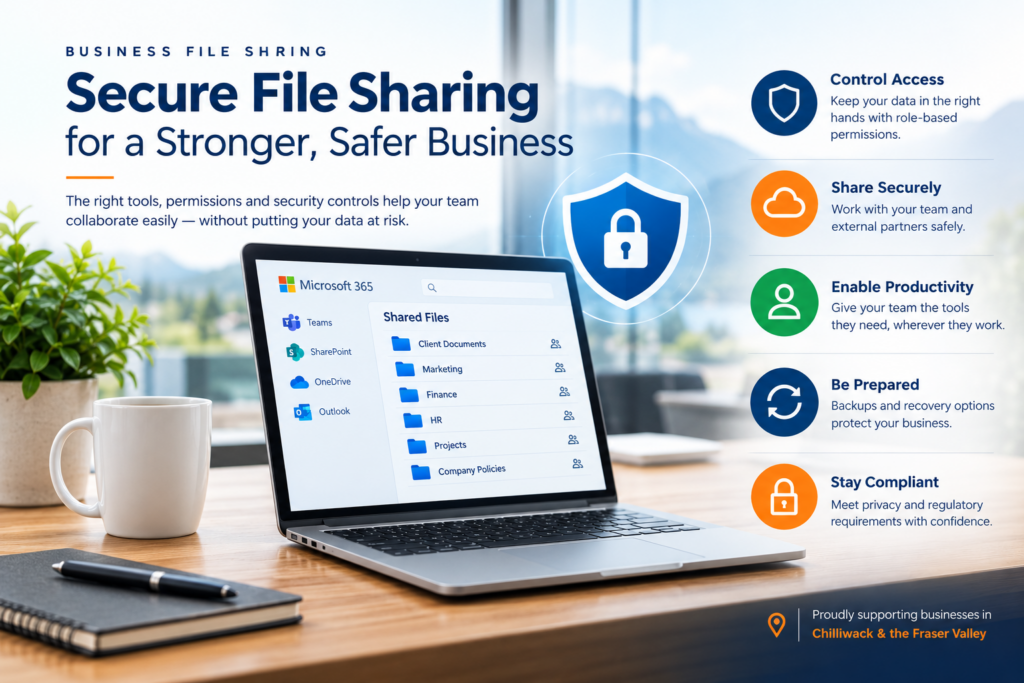
Microsoft Teams supports team communication and collaboration, SharePoint provides shared document libraries, and OneDrive supports individual work files and file sharing. When configured appropriately, these tools can support version history, controlled access, and collaboration with external contacts.
Learn more about using Microsoft Teams to share sensitive data.
However, purchasing a cloud platform alone does not guarantee security. The way the system is configured is just as important as the software itself.
Businesses should review who can create external sharing links, whether sensitive files can be downloaded to unmanaged devices, and how access is granted to shared folders.
A well-configured business file-sharing solution should make collaboration straightforward while protecting confidential information.
Use Role-Based Access to Protect Business Files
Employees need access to different information depending on their responsibilities. Giving everyone access to every shared folder increases the potential impact of an account compromise or accidental change.
Role-based access control helps businesses manage permissions more consistently. Instead of assigning access individually wherever possible, organizations can use groups based on departments, job functions, or project teams.
For example:
Accounting employees can access financial reports and invoices.
Management can access business planning documents and selected HR records.
Client service teams can access the files required to support their customers.
External contractors can access only the project documents they need.
This approach also simplifies employee onboarding and offboarding. When responsibilities change or someone leaves the organization, access can be updated through the appropriate groups and accounts.
Apply the Principle of Least Privilege
The principle of least privilege means giving each user only the access required to perform their job.
A temporary contractor may need access to one project folder for a limited period. A staff member reviewing a company policy may only need permission to view the document rather than edit it.
These small adjustments can reduce unnecessary exposure and help prevent accidental changes to important business files.
Regular permission reviews are also important. Businesses should identify inactive accounts, outdated external links, and folders that contain broader access than necessary.
Secure External File Sharing With Clients and Partners
Sharing files with customers, suppliers, and business partners is a normal part of operations. However, public links and unrestricted access can expose sensitive information if they are not managed carefully.
When sharing business files externally, organizations should:
Use recipient-specific sharing permissions where supported.
Require authentication for sensitive documents.
Set expiration dates for temporary access when available.
Limit external users to the files they actually need.
Review and remove access when a project or business relationship ends.
Verify unexpected document requests before sharing confidential information.
For example, an accounting firm may need to share financial documents with a client. Providing access to a dedicated folder is generally more controlled than sending files through a personal email account or creating an unrestricted public link.
Employees should also understand when email attachments are appropriate and when a secure sharing link is the better option.
Protect Business File Sharing With Multi-Factor Authentication
Secure file sharing depends on secure user accounts. If a cybercriminal gains access to an employee’s email or cloud account, they may be able to view, download, modify, or delete shared business documents.
Multi-factor authentication (MFA) adds another layer of protection by requiring users to verify their identity through an additional authentication method.
Businesses should enable MFA for accounts that access company information, especially email, cloud storage, and administrator accounts.
Read more about why enforcing multi-factor authentication matters.
Device security is equally important. Computers and mobile devices that access company files should use strong sign-in methods, current security updates, and appropriate endpoint protection.
Organizations that allow employees to use personal devices should establish clear expectations for screen locks, software updates, local file storage, and access removal when employment ends.
These measures help protect company information whether employees work in the office, at home, or at a client location.
Understand the Difference Between Cloud Sync and Data Backup
Cloud storage and synchronization make business files easier to access across devices. However, synchronization is not the same as a complete backup strategy.
If an employee accidentally deletes a file or ransomware encrypts synchronized documents, those changes may affect multiple locations. Version history and recycle bins can help recover some files, but their availability depends on the platform, retention settings, and circumstances.
A separate backup strategy provides an additional recovery option for critical business information.
Your backup plan should account for:
Important files stored in cloud platforms and business applications.
Appropriate backup frequency and retention periods.
Protection against accidental deletion and malicious changes.
Recovery procedures for ransomware incidents or account compromises.
Regular restoration tests to confirm that backups work.
Businesses should also consider how quickly they need to restore operations after an incident.
A backup is only useful if the organization can recover the information it needs within an acceptable timeframe. Testing the recovery process helps identify problems before an emergency occurs.
Create a Simple Business File-Sharing Policy
Technology alone cannot prevent every file-sharing mistake. Employees need clear instructions that explain how to handle company information safely.
A practical business file-sharing policy should identify where documents belong, how to share files with external contacts, when email attachments are acceptable, and who can approve access to sensitive information.
Training should use examples employees encounter in their daily work, including suspicious file-sharing requests, unexpected links, and documents sent to the wrong recipient.
It is also important to encourage employees to report mistakes quickly. If a confidential document is shared with the wrong person, early reporting gives the IT team a better opportunity to revoke access and assess the situation.
Simple rules, regular training, and clear reporting procedures can make secure file sharing easier to maintain across the organization.
Why Fraser Valley Businesses Need Ongoing IT Support
Business file sharing requires ongoing attention as employees change roles, projects end, and new systems are introduced. Permissions that were appropriate six months ago may no longer be necessary.
Regular reviews help identify inactive accounts, outdated sharing links, excessive permissions, and files that should be archived or removed.
For small and midsize organizations without a dedicated internal IT department, maintaining these controls can be challenging alongside daily business operations.
Myriad Technologies supports businesses in Chilliwack and across the Fraser Valley with practical IT services, including Microsoft 365 management, cybersecurity, device protection, cloud services, and backup and disaster recovery planning.
Our goal is to help businesses improve security while keeping their technology practical for employees and customers.
Improve Your Business File Sharing Security With Myriad Technologies
Secure business file sharing helps your team collaborate efficiently while reducing the risk of data exposure, unauthorized access, and file loss.
The right approach combines suitable technology, carefully managed permissions, secure user accounts, reliable backups, and clear employee policies. These measures help protect sensitive information without creating unnecessary barriers to everyday work.
Whether your business needs help reviewing Microsoft 365 permissions, improving external file sharing, or strengthening its overall IT security, Myriad Technologies can help you identify practical next steps.
Contact Myriad Technologies to discuss secure file sharing and IT support for your Fraser Valley business.