
A deleted folder, a ransomware attack, or a failed server can bring business operations to a standstill in minutes. That’s why cloud backup for businesses is no longer just an IT consideration. It is a critical part of business continuity, cybersecurity, and disaster recovery planning.

For professional services firms, backups may protect client files, financial records, and specialized software. For nonprofits, they safeguard donor databases, grant documentation, and years of organizational history. Healthcare providers often depend on backup solutions to help preserve patient information and maintain uninterrupted care.

The best backup strategy is not simply about storing files online. It is about ensuring your organization can recover the data, systems, and applications needed to keep operations moving.

Cloud Backup for Businesses Is Really a Recovery Plan

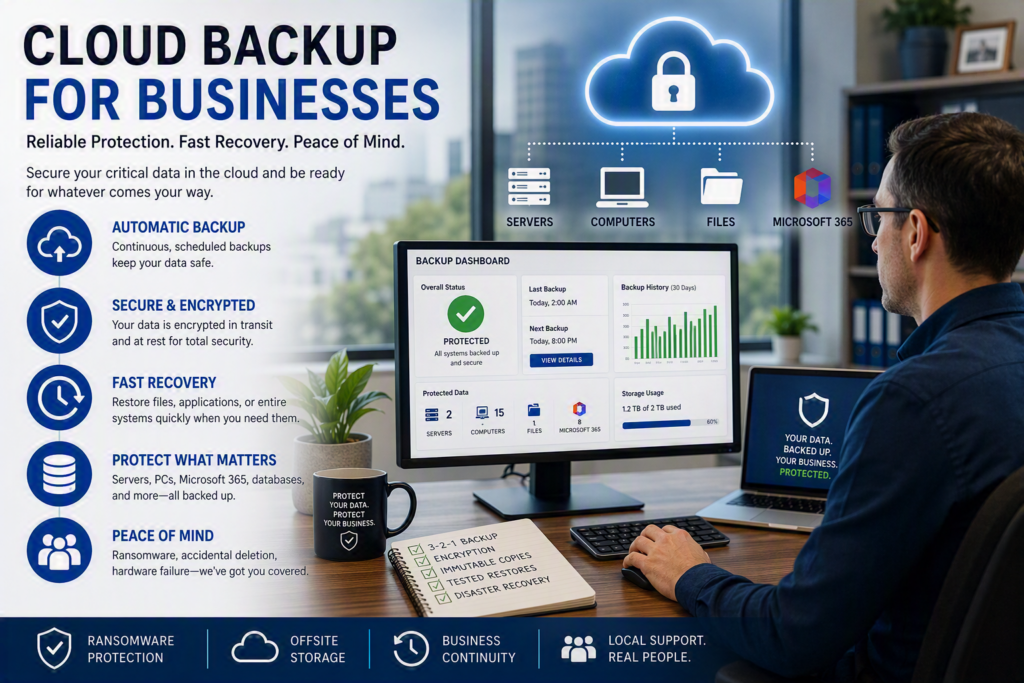
Cloud backup works by storing copies of business data on secure infrastructure outside your office. If a server fails, a device is stolen, a fire damages your premises, or ransomware encrypts your files, those backups can be used to restore critical information.

However, successful backups should be judged by recovery results, not by backup reports.

A backup may appear successful while still:

  • Missing critical files
  • Excluding important applications
  • Failing to protect newer data
  • Taking too long to restore during an emergency

Instead of starting with products and storage capacity, begin by asking business-focused questions:

  • What would prevent us from operating tomorrow?
  • Which applications or files cannot be recreated?
  • How much recent work could we afford to lose?
  • Who needs access to systems first after an outage?

The answers help shape a recovery strategy that fits your business.

For example, a small accounting firm may prioritize accounting databases and document management systems. A growing company that relies on Microsoft 365, remote employees, and a local server may require separate backup solutions for each environment.

There is no universal backup configuration that works for every organization.

Backup Is Not the Same as File Synchronization

One of the biggest misconceptions businesses have is assuming that files stored in OneDrive, SharePoint, Google Drive, or similar platforms are fully protected.

While cloud collaboration platforms are excellent for file access and sharing, synchronization is not a complete backup strategy.

If an employee accidentally deletes a folder, synchronization can quickly distribute that deletion across connected devices. If ransomware encrypts synchronized files, those encrypted versions may also propagate throughout the environment.

Recycle bins and retention policies can provide some protection, but they may not deliver the recovery flexibility businesses need after a serious incident.

A dedicated backup solution creates independent recovery points specifically designed for restoration.

For organizations heavily invested in Microsoft 365, protecting the following data should be a priority:

  • Exchange Online email
  • OneDrive files
  • SharePoint data
  • Teams-related files and content

What Should a Business Backup Protect?

A reliable backup strategy starts with a complete inventory of business-critical systems and data.

Many organizations discover backup gaps only after an incident occurs, when they realize a database, application, or mailbox was never included.

Your backup plan should consider:

  • Server files and shared folders
  • Accounting software
  • Practice management systems
  • Business databases
  • Microsoft 365 data
  • Email archives
  • Staff computers containing critical local work
  • Network configurations
  • Cloud-based business applications

Depending on your industry, you may also need to protect:

  • Phone system configurations
  • Security camera recordings
  • Architectural or design files
  • Third-party SaaS platforms
  • Customer relationship management (CRM) systems

Not every system requires immediate recovery.

Current project files, active databases, and communication systems often deserve priority over long-term archives. Categorizing information by importance helps balance costs with recovery requirements.

It is also important to understand where data actually resides. Employees often save information across multiple locations, including local devices, servers, and cloud platforms. Conversations with department leaders frequently uncover important data sources that are missing from technical documentation.

Establish Recovery Goals Before Choosing a Backup Service

Two measurements make backup planning significantly easier:

Recovery Point Objective (RPO)

The Recovery Point Objective (RPO) defines how much recent work could be lost between backups.

For example:

  • A backup running once per day may result in up to one day’s worth of lost work.
  • Hourly backups significantly reduce potential data loss.

If losing several hours of work would create major disruption, your backup schedule should reflect that requirement.

Recovery Time Objective (RTO)

The Recovery Time Objective (RTO) measures how quickly systems must be restored.

Restoring a single file may take minutes. Restoring:

  • Entire servers
  • Databases
  • Microsoft 365 environments
  • Business-critical applications

may take significantly longer, especially when large amounts of data must be recovered.

Every organization has different recovery expectations. A business that can operate manually for a day has very different requirements than a medical clinic or legal office that depends on immediate access to records.

Follow the 3-2-1 Backup Rule and Modern Best Practices

A proven starting point is the 3-2-1 backup strategy:

  • Maintain at least three copies of important data
  • Store data on two different types of media
  • Keep one copy offsite

Cloud backup solutions typically provide the offsite component needed for disaster recovery.

Today, many cybersecurity professionals recommend adding two additional protections:

  • Maintain at least one immutable backup copy
  • Regularly test recovery processes

This is particularly important as ransomware attacks increasingly target backup systems.

Modern safeguards may include:

  • Immutable storage
  • Protected retention policies
  • Separate administrative accounts
  • Multi-factor authentication
  • Access monitoring

These protections help prevent attackers from modifying or deleting backup data when it is needed most.

Security and Privacy Remain Essential

Moving backups to the cloud does not eliminate security responsibilities. It simply changes where information is stored and how it is managed.

Businesses should look for backup providers that offer:

  • Encryption during data transmission
  • Encryption while data is stored
  • Role-based access controls
  • Audit logging
  • Secure account management

Strong multi-factor authentication should also be implemented for backup administration accounts to reduce the risk of unauthorized access.

Retention policies require equal attention.

Some records must be retained for years because of legal, regulatory, financial, or contractual obligations. Other information should not be stored indefinitely.

An effective retention policy balances data recovery requirements with privacy and compliance responsibilities.

Organizations handling confidential client, patient, donor, or employee information should involve compliance and privacy stakeholders when designing retention strategies.

Test Restores Before Disaster Strikes

The most valuable proof that a backup strategy works is a successful restoration test.

A backup report showing a completed job is helpful. Successfully restoring data is far more important.

Regular testing should include:

  • File restoration tests
  • Mailbox recovery tests
  • Database recovery tests
  • Application recovery verification
  • User access validation

These exercises often reveal issues such as:

  • Missing folders
  • Incomplete backups
  • Incorrect permissions
  • Unsupported databases
  • Recovery times that exceed business expectations

Finding these issues during a scheduled test is significantly less disruptive than discovering them during an emergency.

Organizations should also maintain a clear recovery guide that includes:

  • Emergency contacts
  • Backup locations
  • Recovery priorities
  • Access procedures
  • Escalation processes

This documentation becomes particularly important when key personnel are unavailable.

Signs Your Backup Strategy Needs Review

Many organizations would benefit from a backup assessment if:

  • You are not sure what is currently being backed up
  • Backup alerts are not being reviewed
  • You have never tested a restore
  • You rely solely on portable drives
  • You assume file synchronization equals backup protection

Additional review is recommended after:

  • A Microsoft 365 migration
  • A major software deployment
  • A server replacement
  • An office relocation
  • A merger or acquisition
  • Significant staffing changes

Another warning sign is a lack of ownership. If nobody actively reviews backup reports or responds to failed backup alerts, critical problems can go unnoticed for weeks.

Cloud backup is not a set-and-forget investment. It requires monitoring, testing, and ongoing management.

Cloud Backup for Businesses: A Smart Investment in Business Continuity

The most effective cloud backup for businesses strategy is one that is documented, monitored, tested, and aligned with daily operations.

It does not need to be overly complicated, but it does need to be intentional.

When businesses focus on the people they serve and the work they cannot afford to lose, backup planning becomes much simpler. The result is a practical recovery strategy that protects critical systems, supports business continuity, and provides confidence when unexpected events occur.
Cloud Backup for Businesses: Protecting the Data Your Organization Depends On A deleted folder, a ransomware attack, or a failed server can bring business operations to a standstill in minutes. That's why cloud backup for businesses is no longer just an IT consideration. It is a critical part of business continuity, cybersecurity, and disaster recovery planning. For professional services firms, backups may protect client files, financial records, and specialized software. For nonprofits, they safeguard donor databases, grant documentation, and years of organizational history. Healthcare providers often depend on backup solutions to help preserve patient information and maintain uninterrupted care. The best backup strategy is not simply about storing files online. It is about ensuring your organization can recover the data, systems, and applications needed to keep operations moving. Cloud Backup for Businesses Is Really a Recovery Plan Cloud backup works by storing copies of business data on secure infrastructure outside your office. If a server fails, a device is stolen, a fire damages your premises, or ransomware encrypts your files, those backups can be used to restore critical information. However, successful backups should be judged by recovery results, not by backup reports. A backup may appear successful while still: Missing critical files Excluding important applications Failing to protect newer data Taking too long to restore during an emergency Instead of starting with products and storage capacity, begin by asking business-focused questions: What would prevent us from operating tomorrow? Which applications or files cannot be recreated? How much recent work could we afford to lose? Who needs access to systems first after an outage? The answers help shape a recovery strategy that fits your business. For example, a small accounting firm may prioritize accounting databases and document management systems. A growing company that relies on Microsoft 365, remote employees, and a local server may require separate backup solutions for each environment. There is no universal backup configuration that works for every organization. Backup Is Not the Same as File Synchronization One of the biggest misconceptions businesses have is assuming that files stored in OneDrive, SharePoint, Google Drive, or similar platforms are fully protected. While cloud collaboration platforms are excellent for file access and sharing, synchronization is not a complete backup strategy. If an employee accidentally deletes a folder, synchronization can quickly distribute that deletion across connected devices. If ransomware encrypts synchronized files, those encrypted versions may also propagate throughout the environment. Recycle bins and retention policies can provide some protection, but they may not deliver the recovery flexibility businesses need after a serious incident. A dedicated backup solution creates independent recovery points specifically designed for restoration. For organizations heavily invested in Microsoft 365, protecting the following data should be a priority: Exchange Online email OneDrive files SharePoint data Teams-related files and content What Should a Business Backup Protect? A reliable backup strategy starts with a complete inventory of business-critical systems and data. Many organizations discover backup gaps only after an incident occurs, when they realize a database, application, or mailbox was never included. Your backup plan should consider: Server files and shared folders Accounting software Practice management systems Business databases Microsoft 365 data Email archives Staff computers containing critical local work Network configurations Cloud-based business applications Depending on your industry, you may also need to protect: Phone system configurations Security camera recordings Architectural or design files Third-party SaaS platforms Customer relationship management (CRM) systems Not every system requires immediate recovery. Current project files, active databases, and communication systems often deserve priority over long-term archives. Categorizing information by importance helps balance costs with recovery requirements. It is also important to understand where data actually resides. Employees often save information across multiple locations, including local devices, servers, and cloud platforms. Conversations with department leaders frequently uncover important data sources that are missing from technical documentation. Establish Recovery Goals Before Choosing a Backup Service Two measurements make backup planning significantly easier: Recovery Point Objective (RPO) The Recovery Point Objective (RPO) defines how much recent work could be lost between backups. For example: A backup running once per day may result in up to one day's worth of lost work. Hourly backups significantly reduce potential data loss. If losing several hours of work would create major disruption, your backup schedule should reflect that requirement. Recovery Time Objective (RTO) The Recovery Time Objective (RTO) measures how quickly systems must be restored. Restoring a single file may take minutes. Restoring: Entire servers Databases Microsoft 365 environments Business-critical applications may take significantly longer, especially when large amounts of data must be recovered. Every organization has different recovery expectations. A business that can operate manually for a day has very different requirements than a medical clinic or legal office that depends on immediate access to records. Follow the 3-2-1 Backup Rule and Modern Best Practices A proven starting point is the 3-2-1 backup strategy: Maintain at least three copies of important data Store data on two different types of media Keep one copy offsite Cloud backup solutions typically provide the offsite component needed for disaster recovery. Today, many cybersecurity professionals recommend adding two additional protections: Maintain at least one immutable backup copy Regularly test recovery processes This is particularly important as ransomware attacks increasingly target backup systems. Modern safeguards may include: Immutable storage Protected retention policies Separate administrative accounts Multi-factor authentication Access monitoring These protections help prevent attackers from modifying or deleting backup data when it is needed most. Security and Privacy Remain Essential Moving backups to the cloud does not eliminate security responsibilities. It simply changes where information is stored and how it is managed. Businesses should look for backup providers that offer: Encryption during data transmission Encryption while data is stored Role-based access controls Audit logging Secure account management Strong multi-factor authentication should also be implemented for backup administration accounts to reduce the risk of unauthorized access. Retention policies require equal attention. Some records must be retained for years because of legal, regulatory, financial, or contractual obligations. Other information should not be stored indefinitely. An effective retention policy balances data recovery requirements with privacy and compliance responsibilities. Organizations handling confidential client, patient, donor, or employee information should involve compliance and privacy stakeholders when designing retention strategies. Test Restores Before Disaster Strikes The most valuable proof that a backup strategy works is a successful restoration test. A backup report showing a completed job is helpful. Successfully restoring data is far more important. Regular testing should include: File restoration tests Mailbox recovery tests Database recovery tests Application recovery verification User access validation These exercises often reveal issues such as: Missing folders Incomplete backups Incorrect permissions Unsupported databases Recovery times that exceed business expectations Finding these issues during a scheduled test is significantly less disruptive than discovering them during an emergency. Organizations should also maintain a clear recovery guide that includes: Emergency contacts Backup locations Recovery priorities Access procedures Escalation processes This documentation becomes particularly important when key personnel are unavailable. Signs Your Backup Strategy Needs Review Many organizations would benefit from a backup assessment if: You are not sure what is currently being backed up Backup alerts are not being reviewed You have never tested a restore You rely solely on portable drives You assume file synchronization equals backup protection Additional review is recommended after: A Microsoft 365 migration A major software deployment A server replacement An office relocation A merger or acquisition Significant staffing changes Another warning sign is a lack of ownership. If nobody actively reviews backup reports or responds to failed backup alerts, critical problems can go unnoticed for weeks. Cloud backup is not a set-and-forget investment. It requires monitoring, testing, and ongoing management. Cloud Backup for Businesses: A Smart Investment in Business Continuity The most effective cloud backup for businesses strategy is one that is documented, monitored, tested, and aligned with daily operations. It does not need to be overly complicated, but it does need to be intentional. When businesses focus on the people they serve and the work they cannot afford to lose, backup planning becomes much simpler. The result is a practical recovery strategy that protects critical systems, supports business continuity, and provides confidence when unexpected events occur. SEO Title Cloud Backup for Businesses: Protect Your Data, Reduce Downtime, and Recover Faster Meta Description Discover how cloud backup for businesses helps protect critical data, prevent downtime, defend against ransomware, and support fast disaster recovery when unexpected events occur. Focus Keyword Cloud Backup for Businesses URL Slug /cloud-backup-for-businesses-data-protection Related Keywords business cloud backup cloud backup solutions business data backup disaster recovery planning Microsoft 365 backup ransomware recovery secure cloud storage for business data protection services business continuity planning cloud disaster recovery