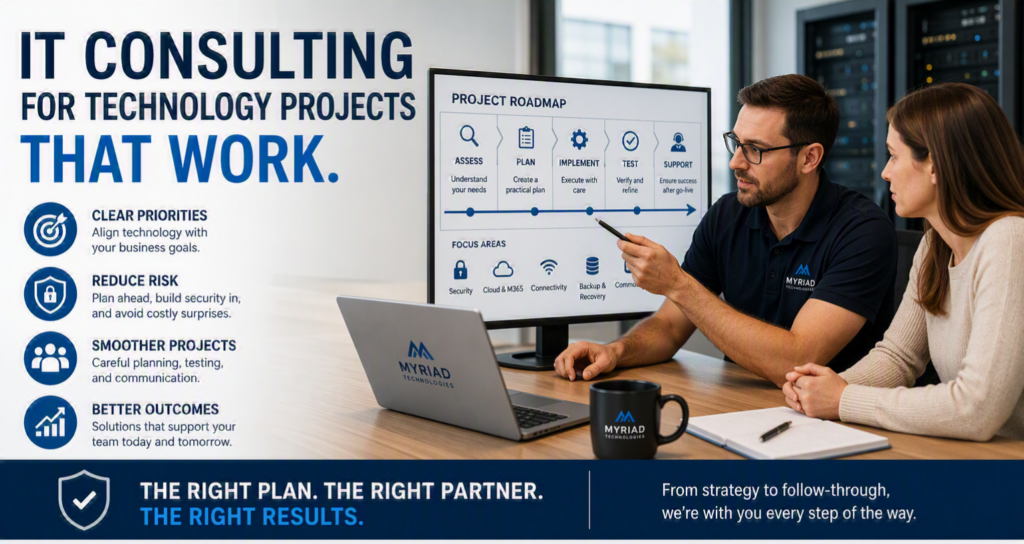
A server replacement that runs late can interrupt a full day of work. A rushed Microsoft 365 migration can leave staff unable to find files. A new phone system can frustrate customers if calls are not routed properly. These are the moments when IT consulting for technology projects becomes more than technical advice. It becomes the difference between a change that supports your organization and one that creates new problems.
For small and midsize organizations, technology projects rarely happen in a vacuum. They affect staff workflows, customer service, security, budgets, and the daily operations that keep the business moving. A dependable IT consulting partner helps you make decisions with the full picture in view, then manages the work carefully from planning through follow-up.
Why technology projects need more than a quick fix
Most organizations start a project because something needs attention. Equipment is reaching end of life, employees need better remote access, cyber insurance requirements have changed, or the current network is too slow for the way the team works. The immediate problem is real, but replacing one piece of technology without looking at the wider environment can create expensive gaps.
For example, installing new computers without reviewing backup procedures, security settings, user access, and software compatibility may simply move an existing issue to newer hardware. Moving files to the cloud without deciding who should have access, how records will be organized, and how staff will be trained can lead to confusion instead of better collaboration.
Good consulting begins with questions that are practical, not overly technical: What is getting in the way of your team? What information must remain protected? What cannot be offline during business hours? What growth or operational changes are expected over the next few years? The answers shape a project plan that fits the organization rather than forcing the organization to fit a generic solution.
IT consulting for technology projects starts with clear priorities
A technology project should have a business reason that everyone can understand. Faster systems are useful, but the more meaningful goal may be shorter client response times. Better cybersecurity is essential, but the operational goal may be protecting patient, client, donor, or financial information while keeping employees productive.
An experienced consultant translates those goals into a realistic scope of work. That includes identifying what needs to be upgraded now, what can be phased in later, and what should be left alone because it is still serving the organization well. Not every issue calls for a full replacement. Sometimes a network redesign, an added security control, or a better licensing arrangement will solve the real problem at a lower cost.
This is where honest guidance matters. A worthwhile recommendation explains the benefit, the expected cost, the operational impact, and any limitations. If two options are viable, you should understand the trade-off. One may cost less upfront but require more maintenance. Another may offer better reliability or security but need a larger initial investment. There is no single right answer for every office, clinic, nonprofit, or professional firm.
What a well-managed project looks like
Technology projects go more smoothly when planning is treated as part of the work, not an optional extra. Before changes begin, your IT partner should document the current environment, confirm responsibilities, identify risks, and establish a schedule that respects your busiest hours.
A plan built around your operations
A practical project plan identifies the systems involved, the order of work, expected downtime, required approvals, and the people who need to be available. If your team relies on line-of-business software, printers, shared drives, phone lines, or specialized devices, those dependencies need to be tested rather than assumed.
For a healthcare provider, that may mean confirming access to scheduling, records, and secure communications. For a legal or professional office, it may mean protecting document access and ensuring that time-sensitive client work continues. For a community organization, it may mean keeping staff and volunteers connected without creating a complicated process they cannot maintain.
Security included from the beginning
Security should not be added after a new system is installed. A project is an opportunity to improve passwords, multifactor authentication, backup protections, device management, permissions, and staff awareness at the same time.
The right controls depend on the organization and the information it handles. A small office does not need unnecessary complexity, but it does need safeguards that are appropriate for modern threats. Consulting helps prevent the common mistake of treating cybersecurity as a separate issue when it is closely connected to every technology decision.
Testing, communication, and follow-through
Even a carefully planned project needs testing. Accounts should be verified, backups should be checked, devices should connect properly, and staff should know where to get help after the change. Clear communication keeps surprises to a minimum. People are more comfortable with new technology when they know what is changing, when it will happen, and what they need to do.
Follow-through matters just as much. A project is not complete because new equipment has been installed or a migration has finished. The consultant should confirm that the intended outcome has been achieved, address remaining issues, and provide straightforward guidance for the people using the new system every day.
Common projects that benefit from experienced guidance
Many organizations call for help when a major change is already overdue. Ideally, consulting happens before a failure forces the decision. Still, whether the project is planned or urgent, professional oversight can reduce risk and keep work organized.
Common examples include:
- Replacing aging servers, workstations, network equipment, or Wi-Fi infrastructure
- Moving email, files, and collaboration tools to Microsoft 365 or another cloud environment
- Improving cybersecurity after an assessment, insurance request, suspicious activity, or security incident
- Setting up reliable backups and disaster recovery procedures
- Opening, moving, or renovating an office and installing the technology needed to operate there
- Updating business phone systems, internet connectivity, and communications tools
These projects often overlap. An office move, for instance, may involve cabling, Wi-Fi, new workstations, phones, cloud access, security cameras, and vendor coordination. Managing each piece separately can leave the organization caught between providers. Working with one accountable technology partner provides a clearer path from the initial plan to a functioning workplace.
How to protect your budget without cutting the wrong corners
Project budgets matter, particularly for organizations that do not have a large internal IT department. The goal is not to spend as little as possible at the start. It is to avoid spending twice because the first solution did not account for the real need.
Ask for a scope that separates essential work from optional improvements. You should know which costs are one-time, which are ongoing, and which assumptions could affect the final price. If a recommendation depends on replacing older equipment, adding licenses, or improving internet service, that should be discussed early.
Phasing can be a sensible approach. A nonprofit may need to address critical security and backup issues immediately, then budget for workstation replacements over time. A growing business may start with a cloud migration and add more advanced tools once staff have adopted the new workflow. The key is ensuring that each phase supports the next rather than creating a patchwork of short-term fixes.
Choosing a consulting partner who will be there afterward
Technical credentials matter, but a successful project also depends on responsiveness, communication, and accountability. You need a partner who will explain recommendations in plain language, answer questions without talking down to your team, and remain available when the work is complete.
Look for someone who takes time to understand your organization before proposing a solution. They should be comfortable coordinating with software vendors, internet providers, building contractors, and other stakeholders when needed. They should also be honest about risk. No project is entirely free of disruption, but careful preparation makes disruption manageable and gives you a clear response plan if something does not go as expected.
For organizations across the Fraser Valley, Myriad Technologies approaches project consulting with that long-term perspective. The aim is not simply to complete a migration, upgrade, or installation. It is to leave your technology easier to manage, safer to use, and better aligned with the work your people need to do.
The best time to talk about a technology project is before the old server fails, the office move is weeks away, or a security concern becomes an emergency. Start with the operational problem you want to solve, ask for a plan you can understand, and choose support that will stay engaged when your team needs it most.