A server failure at 9:00 a.m., a suspicious email sent to the whole office, or a staff member locked out of Microsoft 365 can quickly become expensive. That is why outsourced IT costs should be measured against more than a monthly invoice. For a small or midsize organization, the real question is whether your IT provider helps prevent interruptions, protect sensitive information, and get your team back to work quickly when something goes wrong.
The cost of outsourced IT services varies because every business has different technology, security, support, and operational requirements. A five-person professional office using primarily cloud-based tools has different needs than a healthcare provider, nonprofit, construction company, or multi-location organization handling confidential information.
The best IT support arrangement is not necessarily the least expensive one. It is the one that provides clear coverage, responsive support, appropriate cybersecurity, and predictable costs without leaving you with unexpected charges every time you need help.
What Do Outsourced IT Costs Usually Include?
Most managed IT service providers charge a predictable monthly fee, often based on the number of users, devices, or a combination of both. This managed IT services pricing model is designed to replace the uncertainty of calling for help only after a problem has already affected your workday.
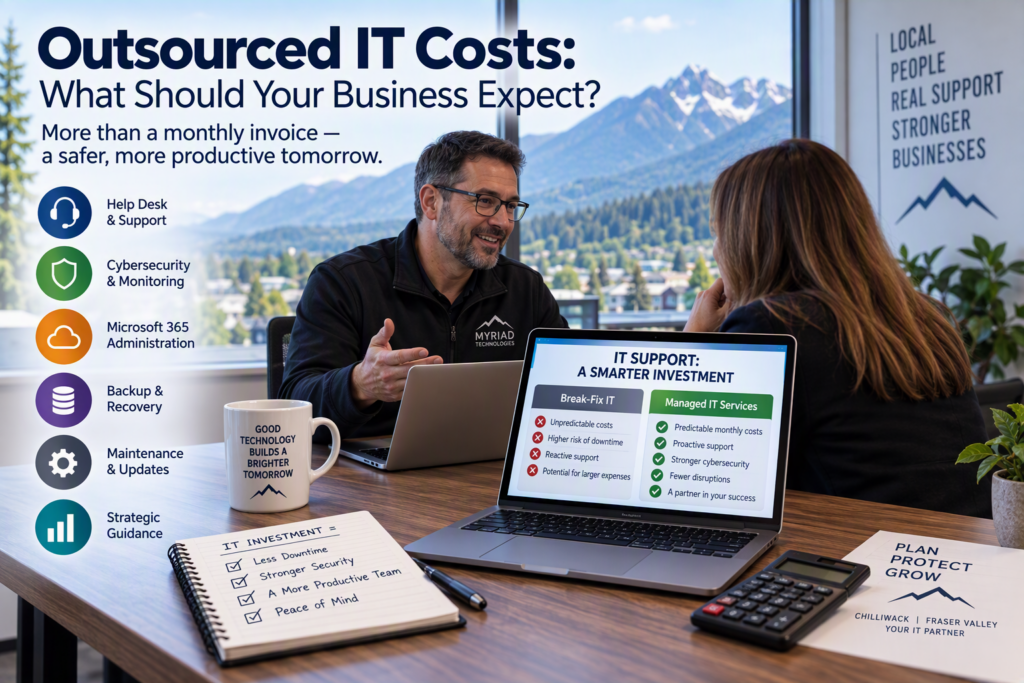
A monthly managed IT service plan commonly includes:
Help desk and technical support
Remote monitoring and management
Routine maintenance
Cybersecurity management
Backup monitoring
Software and security patching
Microsoft 365 administration
Network management
Vendor coordination
Technology planning and guidance
Depending on the agreement, a provider may also include onsite support, after-hours assistance, security awareness training, cloud services, or regular technology review meetings.
For many Fraser Valley organizations, a per-user pricing model is easy to understand because each employee needs a combination of services: device support, account security, email protection, access to files, and help when technology gets in the way of their work.
A device-based model can make sense in environments with shared computers, specialized equipment, or a smaller number of active users.
The key is to understand what is actually covered.
A low monthly rate may only include monitoring and limited remote support. It may not cover onsite visits, after-hours emergencies, cybersecurity tools, project work, hardware, software licensing, or the labor required to resolve a major issue.
There is nothing wrong with a narrower IT support plan if it fits your business. The important thing is that the boundaries, exclusions, and additional charges are clear before you sign an agreement.
What Factors Affect Outsourced IT Costs?
The number of people in your organization matters, but it is only one part of the picture. Outsourced IT costs generally increase as your systems, security requirements, locations, and reliance on technology become more complex.
Your Technology Environment
A business using a few laptops, cloud email, and standard office applications is generally simpler to support than one with an onsite server, multiple locations, specialized industry software, phone systems, remote workers, and shared network equipment.
Older technology can also increase IT support requirements. If computers frequently fail, Wi-Fi coverage is inconsistent, servers are aging, or storage is nearing capacity, your monthly IT provider may spend more time dealing with recurring problems until those underlying issues are addressed.
This is where an honest technology assessment is valuable. Your provider should explain whether aging infrastructure is likely to create recurring costs rather than simply applying temporary fixes month after month.
A good managed IT services provider should help you understand which technology issues need immediate attention and which can be planned and budgeted over time.
Cybersecurity and Compliance Requirements
Cybersecurity is now a major part of business IT spending. Basic antivirus software is no longer enough for many organizations that handle client files, financial information, personal data, or health-related information.
Multi-factor authentication, email filtering, endpoint protection, backups, security awareness training, patch management, and incident response planning can all form part of a modern business cybersecurity strategy.
Organizations with compliance obligations or particularly sensitive information may need additional safeguards, documentation, monitoring, and access controls. That can affect the cost of outsourced IT services, but it can also help reduce the likelihood and potential impact of a serious security incident.
The right level of protection depends on your organization’s risks, the information you hold, your industry requirements, and the consequences if your systems become unavailable.
Support Hours and Response Expectations
Not every business needs around-the-clock IT support.
A local office that operates Monday through Friday may be well served by support during normal business hours, while a healthcare provider, tourism operator, or organization with remote staff may require faster escalation or extended availability.
Response time is worth discussing in practical terms.
Ask:
How quickly are urgent issues acknowledged?
What qualifies as an emergency?
Is after-hours support available?
Who handles critical incidents?
Is support provided by a familiar local team?
How are urgent issues escalated?
When your internet is down or employees cannot access Microsoft 365, prompt communication matters as much as technical skill.
Onsite Versus Remote IT Support
Many IT problems can be resolved remotely, often faster than waiting for a technician to travel to your office. Password issues, software errors, Microsoft 365 administration, security alerts, and many workstation problems can usually be handled remotely.
Some problems require an onsite visit. Network outages, hardware replacements, office moves, cabling concerns, server work, and new equipment installations are examples.
Some managed IT agreements include onsite labor, while others bill onsite work separately. Neither approach is automatically better. The right option depends on how often your organization needs in-person assistance and how quickly you need it when you do.
Monthly Managed IT Fees Versus Project Costs
A managed IT agreement and a technology project are not the same thing.
Monthly managed IT fees cover the ongoing work required to keep your systems supported, monitored, secured, and maintained. Technology projects are planned changes that may require additional labor, hardware, software licenses, or specialized expertise.
Common IT project expenses include:
Replacing servers or computers
Moving files or applications to the cloud
Upgrading Wi-Fi or network infrastructure
Opening a new office
Deploying a new phone system
Improving cybersecurity
Implementing Microsoft 365 changes
Upgrading backup systems
Recovering from a significant security incident
These costs should be discussed early, especially if an initial IT assessment identifies urgent weaknesses.
A dependable provider should not simply give you a monthly number and leave you to discover necessary upgrades later. They should help you prioritize technology investments.
Some improvements cannot wait, such as unsupported systems or serious security vulnerabilities. Others can be planned over several quarters so the investment is more manageable.
How to Compare Outsourced IT Costs Fairly
Comparing IT support proposals line by line can be difficult because providers package their services differently.
One quote may look less expensive because it excludes security tools, backup storage, onsite time, Microsoft licensing, after-hours support, or project labor. Another provider may include more services and guidance, making the monthly price higher but the overall cost more predictable.
When comparing outsourced IT services, look beyond the monthly price.
Before choosing a provider, ask:
What support, monitoring, cybersecurity, backup, and vendor coordination are included each month?
Are onsite visits, after-hours support, and emergency response included or billed separately?
Which software licenses, hardware purchases, and cloud services are additional costs?
What response times can we expect for urgent issues and routine requests?
How will you document our network, accounts, equipment, and recovery procedures?
What happens if we grow, add a location, or need a major technology project?
How are cybersecurity incidents handled?
Are backup systems monitored and tested?
Who will be our primary point of contact?
The answers reveal more than the monthly IT support price. They show whether the provider understands your operations and whether there is a practical plan for managing technology as your organization changes.
The Hidden Cost of Cheap IT Support
Break-fix IT support, where you call only when something stops working, can appear less expensive initially. It may be appropriate for a very small organization with simple systems and a high tolerance for occasional disruption.
However, break-fix support can make it difficult to identify and address recurring problems before they affect the business.
The larger cost is often downtime.
If ten employees cannot work for several hours, the impact can include lost productivity, delayed client service, stressed employees, missed deadlines, and potential reputational damage. A ransomware incident, failed backup, or major hardware failure can be considerably more expensive than years of routine maintenance.
Proactive IT support does not eliminate every problem. Hardware can fail, internet providers can experience outages, and employees can still receive convincing phishing messages.
What proactive managed IT support can do is reduce avoidable problems, identify warning signs earlier, maintain systems consistently, and give your organization a prepared team to contact when something unexpected happens.
How to Build an IT Budget That Works
A useful IT budget separates recurring operating costs from planned technology improvements.
Monthly managed IT services, software subscriptions, backup, cybersecurity tools, and internet or phone services are ongoing expenses. Computer replacements, network upgrades, cloud migrations, cybersecurity projects, and office expansions should generally be treated as planned investments.
It also helps to establish a replacement cycle for essential equipment.
Waiting until every computer is failing at once usually creates a larger and more disruptive expense. Replacing equipment gradually allows employees to adapt, reduces unexpected downtime, and gives business owners better control over cash flow.
When reviewing outsourced IT costs, ask your provider to explain the business reason behind each recommendation in plain language.
You should understand:
What risk is being reduced?
What problem is being solved?
What happens if we delay it?
What needs to be done now?
What can reasonably wait?
What will the ongoing cost be?
Technical advice should make budgeting easier, not leave you feeling pressured or confused.
Choosing an Outsourced IT Provider
The right IT relationship gives your team someone accountable who understands your technology environment, responds when work is interrupted, and helps you make sensible decisions before small issues become expensive ones.
For small and midsize businesses in Chilliwack and throughout the Fraser Valley, outsourced IT can provide access to technical expertise, cybersecurity support, proactive maintenance, backup oversight, and strategic technology guidance without requiring a full internal IT department.
The goal is not simply to find the lowest outsourced IT cost. It is to understand what you are paying for, what is included, what is excluded, and how the provider will help protect your business over time.
If you are considering managed IT support, start with a conversation about your daily operations, your current technology, your biggest concerns, and the level of support that will allow your people to focus on serving their clients.