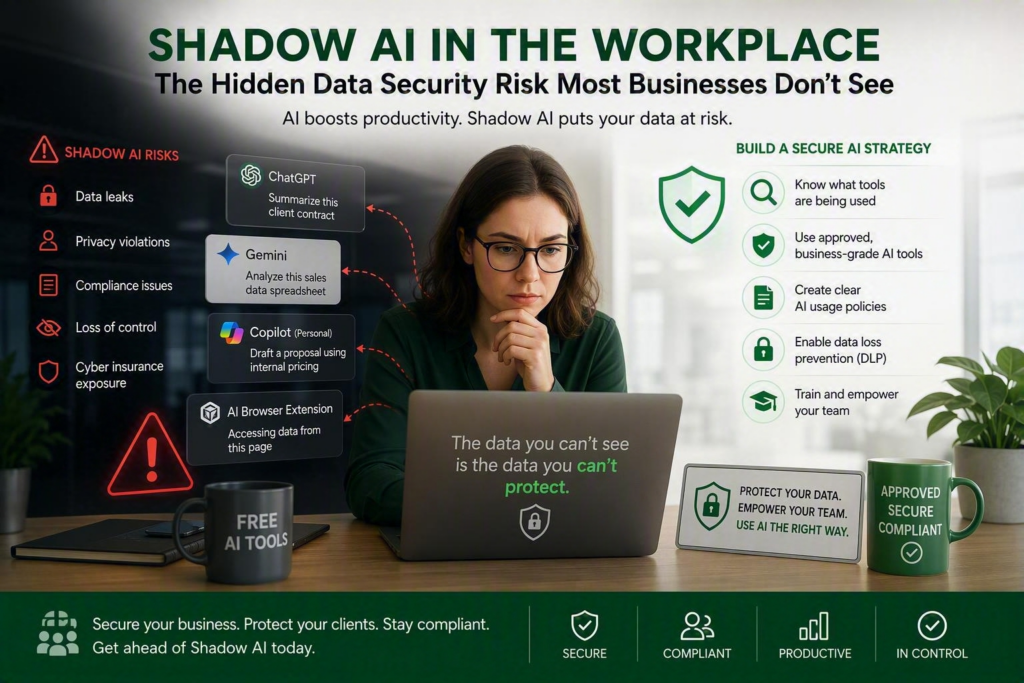
Shadow AI is quickly becoming one of the biggest data security risks for Canadian businesses. Employees are increasingly using tools like ChatGPT, Microsoft Copilot, Gemini, and other AI applications to work faster, often without IT approval or oversight. While these tools can improve productivity, unapproved AI usage can expose sensitive client and business data, creating security, privacy, and compliance concerns.
Chances are someone on your team has used an AI tool this week without asking IT first. Maybe they pasted a client contract into a chatbot for a summary. Maybe they uploaded a spreadsheet containing customer information to get a quick analysis. It may seem harmless, but this everyday behavior, commonly known as Shadow AI, is becoming one of the fastest-growing cybersecurity risks for small and medium-sized businesses.
Shadow AI isn’t a hacker breaking into your systems. It’s employees with good intentions using AI tools that the business has never approved, reviewed, or secured. The challenge isn’t that AI is dangerous. The challenge is that you can’t protect data you don’t know is leaving the organization.
What Is Shadow AI?
Shadow AI refers to employees using artificial intelligence tools, applications, chatbots, browser extensions, or AI-powered services without approval or oversight from the organization.
Many employees use these tools simply to save time and increase productivity. However, when business data is shared with unapproved AI platforms, organizations may lose visibility into where that information goes, how it is stored, and who may have access to it.
Common Examples of Shadow AI in Businesses
Most Shadow AI usage begins with practical workplace tasks:
- Pasting a client contract into a free AI chatbot to summarize or rewrite content
- Uploading a customer contact list for AI-generated analysis
- Using a personal AI account to draft proposals containing internal pricing information
- Entering employee records or HR documents into an AI tool to generate policies or correspondence
- Installing AI browser extensions that can access websites, applications, and sensitive business information
None of these actions are typically malicious. Employees are simply trying to work more efficiently.
The concern is what happens to the data afterward. Many consumer AI tools may store user inputs, retain conversations, process information outside Canada, or use submitted content to improve future AI models.
Why Shadow AI Creates Business Risks
Client Confidentiality Risks
Businesses often manage confidential contracts, financial records, customer information, healthcare-related data, and proprietary business information.
When employees share this information with unapproved AI tools, it may create an unauthorized disclosure of sensitive data, even when no harm was intended.
Privacy and PIPEDA Compliance Concerns
Canadian businesses have obligations to protect personal information and understand where that data is stored and processed.
If employee or customer information is uploaded to third-party AI platforms with unclear privacy practices, demonstrating compliance with regulations can become significantly more difficult.
Businesses handling personal information should understand their obligations under Canada’s privacy legislation through the Office of the Privacy Commissioner of Canada: https://www.priv.gc.ca
Cyber Insurance Considerations
Many cyber insurance providers now evaluate AI usage, cybersecurity controls, and data governance practices during policy renewals.
Undocumented Shadow AI usage can create additional challenges if an organization experiences a security incident involving sensitive information.
Strong security measures such as multifactor authentication (MFA) remain critical for protecting business accounts and reducing risk: https://www.myriadtechnologies.ca/another-good-reason-to-enforce-mfa/
Loss of Control Over Business Data
Once information is entered into an external AI platform, organizations may lose visibility into:
- Where the data is stored
- How long it is retained
- Who can access it
- Whether it is used to train AI models
- How it can be removed
This lack of control creates both security and business risks.
Why Banning Shadow AI Doesn’t Work
Many business leaders consider banning AI entirely once they discover Shadow AI usage.
In reality, this approach often pushes the problem underground.
Employees who find value in AI for drafting emails, summarizing meetings, creating documents, or researching information frequently continue using AI tools without informing management. This reduces visibility and increases risk.
A more effective strategy is to provide secure, approved AI solutions along with clear guidelines for acceptable use.
How Businesses Can Reduce Shadow AI Risks
1. Identify Existing Shadow AI Usage
Before creating policies, understand which AI tools employees are already using.
A simple survey or discussion often reveals more AI usage than business leaders expect.
You can’t manage a risk you can’t see.
2. Approve Business-Grade AI Tools
Enterprise AI platforms typically include stronger security controls, compliance features, and privacy commitments than free consumer tools.
Businesses using Microsoft 365 should consider secure options like Microsoft Copilot that offer administrative oversight and data protection capabilities.
Learn more about Microsoft’s AI security approach: https://www.microsoft.com/security
3. Create a Clear AI Usage Policy
An AI policy should explain:
- Which AI tools employees may use
- What information can be entered into AI systems
- What data must never be shared
- Approval procedures for new AI tools
- Security expectations for staff
Simple, practical policies are typically more effective than lengthy documents full of legal jargon.
4. Implement Data Loss Prevention Controls
Organizations using Microsoft 365 can leverage Data Loss Prevention (DLP) tools to help identify and protect sensitive information.
These controls can help detect:
- Credit card information
- Social Insurance Numbers
- Financial data
- Customer records
- Sensitive business documents
Organizations should also review how sensitive information is shared internally and externally: https://www.myriadtechnologies.ca/are-you-using-teams-to-share-sensitive-data/
For additional cybersecurity guidance, visit the Canadian Centre for Cyber Security: https://www.cyber.gc.ca
5. Train Employees Regularly
Policies alone rarely change behavior.
Employees need practical training that explains:
- What Shadow AI is
- Examples of risky AI usage
- Approved tools and processes
- Safe handling of sensitive information
Regular training helps employees benefit from AI while reducing unnecessary exposure.
How Shadow AI Relates to Microsoft 365 Security
Businesses already using Microsoft 365 should ensure their security controls align with evolving AI risks.
Reviewing permissions, multifactor authentication, data-sharing policies, and access controls can help reduce the likelihood of sensitive information being shared through unauthorized channels.
Businesses relying on Microsoft 365 should regularly assess their cybersecurity posture, access controls, and user permissions. Working with a trusted IT partner can help identify risks before they become security incidents: https://www.myriadtechnologies.ca/cybersecurity-services/
You may also want to review your organization’s:
- Microsoft 365 security configuration
- Multifactor authentication policies
- Data retention settings
- Endpoint protection tools
- Managed IT services
The Bottom Line About Shadow AI
Shadow AI is not a technology problem. It’s a visibility and governance problem.
Most businesses that encounter AI-related issues didn’t intentionally take risks. They simply lacked approved tools, security controls, or clear policies that helped employees make safe decisions.
AI can deliver significant productivity benefits when used responsibly. The key is ensuring employees understand which tools they can use, what information should never be shared, and how company data remains protected.
If you’re unsure what AI tools your employees are currently using, now is the time to assess your environment and establish a clear AI strategy. The goal isn’t to stop AI adoption. The goal is to ensure AI is used securely, responsibly, and in a way that protects your business, your clients, and your reputation.