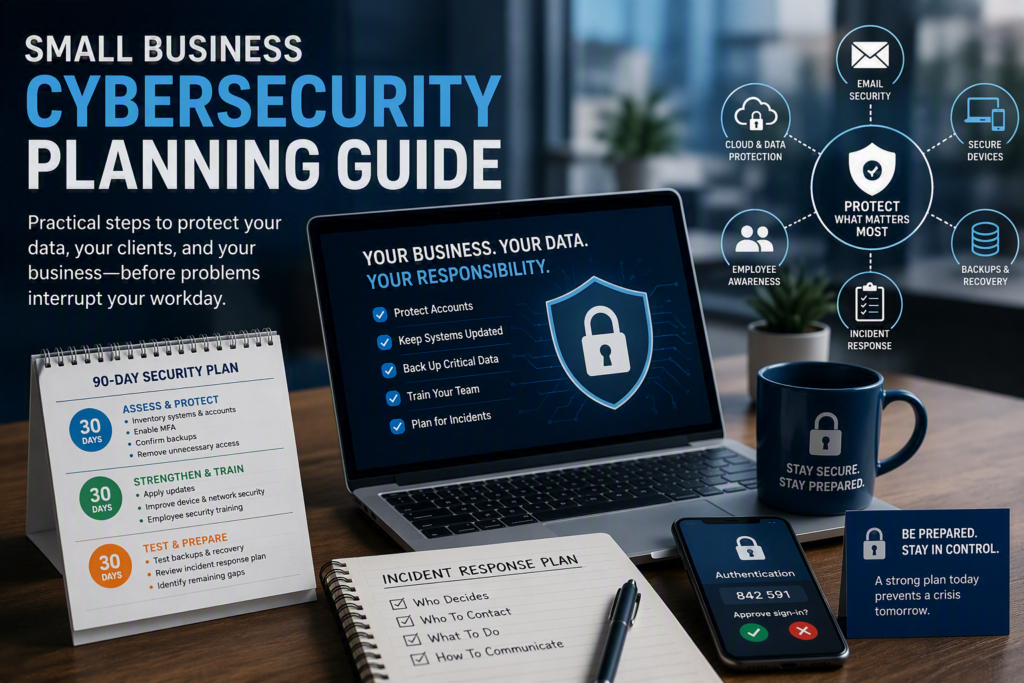
A ransomware message on the office server, a fake Microsoft 365 sign-in page, or a lost laptop can turn an ordinary workday into a costly interruption. A small business cybersecurity planning guide gives your organization a clear, practical way to prevent the most common problems and make good decisions when something does go wrong. The goal is not to turn every employee into an IT expert. It is to protect your ability to serve clients, access records, process payments, and keep the business moving.
For small organizations, cybersecurity planning works best when it is tied to operations. A law office needs reliable access to confidential client files. A healthcare provider must protect sensitive patient information. A nonprofit may depend on donor records, grant documentation, and limited staff capacity. The right plan reflects what would hurt most if it were unavailable, exposed, or altered.
Start With the Business Impact
Security tools matter, but they should follow a clear understanding of risk. Begin by identifying the systems, information, and services your team cannot operate without. This often includes email, accounting software, cloud files, client databases, line-of-business applications, phones, Wi-Fi, and internet access.
Ask straightforward questions: What information do we store? Who needs access to it? Where does it live? What happens if we cannot use it for one day, one week, or longer? Also consider what would happen if data were sent to the wrong person, encrypted by ransomware, or deleted by mistake.
This exercise helps you set priorities. Not every device or application carries the same level of risk. A shared office printer may need basic protection, while a system containing financial details, health information, or client records requires tighter access controls and a stronger recovery plan.
Build the Core Security Layers
Most successful cyber incidents do not start with a movie-style hacker breaking through a firewall. They take advantage of a reused password, an unpatched computer, an employee who was rushed into opening a convincing email, or a backup that was never tested. A good plan addresses these ordinary gaps consistently.
Protect accounts before they become an entry point
Email is the front door to many business systems, so account security deserves immediate attention. Require unique, long passwords and multi-factor authentication for email, cloud storage, banking, remote access, and administrative accounts. Multi-factor authentication adds a second verification step, such as an app prompt, that can stop an intruder even if a password is stolen.
Use a password manager where possible. It reduces the temptation to reuse passwords or keep them in spreadsheets, notebooks, or browser notes. Access should also match each person’s role. A staff member does not need administrator rights simply because it is convenient, and former employees should lose access promptly when their employment ends.
Keep systems maintained
Software updates can feel disruptive, especially in a busy office. Yet delayed updates leave known weaknesses open for criminals to exploit. Create a routine for updating computers, servers, phones, network equipment, browsers, and business applications. Critical security updates may need to be applied quickly, while larger changes can be scheduled and tested to avoid interrupting specialized software.
Your plan should identify who is responsible for confirming updates and who can approve an exception when an older application cannot be patched. Exceptions are sometimes necessary, but they should come with compensating protection, such as limiting access to that system or isolating it from the wider network.
Back up what keeps the business running
Backups are not just an IT task. They are a business continuity tool. Keep copies of critical data that are separate from your day-to-day network and protected from unauthorized deletion. Cloud services may provide useful retention and recovery features, but do not assume they cover every type of deletion, ransomware event, or configuration mistake.
More importantly, test restoration. A backup is only valuable if you can recover the files, systems, and settings you need within an acceptable time. Test a small restoration regularly and conduct a broader recovery exercise at least annually. Record what worked, what took too long, and what information was missing.
Secure the network and devices
Business Wi-Fi should be protected with a strong password and separated from guest access. Firewalls, endpoint protection, device encryption, and screen locks add useful layers, particularly for laptops that travel between the office, home, client sites, and vehicles.
Remote work needs clear boundaries. Employees should know which devices may be used for business, how company files may be shared, and when a secure remote connection is required. The exact setup depends on your size and budget, but informal workarounds tend to create blind spots over time.
Make People Part of the Plan
Your team is often the first line of defense and the first to notice something unusual. Training should be practical, brief, and repeated rather than limited to a single annual presentation. Show staff examples of suspicious invoices, password-reset messages, fake delivery notices, and urgent requests that appear to come from an owner or manager.
The message should not be “never make a mistake.” That approach discourages people from reporting problems. Instead, create a culture where someone can say, “I clicked something that now seems suspicious,” without embarrassment. Early reporting can be the difference between resetting one account and managing a larger incident.
Give employees a simple reporting path. They should know whether to call a designated person, forward the message to IT, disconnect a device from Wi-Fi, or take another immediate step. Put those instructions somewhere easy to find, not buried in a long policy document.
Create an Incident Response Plan Before You Need One
When a security event occurs, uncertainty costs time. A short, usable incident response plan helps your team act calmly and protect evidence while technical support investigates. It does not need to be a binder full of jargon. It needs names, decisions, and next steps.
At a minimum, document these four areas:
- Who has authority to make urgent decisions, including spending approvals and client communications.
- Who to contact for IT support, cybersecurity assistance, insurance, legal advice, banking support, and key software providers.
- What staff should do immediately if they suspect phishing, ransomware, account compromise, or a lost device.
- How you will communicate with employees, clients, vendors, and regulators if an incident affects their information.
Include offline access to this plan. If email or shared drives are unavailable, a document stored only in those systems will not help. Keep printed contact details in a secure location or make them available through a protected personal device process.
It also helps to define what counts as an incident. A suspicious email may only require reporting and deletion. A compromised email account, fraudulent payment request, malware alert, or missing laptop may require faster escalation. Your IT partner can help establish these thresholds and investigate without guessing.
Review Vendors and Cloud Services
Small businesses increasingly rely on outside providers for payroll, bookkeeping, scheduling, payment processing, file storage, communications, and customer management. That can improve efficiency, but it also extends your risk beyond the office walls.
Keep an inventory of the services you use, the accounts that control them, and the staff members with administrative access. Confirm that each service has multi-factor authentication enabled where available. Review who can add users, change banking information, export sensitive records, or approve purchases.
For vendors that handle confidential information, ask practical questions about breach notification, data backup, access controls, and how they protect their own systems. You do not need to demand a lengthy technical audit from every local supplier. But you should understand whether a vendor is handling critical information and what their responsibilities are if an issue occurs.
Turn the Plan Into a 90-Day Priority List
Trying to fix every security concern at once can overwhelm a small team. Start with the issues most likely to cause serious disruption: account protection, updates, backups, endpoint protection, staff awareness, and a response plan. Then assign an owner and target date for each action.
During the first 30 days, inventory key systems and accounts, enable multi-factor authentication, remove unnecessary access, and confirm that backups exist. Over the next 30 days, address patching routines, device protections, network segmentation, and staff training. In the final 30 days, test a recovery, review the incident response plan, and identify remaining gaps that need a budget or project timeline.
A managed IT partner can be especially helpful when internal staff are already carrying multiple responsibilities. Myriad Technologies works with organizations that need clear guidance, proactive maintenance, and responsive support without adding a full internal IT department. The best arrangement is not the one with the most tools. It is the one that gives your team dependable protection and a clear person to call when the unexpected happens.
Set a calendar reminder now to review your cybersecurity plan every six months and after major changes such as a new office, new software, staff turnover, or a merger. A plan that stays connected to the way your business actually works will be far more useful when your team needs it most.