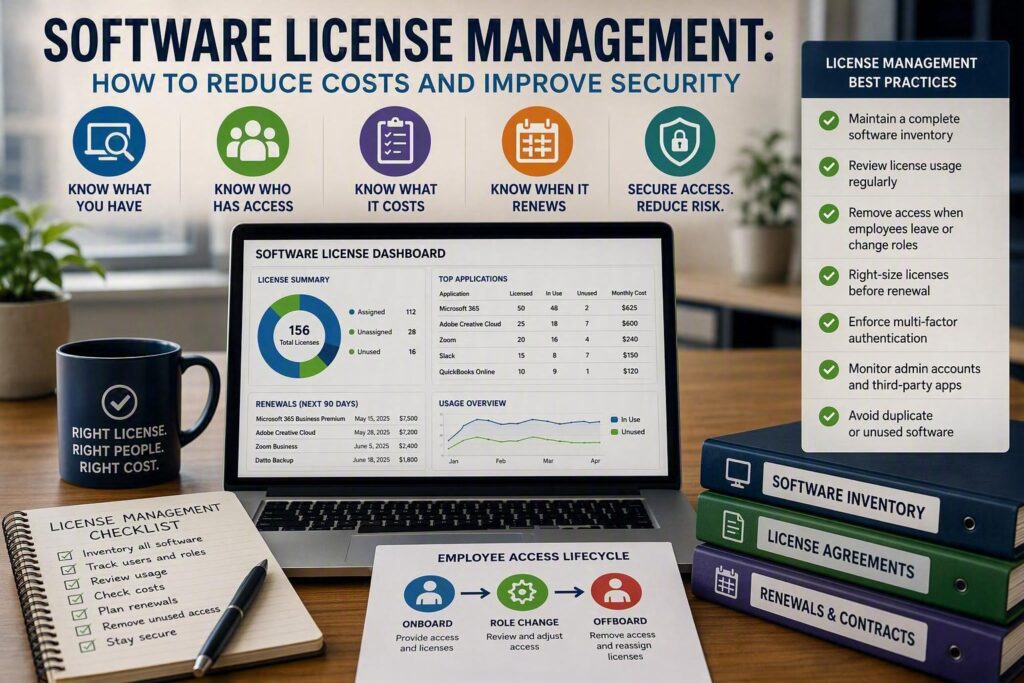
A former employee needs a file urgently, but their Microsoft 365 account is still active three months after they left. Meanwhile, a new employee is waiting for access because every available software license appears to be assigned.
These situations are more than administrative headaches. They are signs that software license management needs attention.
For small and midsize businesses, software subscriptions can grow quietly. One department uses Microsoft 365, another adds project management software, and someone else purchases a specialized accounting, healthcare, communications, or customer service application.
Each tool may have a legitimate purpose. The problem starts when nobody has a clear picture of what software the business owns, who has access, what each license costs, and whether those licenses are still being used.
Good software license management helps businesses control technology costs, improve security, simplify employee onboarding and offboarding, and avoid unnecessary licensing problems.
What Is Software License Management?
Software license management is the process of tracking software purchases, subscriptions, licenses, users, permissions, renewals, and usage.
The goal is simple: make sure employees have the software they need while avoiding unnecessary expenses, security risks, and licensing issues.
It goes beyond keeping a list of software subscriptions.
A good license management process connects software access to employee roles and business requirements. When someone joins the company, changes positions, takes extended leave, or leaves the organization, their software access should be reviewed and updated.
When a subscription is approaching renewal, the business should know:
How many licenses are being paid for
How many are actually being used
Which employees have access
Which licenses are unused
When the contract renews
What the renewal will cost
Whether a different plan would make more sense
This can apply to Microsoft 365, Adobe, Zoom, accounting platforms, password managers, backup services, antivirus software, cloud storage, and specialized industry applications.
Why Poor License Management Creates Business Risk
Unused software licenses can quietly increase technology costs, but wasted spending is only one concern.
Security is another major issue.
An account that remains active after an employee leaves could provide access to company email, cloud files, customer information, or other business systems.
The risk can be even greater when a former employee has administrative privileges.
Software licensing can also create compliance and contractual concerns. Different vendors have different licensing rules. Some licenses are assigned to individual users, while others are based on devices, usage levels, or concurrent users.
Using software outside the terms of a licensing agreement could result in additional charges or problems during a vendor audit.
For businesses handling sensitive customer, financial, or employee information, access control is just as important as controlling software costs.
Good license management therefore supports several areas of the business at once:
Cost control
Cybersecurity
Compliance
Employee productivity
IT support
Business continuity
Create a Complete Software Inventory
The first step in managing software licenses is knowing what you have.
This can be harder than it sounds. Departments may purchase software independently, employees may sign up for trials, and older subscriptions may continue billing long after the original reason for purchasing them has disappeared.
Create a software inventory that includes:
Software name
Vendor
Account owner
Number of licenses
License type
Users with access
Monthly or annual cost
Renewal date
Business purpose
Usage information
A small business can start with a well-maintained spreadsheet.
As the organization grows, dedicated software management tools or a managed IT service can make the process easier.
The important part is keeping the information current.
An inventory that is six months out of date will not be very useful when a former employee needs to be removed, a subscription is renewing, or a security incident occurs.
Look for overlooked subscriptions
Pay particular attention to software that can easily disappear from your normal IT records.
This may include:
Free trials that became paid subscriptions
Software purchased by former employees
Applications purchased directly by individual departments
Duplicate tools with similar features
Old software kept “just in case”
Subscriptions paid through company credit cards
Applications connected to Microsoft 365 or other core systems
Not every duplicate application is necessarily unnecessary. A department may have a legitimate reason to use a specialized tool.
The important thing is knowing why the business is paying for it.
Connect Software Access to Employee Roles
Software licenses are connected to people and their responsibilities.
That means onboarding, role changes, and offboarding should all include a software access review.
During onboarding
When a new employee joins, determine which applications they actually need.
Avoid giving every employee access to every system simply because it is easier.
Instead, provide the minimum access required for their role and add additional permissions when necessary.
This improves security and makes future access reviews much easier.
When employees change roles
Job changes are an often-overlooked part of software license management.
An employee who moves from administration to management may need access to new systems, but they may no longer need access to applications used in their previous role.
Without regular reviews, employees can gradually accumulate access they no longer need.
During offboarding
Employee departures require quick action.
When someone leaves, the business should review and remove their access to relevant systems, recover company equipment, and determine what should happen to their files and accounts.
Depending on the application, the right solution may be to:
Disable the account
Transfer ownership
Archive information
Convert an account to a shared mailbox
Reassign the license
Remove access while preserving required business records
The goal is to avoid both extremes: leaving unnecessary access active or deleting important information without a recovery plan.
Review Software Usage Before Renewals
One of the easiest ways to reduce unnecessary software costs is to review subscriptions before they renew.
Do not wait until the annual invoice arrives.
Ideally, review major software contracts 60 to 90 days before renewal.
Look at actual usage rather than simply counting assigned licenses.
Ask:
Has the employee used the application recently?
Does the business still need it?
Is the current plan appropriate?
Could fewer licenses meet the need?
Are there cheaper plans with the required features?
Is another application already providing similar functionality?
This can uncover licenses that have been assigned but rarely or never used.
Look for Duplicate Software
Software overlap is another common source of unnecessary spending.
For example, a business may pay separately for file sharing, video meetings, document collaboration, password management, or productivity tools when some of those features are already included in its existing technology platform.
This does not mean businesses should automatically cancel specialized applications.
A dedicated application may offer features, integrations, security controls, or workflows that a general platform cannot replace.
The goal is to understand the overlap and make an informed decision.
A cheaper application is not necessarily better if employees find it difficult to use or it creates additional manual work.
Connect License Management With Cybersecurity
Software license management and cybersecurity are closely connected.
Knowing who has access to each application makes it easier to identify former employees, review administrator privileges, enforce multi-factor authentication, and respond quickly when an account is compromised.
Administrator accounts deserve special attention.
Businesses should regularly review:
Who has administrative access
Why they need it
Whether former employees still have access
Whether shared administrator accounts exist
Whether administrator accounts use strong authentication
Whether inactive accounts can be removed
Businesses should also review applications connected to important platforms.
For example, a third-party application connected to Microsoft 365 may have permission to access files, contacts, calendars, or email.
If nobody remembers why the application was approved, that connection should be reviewed.
Learn more about the risks of applications and potential privacy and security concerns.
Make License Management Part of Your IT Process
Software license management should not be a once-a-year cleanup project.
Build it into normal business processes.
When someone joins:
Review the software they need.
When someone changes roles:
Review their existing access.
When someone leaves:
Remove or transfer access promptly.
Before a renewal:
Review usage and costs.
When a department wants new software:
Check whether the organization already has a suitable solution.
This simple process can prevent many common licensing problems.
Keep One Person Responsible for the Process
Several people may be involved in software purchasing and access management, but one person should ultimately be responsible for keeping the overall process organized.
That person does not need to be an IT expert.
They need:
Accurate records
A clear process
Access to renewal information
Communication with finance
Communication with department managers
Support from IT when technical decisions are required
For organizations without an internal IT department, a managed IT provider can help maintain software inventories, review user access, track renewals, and identify potential security issues.
Myriad Technologies helps businesses manage their technology with their operations, budget, and security requirements in mind.
Do Not Try to Eliminate Every Unused License
A good software license management strategy does not mean every unused license must be cancelled immediately.
Keeping a small number of spare licenses can make sense for businesses with seasonal employees, planned growth, or frequent hiring.
The important thing is knowing why you are paying for each license.
A healthy software inventory should answer three basic questions:
What are we paying for?
Who has access?
Why do we need it?
If your team can answer those questions, software becomes a predictable part of your technology budget instead of a collection of recurring surprises.
Better Software License Management Means Better Business Control
Software subscriptions are now a normal part of running a modern business, but unmanaged licenses can lead to unnecessary costs and security risks.
Effective software license management helps businesses:
Reduce unused software costs
Improve employee onboarding
Strengthen employee offboarding
Control user access
Reduce cybersecurity risks
Prepare for renewals
Avoid unnecessary duplicate software
Improve visibility into technology spending
Start by creating a complete software inventory. Then connect software access to employee roles, review usage before renewals, remove unnecessary access, and regularly check which applications are connected to your core business systems.
A little organization can go a long way. When you know what software you have, who is using it, and why you are paying for it, technology costs become much easier to manage.