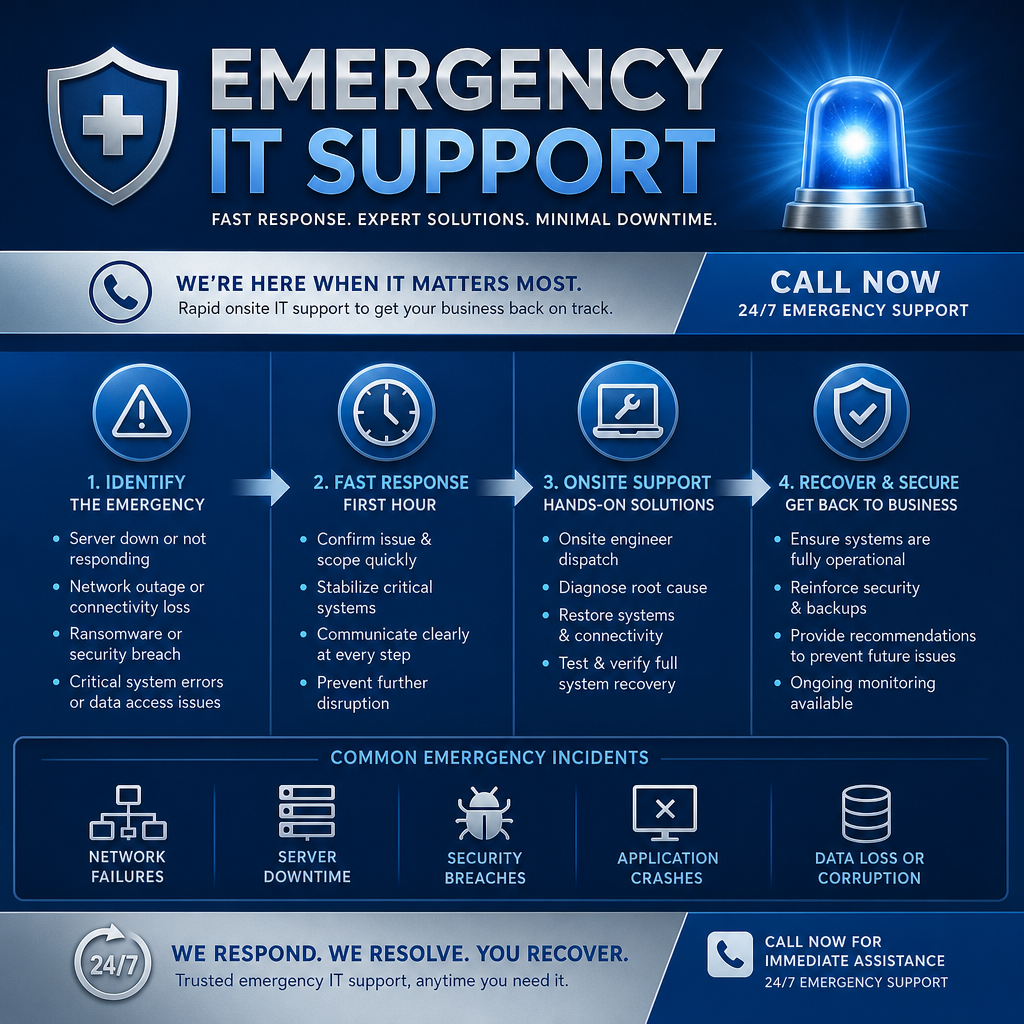
A busy office can tolerate a minor computer issue for an afternoon. It cannot easily tolerate a server that will not start, internet service that disappears before a client deadline, or a ransomware warning that puts every shared file in question. In those moments, emergency onsite IT support is not about convenience. It is about protecting your ability to serve people, communicate clearly, and keep the business moving.
For small and midsize organizations, technology problems rarely stay contained to one device. A failed network switch can stop phone calls, payment processing, cloud access, printers, and patient or client records at the same time. The right response combines urgency with calm, practical judgment: stabilize the situation, understand what is affected, and restore operations without creating a larger problem.
What Counts as an IT Emergency?
An IT emergency is any issue that creates significant operational, security, or safety risk and cannot reasonably wait for normal support. The key word is significant. One employee unable to print may be frustrating, but a whole office unable to access its line-of-business system is a different situation.
Common emergencies include a complete internet or network outage, a server failure, suspicious encryption of files, a lost or compromised device containing sensitive information, a major Microsoft 365 access issue, or a phone system outage. Healthcare providers, legal offices, nonprofits, and professional services firms may face additional urgency when records, privacy obligations, appointment schedules, or public-facing services are affected.
Not every urgent request requires a technician at your location. A qualified support team can resolve many issues remotely, often more quickly than a site visit. But when physical equipment, cabling, power, a local network, or staff access requires hands-on investigation, onsite help becomes the sensible next step.
The First Hour Shapes the Outcome
The first response to an IT incident can either reduce disruption or make recovery harder. Staff members naturally want to restart equipment, reconnect cables, or keep trying passwords until something works. Those actions are understandable, but they can erase useful clues or worsen a cybersecurity incident.
A good emergency response starts by confirming the scope. Is one person affected, one department, or the entire organization? Did the issue begin after a power interruption, software update, internet provider problem, or suspicious email? Are critical services such as phones, payment terminals, cloud applications, or backups still available?
Stabilize Before Trying to Fix Everything
If ransomware or another security concern is suspected, affected computers may need to be disconnected from the network promptly. If a server is failing, the priority may be preventing data damage before attempting a restart. If the internet is down, staff may need a temporary communication plan while the technical cause is investigated.
This is where an experienced technician brings value beyond technical knowledge. They can separate the immediate business need from the eventual permanent fix. For example, restoring a front desk workstation and phone connection may be the first priority, while a deeper review of the network hardware can follow once clients can be served again.
Clear communication matters just as much. Your team should know what is happening, what they should avoid doing, and when they can expect another update. During a stressful outage, plain-language guidance gives employees confidence and helps prevent well-meaning actions from complicating recovery.
What Emergency Onsite IT Support Adds
Remote support is an efficient first option for many incidents. A technician can review alerts, check account access, inspect systems, and guide staff without travel time. However, remote access has limits. It cannot replace a failed power supply, trace a damaged cable, move a critical device to a working network port, or safely inspect equipment that has been affected by heat, water, or electrical issues.
Emergency onsite IT support gives an organization direct, hands-on assistance when the situation calls for it. A technician can examine the full environment rather than relying on descriptions from a busy employee. They can test network equipment, work with internet or telephone providers, verify backup hardware, and coordinate practical workarounds with the people who use the systems every day.
Onsite response is especially valuable when an issue crosses several systems. Consider an office where internet access, Wi-Fi, printers, cloud applications, and phones all stop working. The cause might be a provider outage, but it could also be a firewall failure, a power issue, a network configuration change, or a damaged connection. Seeing the environment firsthand can shorten diagnosis and avoid unnecessary replacements.
There is a trade-off. An onsite visit involves travel and may not be the fastest route for a password, cloud account, or isolated software problem. A dependable IT partner should not send someone onsite simply because it is billable. They should assess the issue honestly, start with the quickest safe path, and arrive in person when physical presence will materially improve the outcome.
Incidents That Often Need Hands-On Help
Some technology failures are more likely than others to require a technician at your office. These situations deserve a prompt assessment because the visible symptom may not reveal the true cause.
- Network equipment failure: A firewall, switch, wireless access point, or router can fail without warning and take multiple services offline.
- Server or storage problems: Unusual noises, failed drives, overheating, and startup errors may require careful handling to protect recoverable data.
- Power-related damage: After a surge or outage, equipment can appear functional while connections, backup systems, or internal components have been affected.
- Physical connectivity issues: Construction work, moves, accidental cable damage, and changes to office layouts can interrupt critical network paths.
- Security incidents: A suspected ransomware infection, unauthorized device, or compromised workstation may call for physical isolation and a careful review of the local environment.
In each case, the goal should be more than getting a green light back on. The technician should identify what failed, confirm that connected systems are functioning properly, and explain what can reduce the chance of a repeat incident.
Prepare Before You Need an Emergency Visit
No organization can eliminate every outage. Hardware eventually fails, providers experience interruptions, and people occasionally click the wrong link. Preparation does make emergencies shorter, less expensive, and easier to manage.
Start with a current record of your important systems: internet provider details, key vendor contacts, network equipment, business applications, backup locations, and who has authority to approve urgent work. Keep this information accessible even if your primary network is unavailable. A printed contact sheet and a secure, off-network copy of critical credentials can be invaluable during a major outage.
Reliable backups are essential, but they should also be tested. A backup that cannot be restored when needed is not a recovery plan. Your IT provider should be able to explain, in clear terms, how often your data is backed up, where copies are stored, how long restoration may take, and which systems would be brought back first.
It also helps to decide in advance who communicates with staff, customers, and vendors during an interruption. Employees do not need technical detail, but they do need direction. A simple message such as, “Our file system is temporarily unavailable. Please do not restart your computer or connect personal devices. We will provide an update at 11:00,” can prevent confusion and protect the recovery effort.
Choosing a Partner for Emergency Response
Emergency support is only as dependable as the relationship behind it. When an unfamiliar technician arrives during a high-pressure outage, valuable time can be lost learning the environment, locating equipment, and determining which systems matter most. Long-term IT support gives a provider context: your priorities, your risks, your staff, and the technology your organization relies on.
Look for a partner that answers practical questions directly. What happens after you report an emergency? Who assesses the issue? How are response expectations communicated? Can they support both remote troubleshooting and onsite work? Will they coordinate with your internet, phone, software, and security vendors when the problem crosses boundaries?
The best answer is not always “we will fix it immediately.” Some incidents require careful investigation, replacement parts, vendor escalation, or data restoration. What matters is having a team that responds promptly, explains the situation without jargon, and gives your organization a realistic path forward. Myriad Technologies approaches urgent issues with that combination of technical capability and personal attention, because downtime affects people as much as it affects systems.
Emergency Onsite IT Support Should Lead to Better IT
After operations are restored, take time to review the incident. Was there a single point of failure? Did an old device show warning signs? Did staff have the information they needed? Were backups and communication plans adequate? The answers turn an unpleasant interruption into useful guidance for future decisions.
A thoughtful review may lead to a replacement schedule, improved network monitoring, stronger cybersecurity controls, staff awareness training, or a clearer recovery plan. These are not unnecessary extras. They are practical steps that reduce the likelihood that the next emergency becomes a full-day shutdown.
When technology fails at the wrong moment, your organization deserves more than a ticket number and a vague promise. It deserves a capable person who understands the urgency, arrives when hands-on help is needed, and stays focused on getting your people back to work safely.