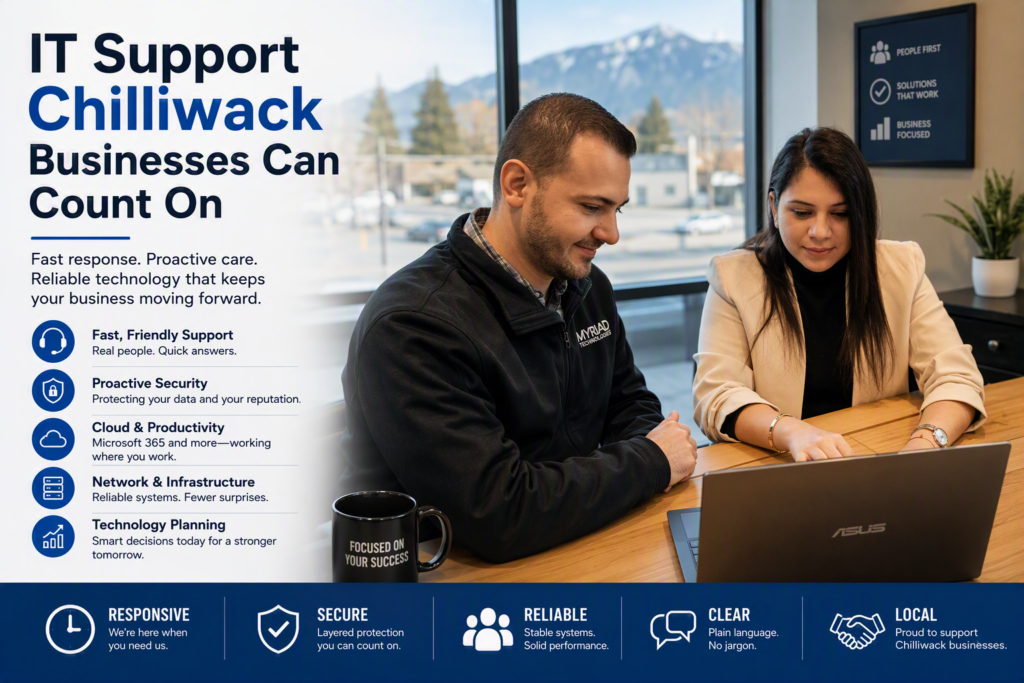
A computer problem rarely arrives at a convenient time. It appears when a client file will not open before a meeting, a pharmacy needs access to critical systems, or staff cannot send email during a busy morning. Dependable IT support Chilliwack organizations can call changes that equation. Instead of scrambling to find help after work stops, your business has a clear path to fast assistance, prevention, and informed technology decisions.
For small and midsize organizations, technology is no longer a separate back-office concern. It supports client communication, scheduling, payments, records, remote work, security, and the reputation you have worked hard to build. The right IT partner helps keep those systems available without making every conversation feel like a technical exam.
When IT Support Becomes a Business Priority
Many organizations begin looking for outside IT help after a serious disruption. A server fails, ransomware is suspected, an internet outage exposes an unreliable phone setup, or an employee accidentally loses access to important data. Those events deserve urgent attention, but they are also signs that technology needs more than occasional repair work.
Break-fix support can make sense for a very small office with simple needs and little dependence on shared systems. You pay for help when something breaks. The trade-off is uncertainty: there may be no one watching for warning signs, applying updates, checking backups, or documenting how your network is configured. A lower monthly cost can become expensive when downtime interrupts service, staff productivity, or client trust.
Managed IT support takes a different approach. It combines responsive help with ongoing maintenance, monitoring, security management, and planning. The goal is not to eliminate every technical issue – no provider can honestly promise that – but to catch common problems earlier, shorten recovery time, and make technology more predictable.
For a legal office, that might mean reliable access to case files and secure email. For a nonprofit, it may mean keeping donated devices, shared accounts, and limited budgets organized. A healthcare provider may need stronger safeguards around sensitive information and dependable systems at the front desk. The right plan should reflect the work your organization actually does rather than forcing everyone into the same package.
What Reliable IT Support in Chilliwack Should Cover
Good support begins with people answering when help is needed. It also includes the quiet work that reduces the need for emergency calls in the first place. Your provider should understand your users, your priorities, and the systems that keep your organization moving.
Fast help without the runaround
When a staff member cannot work, a prompt response matters. Remote support can resolve many issues quickly, including software errors, account access problems, printer issues, email troubleshooting, and common Microsoft 365 questions. Onsite service remains essential when the issue involves physical equipment, wiring, network hardware, or a situation that requires hands-on attention.
Responsiveness is about more than a response-time promise. It means clear updates while a problem is being investigated, a practical explanation of what happened, and confirmation that staff can get back to work. Nontechnical employees should never be made to feel embarrassed for asking for help.
Proactive maintenance that prevents avoidable trouble
Updates, antivirus tools, backups, device health checks, and network monitoring may not be visible to your team, but they have a direct effect on operations. Outdated software and unsupported devices create openings for security threats. Failed backups can remain unnoticed until the day someone needs to restore a file.
Preventative maintenance should include routine attention to the systems your business depends on, along with honest recommendations when equipment is approaching the end of its useful life. Replacing a workstation or firewall on a planned schedule is usually less disruptive than dealing with an unexpected failure during the workday.
Security that fits the real risks
Cybersecurity is not only a concern for large enterprises. Small organizations are often targeted because attackers expect fewer defenses and less formal training. A suspicious email, compromised password, or improperly configured cloud account can lead to lost data, fraudulent payments, or a costly interruption.
Practical security support starts with fundamentals: multi-factor authentication, strong access controls, monitored protection tools, secure backups, and regular patching. Staff training is equally important. Employees should know how to spot unusual requests, verify payment changes, and report a concern quickly without fearing blame.
Security priorities vary by organization. A firm that handles client financial information may need tighter controls and documented processes than a small office with limited data. A thoughtful IT partner explains the options, identifies the biggest risks first, and avoids selling tools that do not serve a clear purpose.
Cloud and communications that support flexible work
Cloud services can give teams better access to files, email, and collaboration tools, especially when staff work from different locations. Microsoft 365, shared document platforms, and cloud backups can simplify daily work when they are set up with the right permissions and policies.
But moving to the cloud is not automatically the right answer for every system. Some applications perform better on local infrastructure, while others require careful migration planning to avoid lost data or unexpected downtime. The best decision depends on how your team works, where your information lives, regulatory needs, and the cost of maintaining existing equipment.
Phone and internet systems deserve the same attention. A business phone solution should make it easy to serve customers whether employees are at their desks, in another location, or handling an emergency. If your internet connection fails, a continuity plan can prevent a local outage from becoming a complete communications outage.
Choosing an IT Partner That Understands Your Organization
Technical ability is necessary, but it is not the only factor. You are trusting a provider with systems, information, and the ability of your staff to do their jobs. Look for a team that asks useful questions before recommending a solution: What stops your operations if it fails? Who needs access to which information? Are your backups tested? What projects are coming up in the next year?
It is also reasonable to ask how support requests are handled, whether onsite service is available, and what happens during a security incident. A provider should be able to describe its process in plain language. If the explanation is full of jargon or pressure to buy immediately, that is a concern.
Local familiarity can be valuable. A Chilliwack-based provider understands that many Fraser Valley organizations need a combination of remote efficiency and onsite help. You may not need a technician in the office for every password reset, but you do want to know help is available when a network cabinet, server, wireless setup, or office move needs attention.
Myriad Technologies works with organizations that want this balance: practical day-to-day support, proactive care, and guidance that connects technology decisions to business needs. That relationship should feel personal. Your IT team should learn what a busy day looks like in your office and what problems require immediate action.
Make Technology Planning Part of Everyday Operations
The strongest IT relationships are not limited to service tickets. They create room for planning. A simple technology roadmap can identify aging devices, upcoming software changes, security priorities, and expected costs before they become emergencies.
Start by documenting the essentials: key applications, devices, user accounts, internet and phone providers, backup arrangements, and who has administrative access. This does not need to be a complicated binder that no one opens. It needs to be accurate enough that the right person can respond quickly when something goes wrong.
Then consider the next 12 to 24 months. Are you hiring? Opening another location? Moving more work into Microsoft 365? Replacing an old server? Updating a website or improving internal communications? These are business decisions with technology consequences. Addressing them early gives you more choices and a better chance to budget well.
Reliable IT support is not about adding complexity to your organization. It is about removing uncertainty, protecting the work your people do, and ensuring that a technical problem does not become a business crisis. The most useful next step is often a straightforward conversation about what is working, what keeps you up at night, and what would make tomorrow’s workday easier.