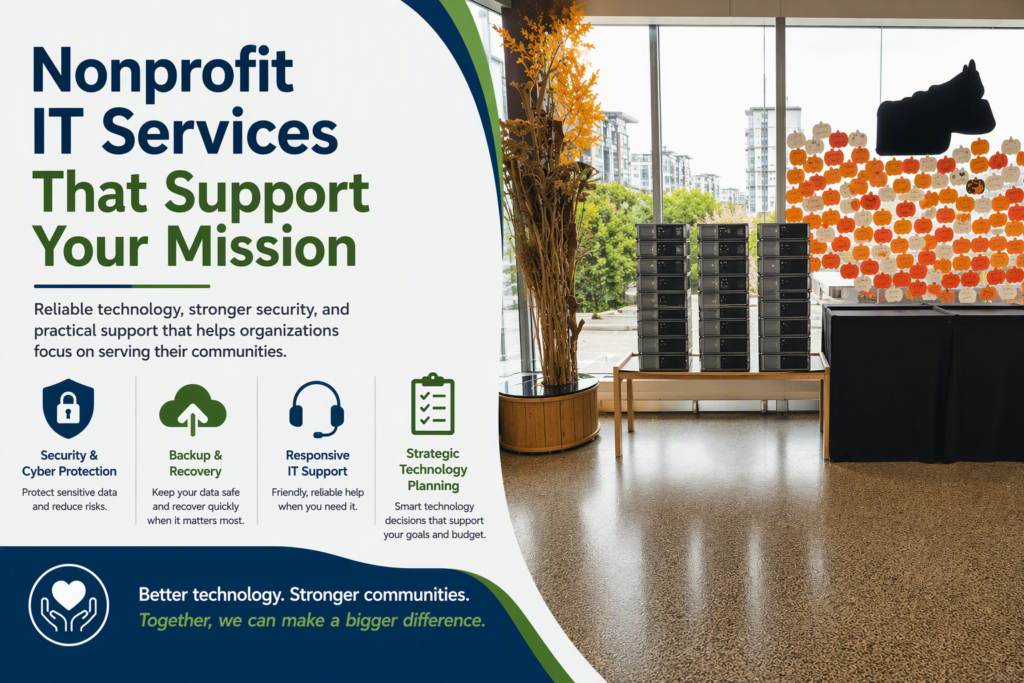
A program director cannot afford to lose access to case files on the morning of a client intake. A volunteer coordinator cannot spend half a day troubleshooting email before a fundraising event. For community organizations, nonprofit IT services are not simply a background expense. They are part of how services reach people, how donor trust is protected, and how a small team keeps moving when there is no in-house technology department to call.
The challenge is that nonprofits often operate with a lean budget, a mix of staff and volunteers, aging equipment, and a growing collection of cloud tools. The right technology partner does more than fix computers when something breaks. They help the organization make sensible decisions, prevent avoidable disruptions, and explain priorities in plain language.
What Nonprofit IT Services Should Actually Solve
Many organizations first seek IT support after a painful event: a ransomware scare, failed internet connection, missing files, an employee departure, or a server that finally stops working. Emergency help matters, but a break-fix approach alone can leave the same risks waiting in the background.
A well-managed IT relationship starts by understanding how your organization works. A food security program, a healthcare-adjacent service provider, a membership association, and an arts nonprofit may all use Microsoft 365, but their technology risks and daily workflows are different. One may need secure access to sensitive client information; another may depend on shared event files and reliable communications for a large volunteer base.
Effective support should address the practical questions behind the technical ones: Can staff work securely from the office, home, or a program site? Is the network dependable during busy periods? Are files backed up and recoverable? Can a new employee or volunteer be set up quickly with the right access? And if something fails, does someone answer promptly and take ownership of the issue?
For most small and midsize organizations, the core work includes ongoing monitoring and maintenance, responsive remote and onsite support, account management, network oversight, cybersecurity protection, backup planning, and guidance on cloud systems. The goal is not to add technology for its own sake. It is to reduce friction so staff can focus on the people and programs they serve.
The Risks That Deserve Attention First
Nonprofits are often targeted because attackers assume limited budgets and limited internal security resources. That does not mean every organization needs an enterprise-sized security program. It does mean basic safeguards should be treated as operational necessities, especially when systems contain donor details, financial records, employee information, or confidential client data.
Email remains one of the most common entry points for fraud. A convincing message may appear to come from an executive, a supplier, or a funding partner and request a payment, password reset, or bank detail change. Multifactor authentication, email filtering, clear payment-verification procedures, and short staff training can significantly reduce the chance that one rushed click becomes a serious incident.
Backups require the same level of care. Saving documents in a cloud platform is helpful, but it does not automatically answer every recovery question. Files can be deleted, accounts can be compromised, and retention settings may not match your needs. Your organization should know what is backed up, how long it is retained, who can restore it, and how quickly critical information can be recovered.
Access management is another quiet but important area. Volunteers, temporary staff, board members, and departing employees may all have access to shared drives, email groups, fundraising platforms, or social media accounts. When access is not reviewed regularly, an organization can lose control of valuable data and communications. A simple onboarding and offboarding process is often one of the highest-value improvements available.
A Practical Approach to Technology Planning
Technology planning does not require a thick strategy document that sits unread in a shared folder. It requires a realistic view of your current environment and a prioritized plan for the next 12 to 24 months.
Start with an inventory of what supports your daily operations: computers, phones, internet connections, printers, Wi-Fi, cloud subscriptions, line-of-business software, shared accounts, and any equipment used at remote sites. This process often reveals unsupported devices, duplicate subscriptions, unclear ownership, or critical systems that only one person understands.
Then identify what would cause the most harm if it stopped working. For one organization, it may be the database used to track clients and outcomes. For another, it may be the donation platform, phones, or the internet connection at a public-facing office. Priorities should be based on service impact, not on which piece of equipment looks oldest.
A good IT provider can translate that assessment into a phased plan. Some items may need immediate attention, such as exposed accounts, failing backups, or a firewall that is no longer supported. Others can be scheduled around grant cycles and annual budgets, including computer replacements, network improvements, a Microsoft 365 migration, or better meeting-room technology.
The best plan recognizes trade-offs. Replacing every device at once may be unnecessary, but delaying all replacements until equipment fails can create downtime, rushed purchases, and inconsistent security. Moving to cloud-based tools can improve access for distributed teams, but it also requires thoughtful permissions, training, and a reliable internet connection. Honest advice should make those choices clearer, not pressure you toward the most expensive option.
Support That Works for Staff and Volunteers
Technology support is only useful when people feel comfortable asking for help. Staff members should not have to choose between struggling with a problem or worrying that they will be blamed for it. Volunteers, who may have varying levels of technical confidence, need straightforward instructions and a clear point of contact.
That is why responsiveness and communication matter as much as technical knowledge. When an email outage affects an upcoming event or a laptop issue interrupts a client meeting, the organization needs an update in everyday terms: what happened, what is being done, what staff should do next, and when normal service is expected.
Remote support resolves many issues quickly, while onsite help remains valuable for network problems, hardware setups, office moves, and more complex infrastructure work. For Fraser Valley organizations with limited internal resources, having access to both can prevent minor issues from becoming long disruptions.
It also helps when one partner can coordinate related needs. Technology is connected to communications, websites, intranets, e-newsletters, and phones. When these systems are managed in isolation, staff can end up relaying the same problem between several vendors. A provider that understands the broader picture can reduce that burden and keep accountability clear.
Questions to Ask Before Choosing a Provider
Not every IT company is a good fit for a nonprofit. The lowest monthly price can become costly if support is slow, security is treated as an add-on, or recommendations are disconnected from your budget and mission. Before committing, ask direct questions about how the relationship will work.
Consider asking:
- How quickly will you respond when our team cannot access a critical system?
- What proactive maintenance and security work is included each month?
- How will you document our accounts, network, devices, and recovery procedures?
- Can you help us plan upgrades in stages rather than presenting unexpected costs?
- Will you explain recommendations clearly to nontechnical staff and board members?
Listen for practical answers rather than vague promises. A dependable provider should be willing to discuss service expectations, escalation procedures, data protection, and the boundaries of what is included. They should also ask questions about your programs, funding constraints, sensitive data, and future plans before recommending a solution.
Technology Should Make Mission Work Easier
The strongest nonprofit technology environments are rarely flashy. They are dependable. Staff can sign in, communicate, find current documents, serve clients, and work through a busy day without technology demanding constant attention. Leadership has a clearer view of costs and risks. Donors and community partners can trust that information is handled responsibly.
Myriad Technologies works with organizations that need that kind of practical, personal support: timely help when an issue is urgent, preventative care between emergencies, and clear guidance when a technology decision affects the budget. The right next step is often a conversation about what is causing friction now, what cannot be allowed to fail, and what improvement would make the greatest difference to the people you serve.